News or updates icon
Blog

Practice AI Blog

Explore how AI-driven solutions can automate routine tasks, allowing legal professionals to focus on more strategic activities.

These tools can assist in document review, legal research, and even predicting case outcomes, thereby increasing efficiency and accuracy.

Personal Injury Case Valuation Software: How to Evaluate

0
min read
June 19, 2026

Every plaintiff attorney has done the manual version of personal injury case valuation.

Pull the medical bills. Tally the past expenses. Estimate the future treatment costs. Apply a pain and suffering multiplier based on judgment and experience. Double-check the wage loss calculation. Hope nothing was missed.

That process works. But it is slow, it is inconsistent across attorneys, and it is entirely dependent on the person running the numbers having every document in front of them at the right time.

Personal injury case valuation software is designed to replace that manual process with a structured, data-driven output that gives attorneys a consistent starting point on every case.

This article walks through what case valuation tools actually do, how to evaluate them, and what separates a useful personal injury damages calculator from one that just produces a number your attorney cannot rely on.

KEY TAKEAWAYS

  • Personal injury case valuation software should pull figures from your actual case documentation, not from a generic multiplier formula applied to entered numbers.
  • The most important output from a case valuation tool is not a dollar figure. It is the structured breakdown of how that figure was calculated.
  • Personal injury law firm software used for case valuation must be HIPAA compliant before any medical records enter the workflow.
  • An automated case valuation tool that flags missing documentation before producing an output is significantly more reliable than one that calculates from whatever data is available.

Defining Personal Injury Case Valuation

Personal injury case valuation is the process of calculating the total compensatory damages a plaintiff is entitled to based on the documented evidence in their case file.

A complete personal injury case valuation is not a single number. It is a structured, component-by-component breakdown covering past medical expenses, future treatment costs, lost wages, pain and suffering, and property damage. Each component is drawn from verified documentation, not from estimates or averages.

The valuation forms the foundation of the settlement demand. How it is calculated, what documentation it is based on, and how each figure is supported determines whether the demand holds up under adjuster scrutiny or gives opposing counsel grounds to challenge it.

What Personal Injury Case Valuation Actually Involves

Before evaluating any software, it helps to be precise about what personal injury case valuation means in practice for a plaintiff law firm.

Case valuation is not a single calculation. It is a multi-component process that requires accurate documentation of every relevant damages category.

The Core Damages Categories

A complete personal injury case valuation covers the following:

Past Medical Expenses: Total billed amounts organized by provider, including emergency department care, specialist visits, imaging, physical therapy, and any other documented treatment. The figure is drawn from verified billing statements, not estimates.

Future Medical Expenses: Projected ongoing care costs based on treating physician recommendations. This typically includes physical therapy, specialist follow-ups, pain management, and any anticipated surgical interventions.

Pain and Suffering: Non-economic damages calculated using either a multiplier applied to total medical expenses or a per diem approach based on the duration and severity of the injury. Multipliers typically range from 1.5x to 5x total medical expenses depending on injury severity. A soft tissue case may support 1.5x to 2x, while a permanent disability case with documented long-term functional limitations may support 4x or higher. 

Per diem calculations assign a daily value to the injury and multiply it by the number of days the plaintiff experienced pain and limitation. The appropriate method depends on jurisdiction, documented injury severity, and the strength of the clinical evidence.

Lost Wages: Income lost during the recovery period, documented with employer verification and pay stubs. Where applicable, future earning capacity loss is addressed with vocational expert input.

Property Damage: Vehicle repair or total loss value, documented with appraisals or repair estimates.

Why Manual Case Valuation Creates Inconsistency

When personal injury case valuation is done manually, the output depends entirely on who is running the numbers, what documentation they have in front of them, and what multiplier they choose to apply.

Two attorneys at the same firm can review the same case file and arrive at materially different valuations. That inconsistency affects settlement positioning, negotiation strategy, and ultimately client outcomes.

Personal injury case valuation software standardizes the process by applying consistent calculation logic to the same verified documentation every time.

What Case Valuation Software Actually Does
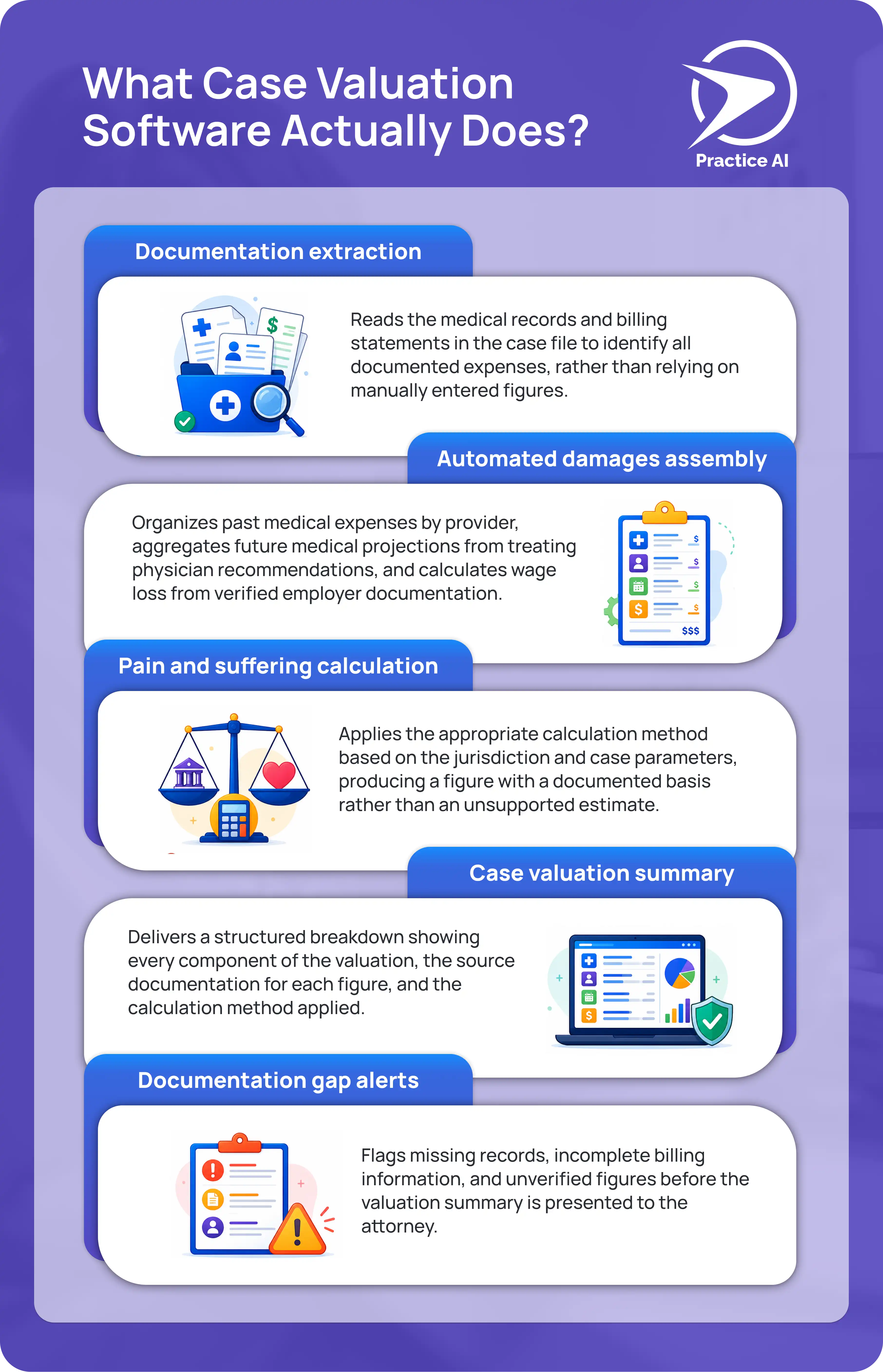
Infographic showing five functions of case valuation software including documentation extraction, automated damages assembly, pain and suffering calculation, case valuation summary, and documentation gap alerts by Law Practice AI

A personal injury damages calculator embedded in a plaintiff law firm workflow does more than multiply medical bills by a number.

Here is what a properly built case valuation tool produces:

  • Documentation extraction

Reads the medical records and billing statements in the case file to identify all documented expenses, rather than relying on manually entered figures.

  • Automated damages assembly

Organizes past medical expenses by provider, aggregates future medical projections from treating physician recommendations, and calculates wage loss from verified employer documentation.

  • Pain and suffering calculation

Applies the appropriate calculation method based on the jurisdiction and case parameters, producing a figure with a documented basis rather than an unsupported estimate.

  • Case valuation summary

Delivers a structured breakdown showing every component of the valuation, the source documentation for each figure, and the calculation method applied.

  • Documentation gap alerts

Flags missing records, incomplete billing information, and unverified figures before the valuation summary is presented to the attorney.

A personal injury damages calculator that skips any of these steps is producing a number, not a valuation.

How to Evaluate Case Valuation Software for a Plaintiff PI Firm

AI robot taking notes on a tablet beside analytics charts and a client protection icon, how to evaluate case valuation software for a plaintiff PI firm.

These are the criteria that separate useful case valuation software from tools that add more steps than they remove.

1. Does It Read Your Actual Case Documents?

The most important question is whether the tool reads your uploaded case documents or asks you to enter figures manually.

A tool that accepts manual entries produces output based on what someone typed in. A tool that reads your uploaded records produces output based on what the documentation actually shows.

For personal injury case valuation, that distinction is significant. A billing total entered manually is only as accurate as the person who entered it. A billing total extracted from the uploaded provider records is verified against the source.

2. Does It Integrate With Your Legal Software?

Case valuation software that does not connect to your existing platform CASEpeer, Filevine, SmartAdvocate requires your team to re-enter information that is already in your system.

Personal injury law firm software used for case valuation should pull case data, billing records, and client information automatically. An automated case valuation that requires manual data transfer between platforms is not actually automated.

3. Does It Produce a Structured Breakdown, Not Just a Total?

A dollar figure without a breakdown is not a usable case valuation for a plaintiff attorney.

The output needs to show every component of the calculation, the source for each figure, and the method used to calculate pain and suffering. An attorney reviewing the valuation should be able to verify every line before using it to set a demand.

4. Does It Flag What Is Missing?

An automated case valuation tool that calculates from whatever documentation is available, without flagging what is missing, will produce an inaccurate valuation whenever the case file is incomplete.

The tool should identify missing provider records, unverified wage loss documentation, incomplete billing statements, and any other gaps before presenting the valuation. Catching missing documentation before the calculation runs is significantly better than discovering it after the demand letter is sent.

5. Is It HIPAA Compliant and SOC 2 Certified?

Every personal injury case file contains protected health information. Any case valuation software that processes medical records must be HIPAA compliant and SOC 2 Type II certified, with a signed Business Associate Agreement in place before any client data enters the platform.

This is not optional for plaintiff law firms. It is a baseline requirement.

6. Does Attorney Review Remain Mandatory?

No automated case valuation should produce a final figure that goes directly into a demand letter without attorney review.

The software handles the data assembly and calculation. The attorney reviews the output, adjusts where judgment requires it, and approves the final valuation before it is used. Firms using tools that skip this step are assuming professional responsibility risk they do not need to take.

General Calculator vs. Purpose-Built Case Valuation Software

Factor General PI Calculator Purpose-Built Case Valuation Software
Input method Manually entered figures Reads uploaded case documents
Damages breakdown Total only Component by component with sources
Legal software integration None Native with CASEpeer, Filevine, SmartAdvocate
Documentation gap detection None Flags missing records before calculating
Pain and suffering method Single multiplier Jurisdiction-aware calculation
HIPAA compliance Varies Required and certified
Attorney review step Optional Mandatory
Output usability Reference only Ready for attorney review and demand drafting

How Law Practice AI Handles Personal Injury Case Valuation

Law Practice AI includes automated case valuation software built specifically for plaintiff law firms.

The platform reads the uploaded medical records, billing statements, and case documentation to assemble a complete valuation. Past medical expenses are organized by provider. Future medical projections are drawn from treating physician recommendations. Wage loss is calculated from verified employer documentation.

The pain and suffering calculation is documented with the method and basis used. Every component of the valuation shows its source so the attorney can verify every figure before using it.

Documentation gaps are flagged before the valuation summary is produced. Attorney review is required before any output is used. No valuation leaves the platform without explicit attorney approval.

Law Practice AI is HIPAA compliant and SOC 2 Type II certified. A signed Business Associate Agreement is in place with every firm before any client data enters the platform.

Frequently Asked Questions

Frequently Asked Questions: Personal Injury Case Valuation

Q1: What is personal injury case valuation?

Q2: How does a personal injury damages calculator work?

Q3: How does Law Practice AI automated case valuation differ from a general PI damages calculator?

Q4: Is HIPAA compliance required for personal injury case valuation software?

Q5: Does Law Practice AI offer a free trial?

The Right Case Valuation Tool Produces a Breakdown Your Attorney Can Actually Use

A personal injury case valuation is only as reliable as the documentation behind it.

Tools that accept manual inputs produce estimates. Tools that read your actual case documents, flag what is missing, and deliver a component-by-component breakdown with documented sources produce valuations.

That is the distinction worth holding every case valuation software option to before your firm commits to using it.

Book a Consultation to see how automated case valuation software fits your plaintiff practice.

Browse more blogs

How Demand AI Helps Personal Injury Lawyers Avoid Burnout

0
min read

Working in personal injury law can be fulfilling, but it often involves a huge amount of paperwork. The workload from managing complex cases and writing detailed demand letters can be overwhelming, leading to stress and eventually burnout, which affects not just you but your clients and team as well.

Our Demands AI solution offers a smarter approach. It automates tedious tasks, helping you stay focused, reduce stress, and provide top-notch representation for your clients. But how exactly does Demands AI help prevent burnout in your practice?

Table of Contents:

  1. The Hidden Costs of Burnout in Personal Injury Law
  2. How Demands AI Eases the Burden
  3. Types of Demand Letters Generated
  4. Types of Documents Generated
  5. Experience the Difference: Try AI Demand

The Hidden Costs of Burnout in Personal Injury Law

Burnout doesn't just mean being tired. It’s a state of emotional, physical, and mental exhaustion caused by ongoing stress, and it's common in personal injury law. When burnout hits, several areas suffer:

  • Longer Hours, Less Productivity: Spending hours drafting letters manually extends your workday and sacrifices family time, leading to exhaustion.
  • Mistakes and Missed Details: Overwork increases the risk of overlooking important details or making errors, which can compromise a case.
  • Strained Client Relationships: When you're overloaded, clients may feel neglected, eroding trust and damaging your relationship.
  • Team Morale: Burnout impacts not just you, but your team too. Paralegals and junior attorneys with repetitive tasks see their motivation dip, affecting overall productivity.

The solution? Burnout is avoidable. Automating routine work helps you work smarter, not harder. That’s the strength of AI Demand. Click here to sign up for a trial.

How Demands AI Eases the Burden

  1. Stop Wasting Time on Repetitive Drafting: Writing demand letters from scratch takes time. Demands AI produces detailed, professional letters swiftly, freeing you to engage in other important tasks.

  2. Keep It Compliant, Without the Stress: Ensuring compliance with legal standards is vital. Demands AI updates with the latest requirements, ensuring your letters meet all legal criteria without stress.

  3. Consistency You Can Rely On: With multiple cases, quality may fluctuate. Demands AI provides consistent, high-quality documents every time, similar to having a reliable assistant.

  4. Free Up Your Team to Focus on What Matters: Burnout affects your team. By handling repetitive tasks like drafting letters, Demands AI allows your team to concentrate on engaging work, boosting morale.

  5. Focus on What You Do Best: Every minute on routine drafting is time not spent on crucial tasks like negotiations or client relations. Demands AI lets you focus on these high-value tasks.

Types of Demand Letters Generated

Demands AI simplifies demand letter creation for personal injury cases using pre-built templates compliant with legal statutes. Types include:

  • Motor Vehicle Accidents:
    • Global Policy: Covers cases with multiple insurance policies, ensuring all applicable coverage is considered.
    • Regular Time Limit: Ensures timely submission within legal time constraints for standard motor vehicle claims.
    • Third Policy: Involves cases where additional policies, such as those of a third party, need to be included in the demand letter to secure full compensation.
  • Dog Bites: Crafts compassionate letters addressing the injury seriousness and relevant laws.

  • Premise Liability (Slip and Fall) Cases: Drafts letters outlining accident details and property owner negligence, including evidence like medical reports and witnesses.

Demands AI helps tailor these letters to each case's specifics, ensuring accuracy and saving time. Click here to sign up for a trial.

Types of Documents Generated

Demands AI streamlines document generation for:

  • Medical Summaries: Converts complex medical records into concise summaries, focusing on key details for negotiations or court.
  • Case Summaries: Summarizes key facts and legal arguments, keeping you organized and clients informed.
  • Medical Chronologies: Details medical events' timelines, illustrating injury progression and impact.
  • Custom Demand Letters: Tailored to unique case details, allowing incorporation of client-specific information.

Automating these documents using Demands AI ensures error reduction and enhances your case materials' quality.. Click here to sign up for a trial

Experience the Difference: Try Demands AI

The best way to understand how Demands AI can revolutionize your practice is to try it firsthand. We're offering a free trial, so you can see just how much time and stress you can save by letting AI handle the paperwork.

Why wait? Sign up for the free trial today and discover how Demands AI can help you work smarter, avoid burnout, and give your clients the exceptional representation they deserve.

Ready to take the first step toward a better work-life balance?

Sign up for your trial of Demands AI now and see how it can change the way you work.

The Hidden Costs of Using Multiple AI Tools—And Why One Platform Is Better

0
min read

As artificial intelligence (AI) tools flood the market, legal and medical professionals face a dilemma: How to choose the right solution for their needs. With options ranging from client intake systems to document analyzers and case management software, it’s tempting to start using multiple tools to cover all stages. However, this approach often creates more problems than it solves.

But what are these problems and why a single, integrated platform such as Practice AI can be a better solution?

The Pitfalls of Using Multiple AI Tools

1. Increased Complexity and Confusion

When professionals use multiple tools for different tasks, the result is often a messy and overcomplicated workflow. Each tool has its own interface, login credentials, and learning curve, which can quickly overwhelm even the most tech-savvy users.

This complexity doesn’t just slow you down—it can lead to errors, such as missed deadlines or incomplete documentation, which are costly in both legal and medical fields.

2. Higher Costs

Purchasing several specialized AI tools adds up to your monthly costs. Many tools require monthly subscriptions, additional training sessions, or hardware upgrades to run smoothly. These fragmented expenses can inflate your budget without delivering any value in return.

By comparison, an all-in-one platform consolidates these costs, offering a streamlined solution that’s easier on your bottom line.

3. Lack of Integrations

AI tools often operate in silos, making it difficult to transfer data seamlessly between systems. For example, client data collected by one tool may not integrate with another used for case management. This forces professionals to manually bridge the gap, wasting time and increasing the risk of errors. 

4. Reduced Productivity

Switching between tools disrupts workflows and decreases efficiency. Studies show that constant task-switching can reduce productivity by as much as 40%. For busy attorneys or healthcare providers, this lost time can mean fewer clients served or delayed patient care.

Why One Platform Works Better

The decision to consolidate your operations onto a single platform can transform how your business or practice functions. Here are the key reasons why an all-in-one solution is often more effective than using multiple disconnected tools:

1. Simplified Workflows

Managing multiple tools often results in fragmented workflows, forcing users to switch between platforms to complete a single task. A unified platform eliminates this inefficiency by offering a cohesive system where everything—whether it’s client intake, demand generation, or case management—is accessible in one place. This streamlining reduces time spent navigating between tools and allows for smoother, more productive operations.

2. Cost-Effective Solutions

Subscribing to several specialized tools can quickly inflate operational costs, especially when each tool comes with its own subscription fees, licensing requirements, and training needs. By contrast, an all-in-one platform consolidates these functions under one subscription, offering better value for your investment. It simplifies budgeting while ensuring that your resources are focused on a single, comprehensive solution.

3. Seamless Data Integration & Compliance

Disconnected tools often operate in silos, making it difficult to transfer or synchronize data. An integrated platform ensures that all components work together effortlessly, enabling seamless data sharing. This reduces the risk of duplication, errors, or lost information while maintaining continuity throughout your workflow.

Furthermore, all-in-platforms are usually designed with data security and compliance in mind, such as advanced encryption, real-time threat detection, and compliance with industry standards, creating peace of mind for lawyers, medical providers, and their clients.

4. Better User Experience

Learning multiple systems and managing various sets of credentials can overwhelm users, leading to frustration and inefficiency. A single platform simplifies the experience by providing:

  • One interface to master, reducing the learning curve.
  • Unified credentials for easier access.
  • A single point of contact for support, which minimizes delays when issues arise.

This simplicity results in less stress and more time for high-priority tasks, allowing users to focus on their clients, patients, or business growth rather than technology management.

5. Scalability and Adaptability

As your needs grow, managing multiple tools often requires piecemeal updates or adopting even more software. In contrast, an all-in-one platform is typically designed to scale alongside your business, offering additional features or integrations as needed. This adaptability ensures that the system continues to meet your needs without disrupting your workflows.

Practice AI: The One Platform You Need

At Practice AI, we understand the challenges legal and medical professionals face when juggling multiple tools. That’s why we’ve designed our platform to address every step of your workflow:

  • AI Demand automates demand letter drafting, saving hours of work while ensuring compliance.
  • AI Doc Summary analyzes and summarizes complex documents, spotlighting key details in minutes.

By combining these tools into a single platform, Practice AI empowers professionals to work smarter—not harder.

Try Practice AI Today

Using multiple AI tools might seem like a smart move, but the hidden costs can quickly outweigh the benefits. From increased complexity to higher expenses and reduced productivity, the downsides are clear.

With an all-in-one platform like Practice AI, you can simplify your workflows, reduce costs, and focus on what matters most—delivering exceptional service to your clients and patients.

Sign up with Practice AI now and explore our all-in-one AI solution.

How to Avoid Top 5 Mistakes with Your Legal/Medical Summaries Using AI Doc Summary

0
min read

Accurate legal and medical summaries are vital for informed decision-making, whether you're preparing for a court case or analyzing patient records. However, common mistakes can undermine the effectiveness of these summaries, leading to missed details, inefficiencies, or even costly errors. Here, we explore five frequent mistakes and show how AI Doc Summary can help you avoid them, ensuring your summaries are precise, organized, and reliable.

Table of Contents:

  1. Missing Critical Details
  2. Inconsistent Terminology Usage
  3. Incomplete or Disorganized Information
  4. Human Error in Data Extraction
  5. Failure to Spot Patterns or Connections
  6. Simplify and Strengthen Your Summaries with AI Doc Summary

1. Missing Critical Details

The Problem: Legal documents, such as deposition transcripts or witness statements, and medical records, like surgery notes or diagnostic reports, often contain key details buried in lengthy text. Missing these details can weaken a legal argument or lead to incorrect medical assessments.


Example: Overlooking a witness’s contradictory statement or missing a crucial lab result.


AI Doc Summary Solution: AI Doc Summary scans entire documents meticulously, highlighting critical details such as dates, key statements, or vital medical findings. This ensures that no essential information is overlooked, strengthening your case or patient assessment.

2. Inconsistent Terminology Usage

The Problem: Legal contracts or medical summaries often suffer from inconsistent terminology, which can create confusion. Misused legal terms or varying medical abbreviations (like using "BP" for blood pressure but also for business processes) can lead to misunderstandings.


Example: A legal brief inconsistently referring to a "plaintiff" as a "claimant" or mixing terms like "hemorrhage" and "hematoma" in medical reports.


AI Doc Summary Solution: The AI focuses on standardizing terminology, aligning with legal or medical industry standards. This ensures clarity and consistency across all documents, reducing the risk of misinterpretation.

3. Incomplete or Disorganized Information

The Problem: Disorganized summaries make it difficult to extract relevant information quickly. Legal case files or medical history reports might lack a coherent structure, leading to inefficient reviews.


Example: A summary that doesn’t chronologically order events in a malpractice case or a medical report missing treatment timelines.


AI Doc Summary Solution: AI Doc Summary organizes information logically, creating structured summaries with clear sections (like timelines or treatment stages). This makes it easier for professionals to find and understand critical information quickly.

4. Human Error in Data Extraction

The Problem: Manually summarizing large volumes of data from legal or medical records can introduce errors, especially when dealing with complex or repetitive information.


Example: Misquoting a testimony from a deposition or recording incorrect dosages from a patient’s medication history.


AI Doc Summary Solution: Using advanced algorithms, AI Doc Summary extracts and summarizes data with high accuracy. It minimizes human errors by cross-referencing data points, ensuring the summary reflects the source document correctly.

5. Failure to Spot Patterns or Connections

The Problem: Legal and medical professionals often need to identify patterns or connections between data points. Missing these insights can weaken legal arguments or affect medical diagnoses.


Example: Overlooking a pattern of patient symptoms indicating a misdiagnosis or missing connections between multiple contracts in a legal dispute.


AI Doc Summary Solution: The AI detects patterns and trends within documents. For example, it can identify recurring symptoms in medical cases or highlight similar clauses across different legal contracts. This helps professionals uncover insights that might otherwise be missed.

6. Simplify and Strengthen Your Summaries with AI Doc Summary

Avoiding these common mistakes is crucial for accuracy and efficiency in legal and medical work. AI Doc Summary not only reduces errors but also enhances the quality of your summaries, allowing you to make better decisions and deliver exceptional outcomes. Lastly, AI Doc Summary allows you to make revisions and adjustments before downloading the generated summary, ensuring you have total control over the output.

Try AI Doc Summary today and experience the difference.

Should Law Firms Invest in AI in 2025? A Legal AI Guide

0
min read

Are you wondering if 2025 is the year for your law firm to embrace AI legal tools? The legal field is evolving rapidly, and artificial intelligence (AI) is becoming an essential tool for maintaining a competitive edge. But like many firms, you may have concerns about cost, disruption, or the impact on your team. Practice AI™ is here to help you navigate these uncertainties with confidence.

Let’s explore why AI is worth the investment, the barriers firms face, and how Practice AI can provide tailored solutions to address your concerns.

Table of Contents

  1. Why Law Firms Need AI Legal Tools
  2. Challenges and Concerns About AI Adoption
  3. How Practice AI Solves Key Challenges
  4. Step-by-Step Guide to Adopting Practice AI™

Why Law Firms Need AI Legal Tools

AI technology is reshaping the legal landscape by automating repetitive tasks, enhancing accuracy, and saving time. In 2025, law firms that fail to leverage AI risk falling behind in a market that demands efficiency and innovation. Key benefits include:

  • Streamlined Workflows: Automate tasks like demand letter drafting, legal research, and compliance checks with AI-powered legal writing and legal document automation tools.
  • Increased Accuracy: Reduce human errors with AI for legal professionals, AI-powered tools designed for precision.
  • Cost Savings: Free up valuable time for attorneys to focus on high-value tasks rather than administrative duties— a game-changer for legal and professional services.
  • Improved Client Outcomes: Faster turnaround times and higher-quality work improve client satisfaction and loyalty. This is especially valuable in practice areas like personal injury demand letters and lemon law demand letters, where efficiency directly impacts case success.

Challenges and Concerns About AI Adoption

Law firms often hesitate to adopt AI due to common concerns, such as:

  1. Cost of Implementation: Worries about the upfront investment and long-term expenses.
  2. Disruption to Workflow: Concerns about how AI will integrate into existing systems and processes.
  3. Data Privacy and Security: Fear of breaches when sensitive information is involved, especially in areas like AI in data security and AI HIPAA compliance.
  4. Job Security: Misconceptions that AI will replace human employees rather than complement them.

How Practice AI Solves Key Challenges

Practice AI understands these concerns and offers solutions designed specifically for law firms.

  1. Affordability: Practice AI provides cost-effective tools like Demands and AI Doc Summary, ensuring firms of all sizes can access the best AI for lawyers without breaking the budget.
  2. Seamless Integration: Our products, including AI legal document generator and AI legal assistant solutions can integrate easily into your existing workflows, minimizing disruption and enabling your team to adopt new processes quickly.
  3. Robust Data Security: Practice AI prioritizes data security in AI with advanced encryption and compliance with legal industry standards, safeguarding sensitive client information.
  4. Empowering, Not Replacing: Practice AI enhances human capabilities by automating repetitive tasks, allowing attorneys to focus on strategy, advocacy, and client engagement, ideal for law firms looking for time-saving AI for lawyers, not job-replacing bots.

Step-by-Step Guide to Adopting Practice AI™

  1. Assess Your Firm’s Needs: Identify areas where AI can add the most value, such as document drafting, AI-powered demand letters, legal document automation, or AI Doc Summary™ for legal document  or medical record analysis.
  2. Schedule a Demo: Explore Practice AI’s tools through a live demonstration to see how exploring AI for law firms or expanding into AI for personal injury lawyers work in real-world scenarios.
  3. Involve Your Team: Include key stakeholders in the decision-making process to ensure buy-in and smooth adoption of AI in the legal field.
  4. Start Small: Begin with one or two tools, such as Demands or AI Doc Summary, and gradually expand as your team becomes comfortable.
  5. Provide Training: Practice AI offers training resources to ensure your team understands how to maximize the tools’ potential — whether they need help with AI-generated legal documents, document summarization, or automating legal documents.

2025 is the year to invest in AI for your law firm. The potential for improved efficiency, accuracy, and client outcomes is undeniable, and Practice AI is your partner in this transformative journey.

Don’t let concerns hold you back. With affordable, secure, and user-friendly tools like Demands and AI Doc Summary, Practice AI addresses the challenges of AI adoption while delivering tangible benefits.

Automate your next demand letter with Practice AI™.

From AI-powered legal writing to medical records analysis, our tools like AI Demands™ and AI Doc Summary™ help law firms boost efficiency, accuracy, and client outcomes. Sign up today and empower your firm to lead in 2025 and beyond.

Two attorneys reviewing a whiteboard comparison of AI tools rated on accuracy, customization, speed, and cost for demand letter generation by Law Practice AI

Top 3 Personal Injury Demand Letter Generation Tools

0
min read

Demand letters play a critical role in personal injury cases, serving as the formal request for compensation from the at-fault party or their insurance company. A well-crafted demand letter clearly outlines the facts of the case, details the injuries sustained, and specifies the compensation sought. It's often the first step in securing a fair settlement and can set the tone for negotiations.

Traditionally, demand letter drafting is a time-consuming and meticulous process. However, AI-powered tools have emerged to streamline this task, helping law firms save time, reduce errors, and enhance their effectiveness. In this post, we'll explore the top three personal injury demand letter generation tools.

Table of Contents:

  1. Why Are Demand Letters Important?
  2. AI Demand by Practice AI
  3. Filevine's DemandsAI
  4. Evenup Demands
  5. Choosing the Best AI Tool for Demand Letter Creation

Why Are Demand Letters Important?

Demand letters are more than just paperwork, they are strategic documents that can significantly impact the outcome of a personal injury case. A strong demand letter:

  • Sets the Foundation for Negotiations: It establishes the facts and the basis for the claim such as personal injury claim, helping to prevent misunderstandings.
  • Demonstrates Serious Intent: It signals to the opposing party that the plaintiff is prepared to pursue legal action if necessary.
  • Aims to Maximize Compensation: By clearly outlining damages, medical expenses, and their impact, a well-drafted settlement demand letter can lead to faster and more favorable settlements.

Let's compare three of the best options available.

AI Demand by Practice AI

Overview:
AI Demand by Practice AI is specifically designed to streamline the creation of demand letters for personal injury law firms. It focuses on speed, accuracy, and compliance with U.S. personal injury legal standards.

Key Features:

  • Quick Drafts: Generates detailed demand letters in minutes, reducing the time spent on manual drafting.
  • Built-in Compliance: Ensures that all letters align with personal injury statutes and legal frameworks.
  • Customizable Templates: Provides pre-built templates for various types of personal injury cases, which can be tailored to individual client needs.
  • Unlimited Revisions: Allows continuous refinement to ensure the demand letter meets case-specific requirements.

Why It Stands Out:
AI Demand offers a user-friendly, cost-effective solution tailored specifically for personal injury law. Its focus on legal compliance and customizable templates makes it accessible for firms of all sizes. The tool's unlimited revision feature also ensures that the final letter is polished and persuasive​.

Considerations:

  • As a newer tool, user feedback is still developing.
  • Best suited for firms focusing primarily on personal injury cases as of December 2024.

Filevine's DemandsAI

Overview:
Filevine's DemandsAI is designed to automate and streamline the creation of demand letters. Integrated with Filevine's case management platform, it uses existing case data to generate detailed and persuasive demand letters quickly.

Key Features:

  • Automation: Generates demand letters in minutes, pulling relevant data directly from case files.
  • Data Integration: Seamlessly integrates with Filevine's case management system, ensuring accuracy and consistency.
  • Customization: Offers adaptable templates for various types of personal injury cases.
  • Professional Review: Optional legal expert review ensures high-quality outputs.

Why It Stands Out:
Filevine's DemandsAI is ideal for firms already using the Filevine platform. It reduces the need for manual data entry and ensures that demand letters are consistent and accurate. The tool's integration with case management software helps maintain a smooth workflow​

Considerations:

  • Best suited for firms within the Filevine ecosystem.
  • Some manual oversight may still be needed to capture case-specific nuances.

Evenup Demand Letter

Overview:
Evenup focuses on maximizing settlements by generating data-driven demand letters tailored to specific personal injury cases. It uses insights from a database of past settlements to help justify the compensation requested.

Key Features:

  • Data-Driven Valuations: Compares case details to similar past settlements to suggest appropriate compensation amounts.
  • Narrative Support: Helps build compelling narratives around the plaintiff's injuries and their impact on quality of life.
  • Custom Templates: Provides templates for various injury types, such as car accidents, slip-and-falls, and dog bites.

Why It Stands Out:
Evenup's strength lies in its data-driven approach. By benchmarking against past cases, it helps attorneys justify their compensation demands with solid evidence. This can lead to higher settlements and more successful negotiations​..

Considerations:

  • There may be a learning curve to fully utilize its benchmarking features.
  • Customization can require additional input to align with specific firm standards.

Choosing the Best AI Tool for Demand Letter Creation

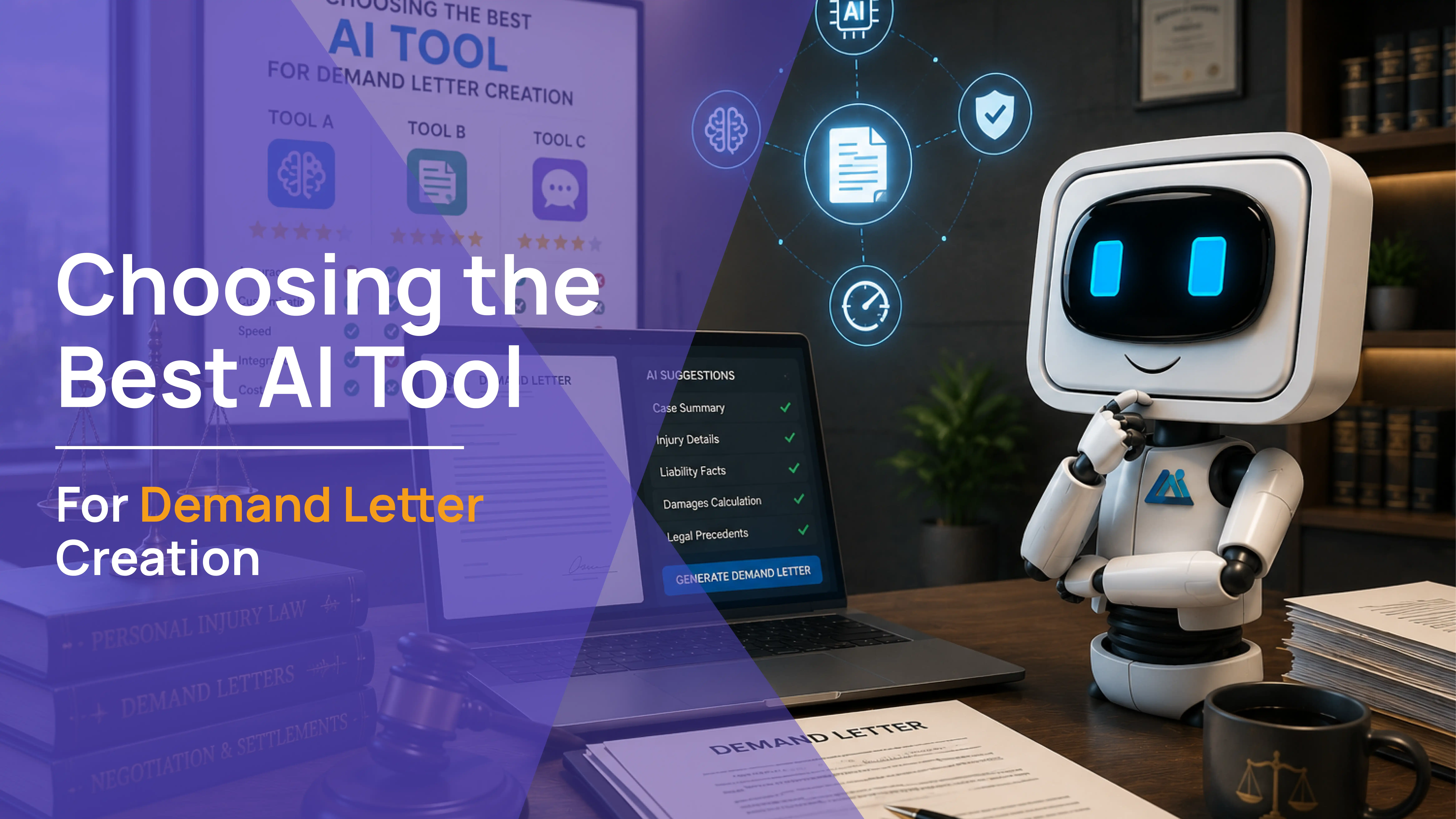
AI robot beside a laptop showing AI suggestions for case summary, injury details, and damages calculation with a generate demand letter button, choosing the best AI tool for demand letter creation

Demand letters are a crucial part of personal injury cases, setting the stage for successful negotiations. Choosing the right AI tool depends on your firm's specific needs and workflow:

  • Filevine's DemandsAI: Ideal for firms already using the Filevine platform, offering seamless integration and consistent data handling.
  • Evenup: Best for maximizing settlements with data-driven valuation insights and detailed narrative support.
  • AI Demand by Practice AI: A user-friendly, compliant, and cost-effective solution tailored specifically for personal injury law, perfect for firms of all sizes.

Each tool offers unique benefits, so consider what aligns best with your firm's requirements, whether it's integration, accuracy, or settlement optimization.

Explore Demands AI today and see how it can transform your demand letter process.

Two attorneys reviewing a personal injury demand letter on a laptop alongside an AI robot with scales of justice on the desk.

5 Steps to Craft an Efficient Personal Injury Demand Letter with AI Demand

0
min read

Creating a compelling personal injury demand letter is crucial for maximizing settlements. It needs to clearly outline the facts, damages, and the financial compensation that is sought, all while being persuasive and legally sound. Traditionally, drafting these letters can take hours and require meticulous attention to detail. But with AI Demand, this process becomes faster, easier, and more accurate.

You would be surprised to know that it only takes 5 simple steps to generate your demand letter once you sign up. Sign up with Practice AI now and explore AI Demand.

Steps:

  1. Upload & Input Accurate Case Details
  2. Customize for Specific Injuries
  3. Highlight Key Damages
  4. Review and Refine
  5. Ensure Compliance

1. Upload & Input Accurate Case Details

The foundation of any strong demand letter is accurate information. Start by gathering all relevant case details, such as:

  • Case summaries
  • Medical records
  • Medical chronologies
  • Witness statements
  • Police reports
  • Photos of injuries or property damage

With AI Demand, you can upload these documents directly into the platform. The fully AI-powered assistant uses this data to generate a detailed draft that covers all critical aspects of the case. Accurate input ensures that the generated demand letter reflects the true nature and extent of the personal injury claim, strengthening your negotiation position in a personal injury case.

2. Customize for Specific Injuries

Every personal injury case is unique, and your demand letter should reflect that. AI Demand offers pre-built templates for various types of cases, including:

  • Motor vehicle accidents, such as a car accident case (Including global policy, regular time limit: and third policy case types)
  • Slip and fall incidents (Premise liability cases)
  • Dog bites

These templates are designed to address specific injury scenarios. Once you select the appropriate template, customize it to highlight the client’s unique situation and add your own logo and letter templates.

3. Highlight Key Damages

A successful demand letter clearly outlines the damages being claimed. AI Demand helps you categorize and present both economic and non-economic damages:

  • Economic Damages: These include medical expenses, lost wages, and future treatment costs. AI Demand ensures that all documented expenses are accurately represented, leaving no room for dispute.
  • Non-Economic Damages: These cover pain and suffering, emotional distress, and loss of enjoyment of life. AI Demand can help quantify these damages, providing a clear and justified request for compensation.

By organizing and presenting these damages effectively, your demand letter demonstrates the full impact of the injury, making a stronger case for fair compensation.

4. Review and Refine

One of the standout features of AI Demand is its ability to generate high-quality drafts quickly. But every case is unique, and a human touch is essential. 

With AI Demand, you can revise and tailor the language to emphasize how the injuries have impacted their life, both physically and emotionally. The unlimited number of revisions to personalize your generated demand letters make them more compelling and relatable.

Use AI Demand’s unlimited revision feature to:

  • Review the draft for accuracy and completeness
  • Ensure the tone aligns with your case strategy
  • Make adjustments based on client feedback

This collaborative process ensures that the final settlement demand letter is polished, persuasive, and perfectly tailored to the case. With AI Demand, you save hours of drafting and revising time, allowing you to focus on other critical aspects of your practice.

5. Ensure Compliance

A demand letter must adhere to established legal statutes and standards. AI Demand is designed to generate letters that comply with U.S. personal injury law requirements and statutes. This includes:

  • Properly documenting and presenting damages
  • Ensuring all relevant legal points are covered
  • Maintaining a professional and respectful tone

Compliance is crucial to avoid challenges from insurance adjusters or opposing counsel. AI Demand’s built-in legal knowledge helps you meet these standards, reducing the risk of errors and increasing the likelihood of a favorable settlement.

Why AI Demand™ is a Game-Changer for Legal Action

AI robot at a laptop beside a signed personal injury demand letter on a clipboard, why AI Demand is a game changer for legal action.

Tired of spending hours drafting a personal injury demand letter? With AI Demand™, you can create powerful, legally sound letters in minutes. Whether you're dealing with a car accident, medical malpractice, or a wrongful death case, this tool ensures your settlement demand letter is precise, persuasive, and packed with the right details. It helps you maximize financial compensation by organizing medical records, detailing economic damages, and presenting a compelling case to insurance adjusters. Get your personal injury claim started the right way, fast, effective, and stress-free.

Start Streamlining Your Demand Letters with AI Demand NOW!

Crafting an efficient personal injury demand letter doesn’t have to be a time-consuming or stressful process. With AI Demand, you can generate detailed, compliant, and persuasive letters in minutes, not hours. By following these five steps, you ensure that every demand you send is accurate, compelling, and tailored to your client’s needs.

Ready to transform your demand letter writing process?

Sign up with Practice AI now and explore AI Demand.