
5
min read time

Best AI for Immigration Lawyers

The best AI for immigration lawyers is not one universal winner. It is whichever tool actually removes the retyping, drafting, or transcription that eats your staff's hours, once you have tested it on a real case instead of a demo. 

This guide ranks the categories by what they automate, adds a same-day test you can run before signing anything, and closes with the ethics rules that govern how any firm can use these tools at all.

‍

Top AI Tools for Immigration Law Firms

With that test ready to run, here is how six commonly recommended tools stack up, grouped by which stage of a case they actually automate, from full-lifecycle coverage down to a single task.

Tool Category Best For Pricing Model
US Immigration AI End-to-end immigration case automation Firms that want to reduce repetitive work across multiple stages of a case Per application or flat monthly plan
Docketwise Immigration form automation Firms that want questionnaire-driven intake tied directly to form completion Per user, per month
CaseBlink AI petition and RFE drafting Firms whose biggest time drain is writing petition narratives and RFE responses Not publicly listed; request a quote
Sonix AI transcription and translation Firms handling frequent non-English client interviews or recorded testimony Per-minute pricing with volume plans available
ChatGPT, Claude, Gemini General-purpose AI assistants Early-stage brainstorming, not case-specific drafting or document handling Free and paid plans; business pricing varies
Clio's Manage AI Practice-management AI add-on Firms already using Clio that want AI built into existing matter workflows Paid add-on to a Clio subscription

1. US Immigration AI: Best for End-to-End Case Automation

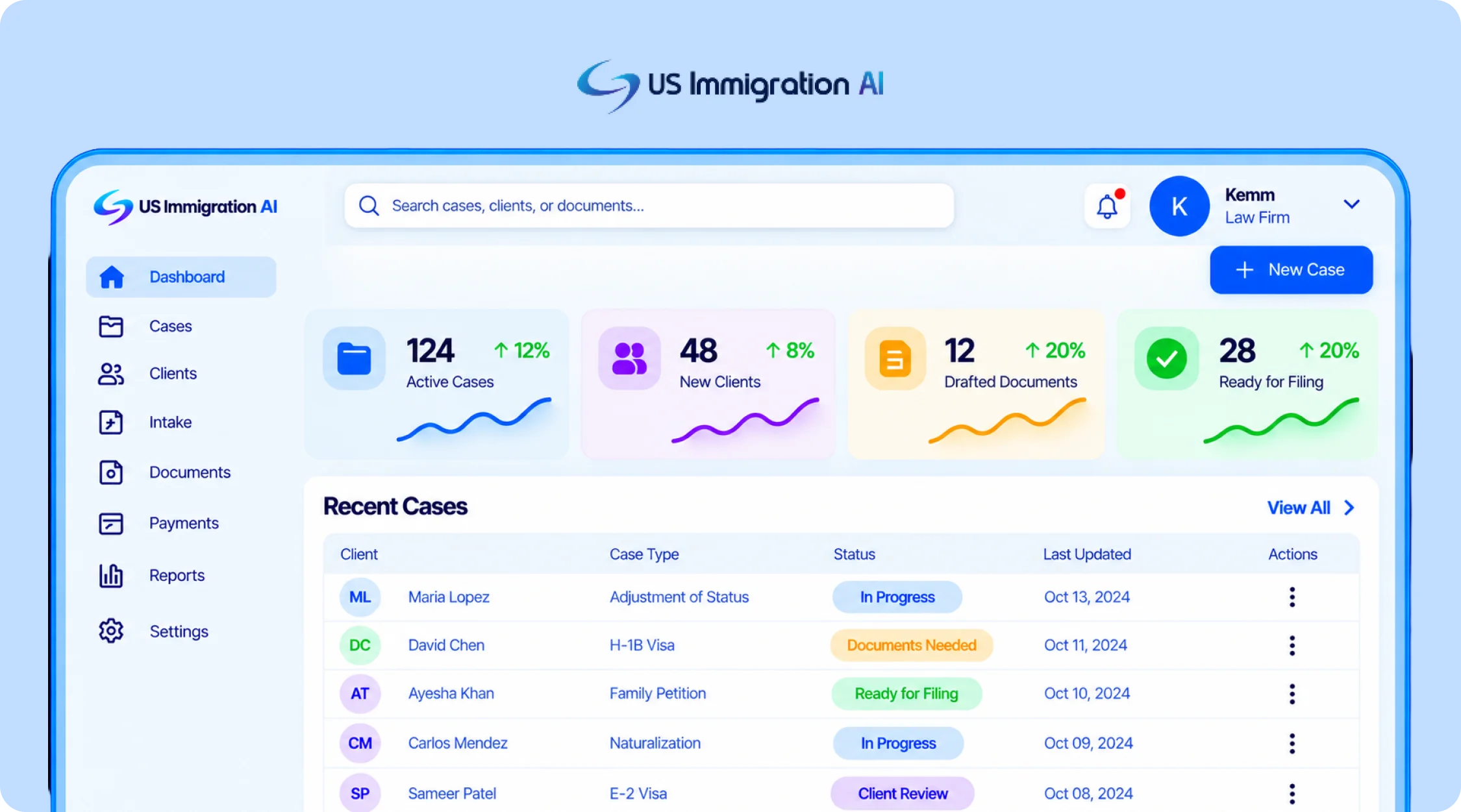
US Immigration AI is an AI-powered platform built specifically for immigration law firms. One of its co-founders, Michael Ashoori, is a U.S. immigration lawyer, and the platform is designed around the workflows immigration practices handle every day. It connects lead intake, retainers and payments, document collection, legal drafting, and final case assembly in one system.

Its immigration-specific workflow is the main difference from tools focused primarily on forms or drafting. Firms can use the platform across multiple stages of a matter while keeping attorney review and approval at the final decision and filing stages.
US immigration AI Software

2. Docketwise: Best for Immigration-Specific Form Automation

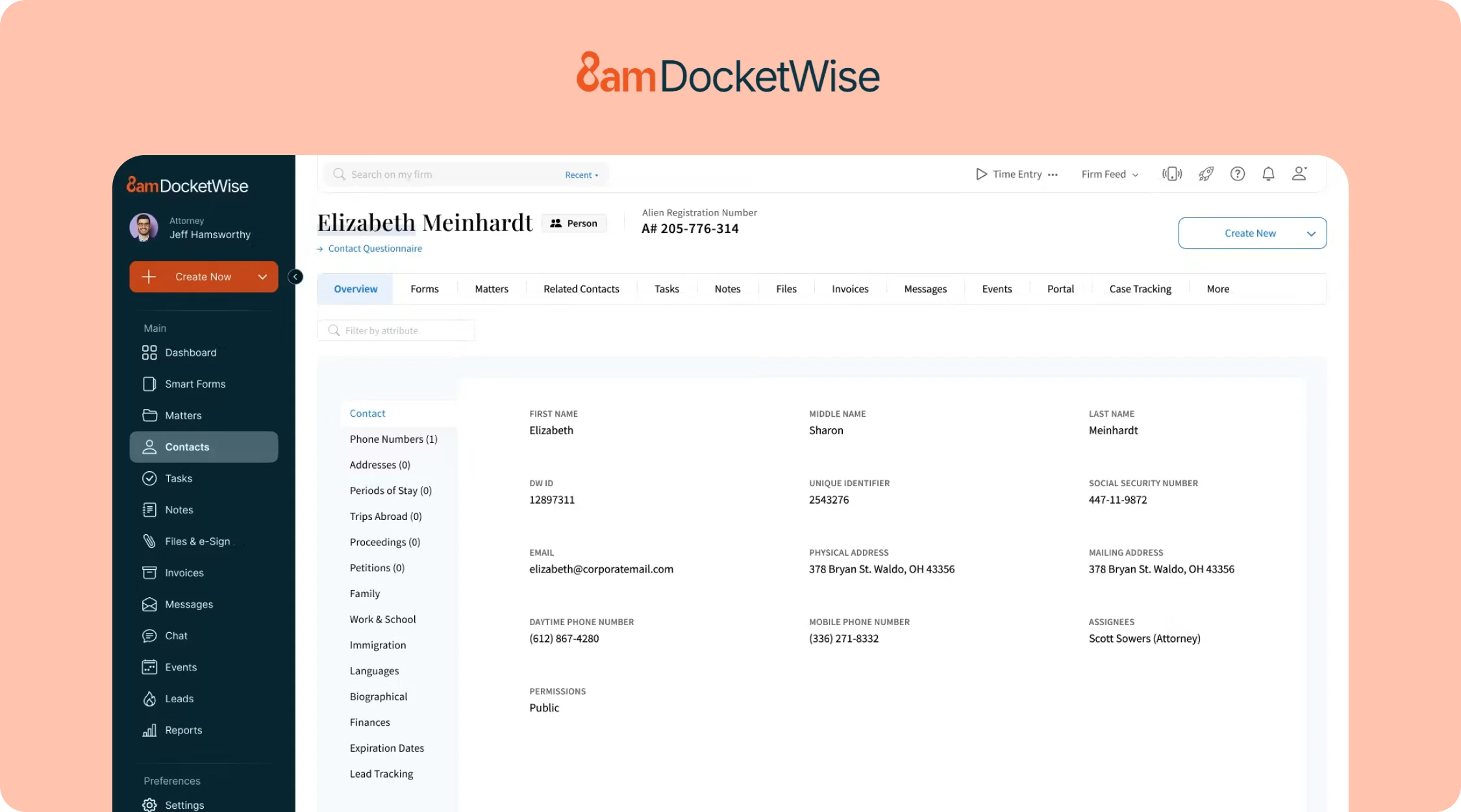
Docketwise is case management software built for immigration practices. Clients complete a smart questionnaire, and Docketwise auto-populates the matching form across a library of more than 150 USCIS, DOL, and DOS forms, from family petitions to PERM labor certifications.

Its AI writing layer, marketed as 8am IQ, adds drafting and data-capture assistance on top of the core form automation. Published pricing for it varies widely across review sites, so confirm the current rate directly rather than trusting any single listing.
DocketWise software

3. CaseBlink: Best for AI-Drafted Petitions and RFE Responses

CaseBlink is a drafting tool built for immigration attorneys. It generates support letters, cover letters, RFE responses, and legal briefs for major visa and green card categories, citing directly to the case documents a firm uploads.

Pricing is not publicly listed at the time of writing, so request a quote directly rather than relying on a third-party estimate.

4. Sonix: Best for AI Transcription and Translation

Sonix transcribes and translates audio and video, with support for more than 49 languages. Immigration firms use it for client interviews, sworn statements, and hearing recordings that need an accurate written record in a second language.

Time a transcript of an actual client interview against step four of the test above before committing to a volume tier.

5. ChatGPT, Claude, and Gemini: Best for Research and Brainstorming

General-purpose AI chatbots like ChatGPT, Claude, and Gemini are useful for talking through a hard legal question, drafting a rough first outline of an RFE response before a specialized tool takes over, or summarizing a long article. They have no memory of a specific client's case and no built-in connection to a firm's intake or document data.

Client case details should stay out of the consumer tier. An enterprise tier with different data-handling terms is the safer choice if any client information is involved.

6. Clio's Manage AI: Best if Your Firm Already Runs on Clio

Clio's Manage AI, built into Clio Manage, extracts deadlines from uploaded court documents into calendar events, drafts client update messages, and summarizes long matter files. Extracted dates are shown side-by-side with the source document so staff can verify them before anything is confirmed.

It's a general practice-management layer, not one built specifically for immigration filings, and it's an add-on rather than a standalone product. Confirm both the AI-layer cost and the base subscription tier directly before budgeting.

‍

How to Choose an AI for Your Immigration Practice
How to choose ai for immigration lawyers

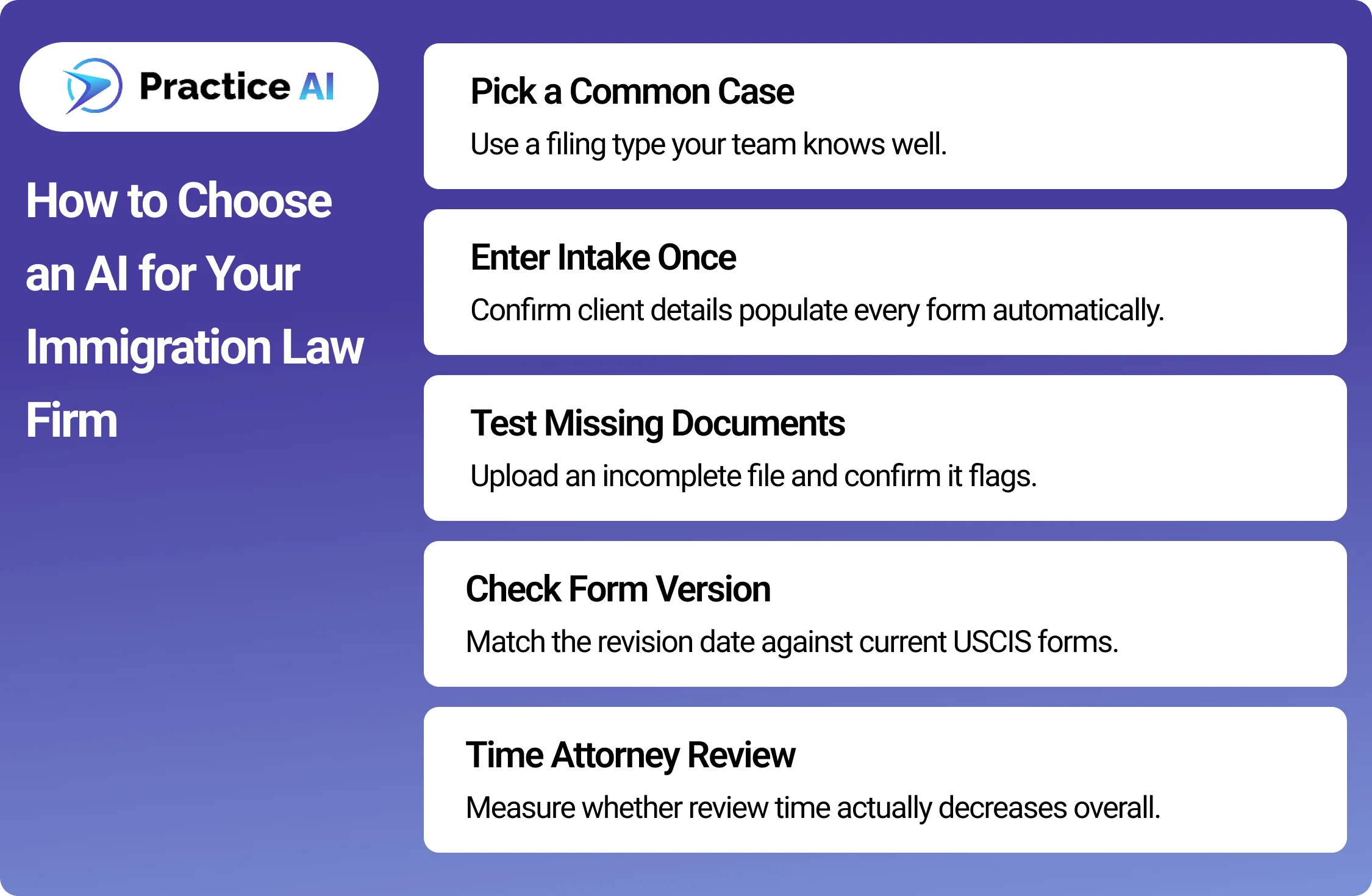
A demo shows you the tool at its best. A real case shows you how it behaves on your firm's actual work. Before signing, run one sample case through the tool and check these steps.

  • Pick one case type your firm files often. A family-based petition or a common nonimmigrant visa works well, since you already know how long it should take.
  • Enter the client's intake answers once. Check whether the same name, dates, and details carry into every downstream form without retyping.
  • Upload one file on purpose left incomplete. Confirm the tool actually flags the missing document instead of letting the gap pass silently.
  • Ask for the form's exact revision date. Compare it against the current edition on USCIS.gov to confirm the template is current, not stale.
  • Time your attorney's review of the sample output. A tool that saves drafting time but doubles review time has not saved your firm anything.
  • If the tool touches client payments, send one sample deposit. Confirm it lands in a trust account and that processing fees come out of the operating account instead, not the other way around.

‍

Where Ethics Rules Actually Limit Your Options

None of the categories above operate outside your existing ethical duties. Three sources set the real limits on how any of them can be used.

ABA Formal Opinion 512

ABA Model Rule 1.1 requires competence, which the ABA's Standing Committee on Ethics and Professional Responsibility applied directly to generative AI in Formal Opinion 512, "Generative Artificial Intelligence Tools," issued July 29, 2024.

The opinion states that uncritical reliance on AI output carries real malpractice risk, and it ties AI use back to Model Rule 1.6 on confidentiality, since client data fed into a tool has to stay protected the same way a paper file would. A tool with no attorney-review checkpoint, or that cannot say where client data is stored, creates exactly the exposure the opinion warns about.

EOIR Policy Memorandum PM 25-40

Immigration practice carries one more layer. The Executive Office for Immigration Review's Policy Memorandum PM 25-40, "Use of Generative Artificial Intelligence in EOIR Proceedings," issued August 8, 2025, sets no blanket ban and no mandatory disclosure rule for AI use in immigration court and BIA proceedings.

It does warn that filing hallucinated AI-generated citations or arguments can trigger professional-conduct sanctions, and individual judges may still adopt their own standing orders on AI disclosure. Firms filing with EOIR should read the memo directly and check with the specific court or judge rather than assuming one uniform rule applies.

ABA Model Rule 1.15, If Payments Are Involved

A third rule applies to any tool that touches client money. ABA Model Rule 1.15 requires lawyers to keep client funds, like retainer deposits, separate from the firm's own operating funds in a dedicated trust account.

Commingling trust and operating funds is one of the most common sources of bar discipline, so a payment tool needs to show exactly where a deposit lands, not just confirm that it was "processed." This is the reasoning behind the payment check added to the test above.

Bring all three sources with you when you run the test. A tool that cannot show you an attorney-review flag, a clear data-handling answer, or exactly where a payment lands has already failed the more important test, regardless of how it performs on speed.

‍

Final thoughts

The best AI for immigration lawyers is the one that survives contact with a real case, not the one that ranks highest in a search result. Run the test on your own files, ask each vendor exactly where client money and data go, and match the tool to the actual bottleneck slowing your firm down.

Category fit, a live test, and the three ethics sources covered here matter more than any single feature list a vendor publishes about itself.

‍

Frequently Asked Questions

These are the questions immigration firms ask most when they're choosing between these tools.

What is the best AI for small immigration law firms?

US Immigration AI and Docketwise are strong options for small immigration firms because both can scale without a large upfront software investment. US Immigration AI is better suited to firms that want broader workflow automation, while Docketwise is stronger for forms management.

What is the best AI for solo immigration attorneys?

US Immigration AI can be a good fit for solo immigration attorneys because its per-application pricing lets firms pay based on actual case usage. This works well for solo attorneys with lower or more variable case volume.

How do I know if a vendor's claims about their AI tool are accurate?

Run the tool on one real case before signing anything. Enter intake data once, leave a document intentionally incomplete, and check whether the tool actually flags it. A live test on your own case type tells you more than any published feature list.

Is it safe to use general AI chatbots like ChatGPT for immigration cases?

General chatbots can help with brainstorming and rough drafts, but they were not built with legal confidentiality obligations in mind. ABA Model Rule 1.6 and ABA Formal Opinion 512 require firms to understand how a tool handles client data before putting case details into it.

Does an attorney still need to review AI-drafted immigration documents?

Yes. ABA Formal Opinion 512 states that uncritical reliance on AI output carries real malpractice risk under the competence duty in Model Rule 1.1. Every AI-drafted document should go through a licensed attorney's review before it reaches a client or the government.

Can AI be used in immigration court filings?

Yes. The Executive Office for Immigration Review's Policy Memorandum PM 25-40 neither bans generative AI in its proceedings nor requires firms to disclose using it. It does warn that filing hallucinated AI-generated citations can trigger professional-conduct sanctions, and an individual judge may still impose their own disclosure rule through a standing order. Confirm the specific court's practice before relying on any AI tool in a filing.

Does an AI payment tool create any special ethics risk?

Yes, if it touches client retainer money. ABA Model Rule 1.15 requires client funds to stay in a separate trust account from the firm's own operating funds. Before relying on any payment automation, confirm it actually keeps those two accounts separate rather than just processing a charge.


Browse more blogs

AI demand letter

0
min read

Draft accurate demand letters faster with AI.

Introduction: Personal Injury Law Is Evolving Fast

Personal injury law firms handle high case volumes. Demand letters take hours. Manual drafting causes delays, errors, and staff burnout. In 2026, AI demand letter software is changing this reality. Law firms now generate compliant, data-driven demands in minutes.

AI is no longer optional. It’s a competitive advantage. See how AI demand drafting works in real firms.
See Demand AI in Action

What Is AI Demand Letter Software?

Automate demand drafting without hiring more staff. AI demand letter software uses case data to draft legal demands. It pulls information from medical records, intake forms, and timelines. Then it creates structured, accurate demand letters instantly.

No manual formatting. No repetitive copy-paste work. Just fast, consistent output.

Why Personal Injury Firms Are Adopting AI in 2026

Handle more cases without increasing workload. Personal injury practices are volume-driven. Speed matters. Accuracy matters more.

AI helps firms:

  • Reduce drafting time drastically
  • Maintain consistency across cases
  • Eliminate human error
  • Scale without adding headcount

Firms using AI close cases faster. They also improve client satisfaction. Scale your PI practice with confidence.

From Hours to Minutes: Faster Demand Drafting

Turn hours of work into minutes.

Traditional demand letters take hours. Reviewing records takes longer.

AI demand software generates drafts in minutes.

Attorneys review. They approve. They send.

More output. Less stress. Cut drafting time starting today.

Improved Accuracy and Consistency

Deliver precise, compliant demand letters every time.
Manual drafting leads to inconsistency. Details get missed. Formatting changes case to case.  AI follows structured logic. It applies the same standard every time. Nothing gets overlooked. This improves negotiation strength. And protects a firm reputation

‍

Maintain accuracy at scale.

‍

Reduced Staff Burnout and Better Focus

Let your team focus on winning cases. Legal staff waste hours on repetitive tasks. Demand letters are a major cause. AI removes this burden. Staff focuses on strategy. Attorneys focus on outcomes.

Burnout drops. Productivity rises. Reduce manual workload instantly.

AI Fits Into Existing Law Firm Workflows

No system changes required. Modern AI tools integrate with CMS and document systems.

No re-typing. No duplicate work.

Practice AI connects with:

  • Case management systems
  • Cloud storage
  • Email and calendars

Everything stays centralized.

Compliance and Security Matter More Than Ever

 Protect sensitive client data with confidence. Personal injury firms handle sensitive data. Security is non-negotiable.

AI demand platforms in 2026 are:

  • SOC 2 compliant
  • HIPAA ready
  • Encrypted end-to-end
  • Role-based access controlled

Your data stays protected. Use AI without compliance risk.

Real Impact: How AI Changes Firm Growth

Scale faster without losing control.

Firms using AI:

  • Handle more cases monthly
  • Reduce turnaround time
  • Improve settlement negotiations
  • Increase profitability

AI doesn’t replace attorneys. It empowers them.

 See how growing firms use AI.
See Demand Samples

Why Practice AI Leads Demand Letter Automation

Built specifically for law firms. Practice AI  is designed for legal workflows.

  • Not generic AI tools. Not templates.

It supports:

  • Intake automation
  • Case summaries
  • Demand letter generation
  • Litigation support

All in one platform. Experience purpose-built legal AI.

The Future of Personal Injury Law Is AI-Driven

Stay ahead of the competition. In 2026, AI demand letter software is standard. Firms not adopting it fall behind.

  • Speed wins cases.
  • Accuracy wins trust.
  • Automation wins scale.

AI makes all three possible. Future-proof your personal injury practice today.

Demand Letters vs Case Summaries: What Law Firms Should Automate First

0
min read
January 13, 2026

Law firms today deal with massive amounts of documents, deadlines, and client expectations. Manual processes slow down workflows, cause errors, and waste billable hours. Two of the most critical and time-consuming tasks are demand letters and case summaries.

The question is: Which should law firms automate first?

Practice AI provides AI-powered automation for both case summaries and demand letters, helping firms save time, reduce errors, and improve client satisfaction.

What Is a Demand Letter?

A demand letter is a formal request sent to the opposing party detailing liability, damages, and settlement expectations. It’s a key document in negotiation and often determines the success of a case.

Challenges of Manual Demand Letters

  • Time-consuming drafting: Attorneys spend hours creating accurate letters.
  • Missed or incorrect facts: Manual compilation can overlook critical information.
  • Inconsistent formatting: Leads to unprofessional or client-unfriendly documents.
  • Delays in case progression: Slow demand letters mean slower settlements.

Practice AI’s Demand Module automates the drafting process, ensuring every demand letter is accurate, professionally formatted, and backed by extracted data from case documents.

What Is a Case Summary?

A case summary organizes medical records, evidence, and facts into a concise, clear overview. Attorneys use these summaries to understand the case quickly, develop strategy, and prepare demand letters.

Challenges of Manual Case Summaries

  • Disorganized documents: Scattered PDFs, Word files, and images make summarization tedious.
  • Repetitive data entry: Attorneys manually extract facts and key information.
  • Slow review process: Case understanding can take hours or days.
  • High risk of human error: Misread facts or missed documents can impact the case outcome.

Practice AI’s Document Collector and Exhibit Packet Builder

streamline case summaries by:

  • Extracting key facts, dates, parties, and evidence automatically.
  • Organizing documents into professional, client-ready exhibit packets.
  • Generating case timelines and summaries for immediate review.

Practice AI ensures both workflows are automated so law firms can operate faster and with fewer errors.

Which Should Law Firms Automate First?

1. Automate Case Summaries First

Automating case summaries builds a strong foundation. Once all facts and documents are cleanly summarized, creating demand letters becomes much faster and accurate.

2. Then Automate Demand Letters

With accurate summaries, AI can generate evidence-backed, professional demand letters instantly, reducing drafting time and human error.

Practice AI integrates both steps:

  • Extracts facts from documents and exhibits.
  • Generates client-ready summaries.
  • Drafts customized demand letters automatically.

Why Automating Both Delivers Maximum Results

Firms using automation for both case summaries and demand letters report:

  • Faster case preparation: AI processes multiple documents simultaneously.
  • Reduced manual labor: Attorneys focus on strategy, not data entry.
  • Improved accuracy: AI extracts facts with near-zero errors.
  • Higher settlement efficiency: Quick, professional demand letters increase return rates.
  • Better client communication: Clients get real-time status updates via automated dashboards.

Practice AI modules to enable this:

  • Document Collector: Organizes and extracts data from client files.
  • Exhibit Packet Builder: Combines, bait stamps, and indexes exhibits.
  • AI Demand Module: Drafts and tracks demand letters with unlimited revisions.

Final Thoughts

Demand letters and case summaries are both critical, but automating case summaries first makes demand letters faster, more accurate, and more effective.
By combining AI-powered document extraction, exhibit organization, and demand drafting, law firms can save time, reduce errors, and deliver better outcomes for clients. 

Top 10 AI Tools for Lawyers in 2025

0
min read

Is Your Law Firm Ready for AI?

The legal industry is rapidly evolving, and artificial intelligence is playing a critical role in streamlining workflows, reducing manual workload, and improving legal research. From AI-powered legal document generators to contract review platforms, the right AI tools can save time, minimize errors, and boost efficiency for law firms.

In 2025, AI technology is more sophisticated than ever, and law firms must stay ahead by adopting the best tools available. Below, we explore the top 10 AI tools for lawyers and how they are transforming the legal landscape.

1. Practice AI™: AI Demands™ and AI Case Summary™

Best for: Personal injury and lemon law firms

Practice AI™ provides AI-powered legal and medical solutions to automate demand letter generation and case summaries. AI Demands™ simplifies the drafting of demand letters, reducing human error and ensuring compliance with current legal standards. AI Case Summary™ automates case summaries, making document review and analysis faster and more efficient.

Key Features:

  • Automates demand letter creation in minutes
  • Ensures accuracy by integrating verified legal frameworks
  • Saves time by structuring case summaries efficiently
  • Helps firms scale by reducing manual drafting workloads

2. Darrow

Best for: Litigation intelligence and legal violation detection

Darrow’s Legal Intelligence Platform identifies hidden legal violations through AI-driven data analysis. By scanning public data sources, Darrow helps attorneys detect potential class-action cases and maximize legal opportunities.

Key Features:

  • AI-powered anomaly detection for case discovery
  • Automated plaintiff matching via PlaintiffLink
  • Data-backed litigation support

3. Lexis+ AI (LexisNexis)

Best for: AI legal research and brief analysis

Lexis+ AI combines LexisNexis’s vast legal database with AI-driven tools for quick and efficient legal research. It features Brief Analysis, which reviews legal documents in minutes, and Judicial Analytics, which provides insights into judges’ ruling patterns.

Key Features:

  • AI-powered document drafting
  • Smart citation validation
  • Judicial analytics for case strategy

4. Harvey

Best for: Contract analysis and due diligence

Harvey’s AI legal assistant streamlines contract review by identifying key provisions, risks, and obligations across multiple documents. The platform improves due diligence and document review speed.

Key Features:

  • AI-powered contract analysis
  • Multijurisdictional legal research
  • Collaborative workflow tools

5. Clio Duo

Best for: Law firm operations and automation

Clio Duo, powered by GPT-4, enhances Clio’s legal practice management software with AI-driven automation. It assists with scheduling, document generation, and predictive analytics.

Key Features:

  • AI-powered legal automation
  • Predictive analytics for case outcomes
  • Smart client intake and scheduling

6. Spellbook

Best for: AI contract drafting and risk analysis

Spellbook helps transactional lawyers draft and review contracts with AI-generated clauses and risk analysis. It learns from a firm’s existing contracts to provide context-based suggestions.

Key Features:

  • AI-assisted contract generation
  • Risk analysis engine
  • Clause library for improved drafting

7. NexLaw

Best for: Litigation support and legal research

NexLaw’s AI Trial Copilot helps attorneys during trials by providing real-time legal references, procedural guidance, and objection suggestions.

Key Features:

  • AI-powered trial support
  • Smart legal search engine
  • Case outcome prediction

8. MyCase

Best for: AI-powered document automation and billing

MyCase provides AI-driven legal document automation, client insights, and smart time-tracking tools, reducing manual administrative burdens for law firms.

Key Features:

  • Automated legal document creation
  • AI-driven email management
  • Smart billing and time tracking

9. Thomson Reuters CoCounsel

Best for: Legal research and case analysis

CoCounsel leverages AI to review case law, generate legal memos, and track regulatory updates, allowing attorneys to stay ahead of legal changes.

Key Features:

  • AI-powered legal research
  • Automated legal memorandum drafting
  • Real-time regulatory updates

10. IronClad

Best for: AI-powered contract lifecycle management

IronClad automates contract drafting, execution, and approval workflows, making contract management seamless for legal teams.

Key Features:

  • Intelligent contract workflow automation
  • AI-driven risk flagging
  • Plain-English contract translation

The Future of AI in Law Firms

The legal industry is undergoing a transformation with AI-powered legal and medical solutions. Adopting AI tools like Practice AI™, Darrow, and Lexis+ AI can help firms optimize legal research, demand letter generation, contract drafting, and litigation strategies.

‍

Is your firm ready to embrace AI? Sign up with Practice AI today and explore AI Demands™ to revolutionize your legal workflow!