How Demand AI Helps Personal Injury Lawyers Avoid Burnout
Working in personal injury law can be fulfilling, but it often involves a huge amount of paperwork. The workload from managing complex cases and writing detailed demand letters can be overwhelming, leading to stress and eventually burnout, which affects not just you but your clients and team as well.
Working in personal injury law can be fulfilling, but it often involves a huge amount of paperwork. The workload from managing complex cases and writing detailed demand letters can be overwhelming, leading to stress and eventually burnout, which affects not just you but your clients and team as well.
Our Demands AI solution offers a smarter approach. It automates tedious tasks, helping you stay focused, reduce stress, and provide top-notch representation for your clients. But how exactly does Demands AI help prevent burnout in your practice?
Table of Contents:
The Hidden Costs of Burnout in Personal Injury Law
How Demands AI Eases the Burden
Types of Demand Letters Generated
Types of Documents Generated
Experience the Difference: Try AI Demand
The Hidden Costs of Burnout in Personal Injury Law
Burnout doesn't just mean being tired. It’s a state of emotional, physical, and mental exhaustion caused by ongoing stress, and it's common in personal injury law. When burnout hits, several areas suffer:
Longer Hours, Less Productivity: Spending hours drafting letters manually extends your workday and sacrifices family time, leading to exhaustion.
Mistakes and Missed Details: Overwork increases the risk of overlooking important details or making errors, which can compromise a case.
Strained Client Relationships: When you're overloaded, clients may feel neglected, eroding trust and damaging your relationship.
Team Morale: Burnout impacts not just you, but your team too. Paralegals and junior attorneys with repetitive tasks see their motivation dip, affecting overall productivity.
The solution? Burnout is avoidable. Automating routine work helps you work smarter, not harder. That’s the strength of AI Demand. Click here to sign up for a trial.
How Demands AI Eases the Burden
Stop Wasting Time on Repetitive Drafting: Writing demand letters from scratch takes time. Demands AI produces detailed, professional letters swiftly, freeing you to engage in other important tasks.
Keep It Compliant, Without the Stress: Ensuring compliance with legal standards is vital. Demands AI updates with the latest requirements, ensuring your letters meet all legal criteria without stress.
Consistency You Can Rely On: With multiple cases, quality may fluctuate. Demands AI provides consistent, high-quality documents every time, similar to having a reliable assistant.
Free Up Your Team to Focus on What Matters: Burnout affects your team. By handling repetitive tasks like drafting letters, Demands AI allows your team to concentrate on engaging work, boosting morale.
Focus on What You Do Best: Every minute on routine drafting is time not spent on crucial tasks like negotiations or client relations. Demands AI lets you focus on these high-value tasks.
Types of Demand Letters Generated
Demands AI simplifies demand letter creation for personal injury cases using pre-built templates compliant with legal statutes. Types include:
Motor Vehicle Accidents:
Global Policy: Covers cases with multiple insurance policies, ensuring all applicable coverage is considered.
Regular Time Limit: Ensures timely submission within legal time constraints for standard motor vehicle claims.
Third Policy: Involves cases where additional policies, such as those of a third party, need to be included in the demand letter to secure full compensation.
Dog Bites: Crafts compassionate letters addressing the injury seriousness and relevant laws.
Premise Liability (Slip and Fall) Cases: Drafts letters outlining accident details and property owner negligence, including evidence like medical reports and witnesses.
Medical Summaries: Converts complex medical records into concise summaries, focusing on key details for negotiations or court.
Case Summaries: Summarizes key facts and legal arguments, keeping you organized and clients informed.
Medical Chronologies: Details medical events' timelines, illustrating injury progression and impact.
Custom Demand Letters: Tailored to unique case details, allowing incorporation of client-specific information.
Automating these documents using Demands AI ensures error reduction and enhances your case materials' quality.. Click here to sign up for a trial
Experience the Difference: Try Demands AI
The best way to understand how Demands AI can revolutionize your practice is to try it firsthand. We're offering a free trial, so you can see just how much time and stress you can save by letting AI handle the paperwork.
Why wait? Sign up for the free trial today and discover how Demands AI can help you work smarter, avoid burnout, and give your clients the exceptional representation they deserve.
Ready to take the first step toward a better work-life balance?
Sign up for your trial of Demands AI now and see how it can change the way you work.
Artificial Intelligence isn’t just a buzzword anymore, it’s a real tool transforming how law firms manage their caseloads, especially in personal injury and lemon law. Drafting demand letters is one of the most time-consuming, repetitive, and high-stakes parts of the legal process. One error can delay settlements, frustrate clients, or even jeopardize the case.
Enter AI-powered solutions like Law Practice AI’s Demand AI, which streamline demand letter generation for personal injury and lemon law cases. But beyond convenience, the benefits of using AI go far deeper.
Here are 10 major advantages AI offers legal professionals in these practice areas:
1. Faster Turnaround Times
AI significantly reduces the time required to create fully developed demand letters, from hours (or days) to just minutes. By using templates, auto-filled data, and case-specific language, attorneys can deliver faster results without sacrificing quality.
2. Increased Accuracy and Legal Consistency
AI ensures every letter follows a logical structure, includes necessary case elements, and avoids omissions that could weaken the demand. Consistency in language, legal terminology, and formatting strengthens your professional credibility.
3. Enhanced Compliance with State Laws
Personal injury and lemon law vary by state. AI Demands is trained to align with current statutes and jurisdiction-specific requirements, helping attorneys stay compliant without manually checking each clause or reference.
4. Reduced Attorney Burnout
Legal burnout is real, especially in high-volume practices. By automating repetitive, low-reward tasks like demand drafting, lawyers can reduce mental fatigue and focus on what they do best: advocacy and strategy.
5. More Time for Case Strategy
AI clears your calendar. Instead of spending your time wordsmithing documents, you can investigate liability, prepare discovery, negotiate better settlements, or build trial strategies, all tasks that directly impact your client’s outcomes.
6. Improved Client Satisfaction
When letters go out faster and contain more complete, persuasive arguments, clients feel confident in your process. Speed + precision = trust. AI allows you to deliver better service at scale.
7. Cost Savings for Firms
Drafting letters manually often requires high hourly billing or hiring assistants. With AI, firms can dramatically lower drafting costs while increasing output, making this ideal for contingency fee practices.
8. Easier Document Management
Practice AI’s AI Demands integrates document tracking, so every draft is saved, categorized, and versioned. This improves internal workflows, avoids lost files, and simplifies audits or compliance reviews.
9. Scalable Growth for High-Volume Practices
Whether you’re handling dozens or hundreds of cases per month, AI ensures you can scale without sacrificing quality. New paralegals or team members can be onboarded with minimal training thanks to standardized AI workflows.
10. Real-Time Updates to Legal Language
AI models evolve. As new laws, court rulings, and industry best practices emerge, Practice AI updates its templates and logic, keeping you ahead of the curve without lifting a finger.
Conclusion: Empower Your Firm with Smart Legal Tech
AI doesn’t replace legal expertise, it enhances it. Whether you’re running a boutique lemon law practice or a high-volume personal injury firm, AI Demands empowers you to move faster, reduce risk, and deliver stronger outcomes.
Ready to draft demand letters in minutes, not hours?
Sign up now to explore how AI Demands can transform your firm’s workflow.
In this blog post, you’ll learn why Hamid Kohan’s leadership in innovation in legal services and AI for law firms earned him a place on the prestigious Forbes Business Council.
Hamid Kohan, President and CEO of Legal Soft and Practice AI, has officially joined the Forbes Business Council, an exclusive, invitation-only community for top entrepreneurs and business leaders.
His selection by the Forbes Councils review committee reflects his strong track record in scaling law firms through AI-powered automation and virtual staffing solutions. Membership is reserved for individuals who demonstrate measurable business success and industry influence.
Driving Innovation in Legal Services with Practice AI™
As a new member, Kohan will contribute expert insights to Forbes.com, engage in industry panels, and connect with other high-level professionals through the Council’s exclusive resources. His expertise in using AI for lawyers and AI for law firms has already helped transform operations for law firms across the country.
Through tools like AI demand letter services, AI Doc Summary™, and AI for demand letters, Practice AI™ empowers law firms to automate key processes, streamline operations, and scale efficiently.
“I’m honored to join the Forbes Business Council and excited for the opportunity to share business development strategies and scalable solutions that are revolutionizing law practice operations,” said Kohan. “Our success in transforming law firm operations through virtual staffing and Law Practice AI is just the beginning.”
About Forbes Councils
Forbes Councils is an invitation-only network created in partnership with Forbes and the team behind Young Entrepreneur Council (YEC), helping business leaders connect with peers and resources to accelerate success.
The Future of AI in Legal Practice Is Just Beginning
It’s a no-brainer—what used to take teams of people and months of work can now be streamlined with the right AI strategies. And to be with visionary leaders like Hamid Kohan driving progress, the legal industry is poised to evolve faster than ever before. Practice AI™ is proud to be at the forefront of this transformation.
The evolution of legal operations has been a true game changer, and we’re just getting started. Now is the time for law firms to embrace AI-powered innovation, one intelligent step at a time. Explore what Practice AI™ can do for your firm!
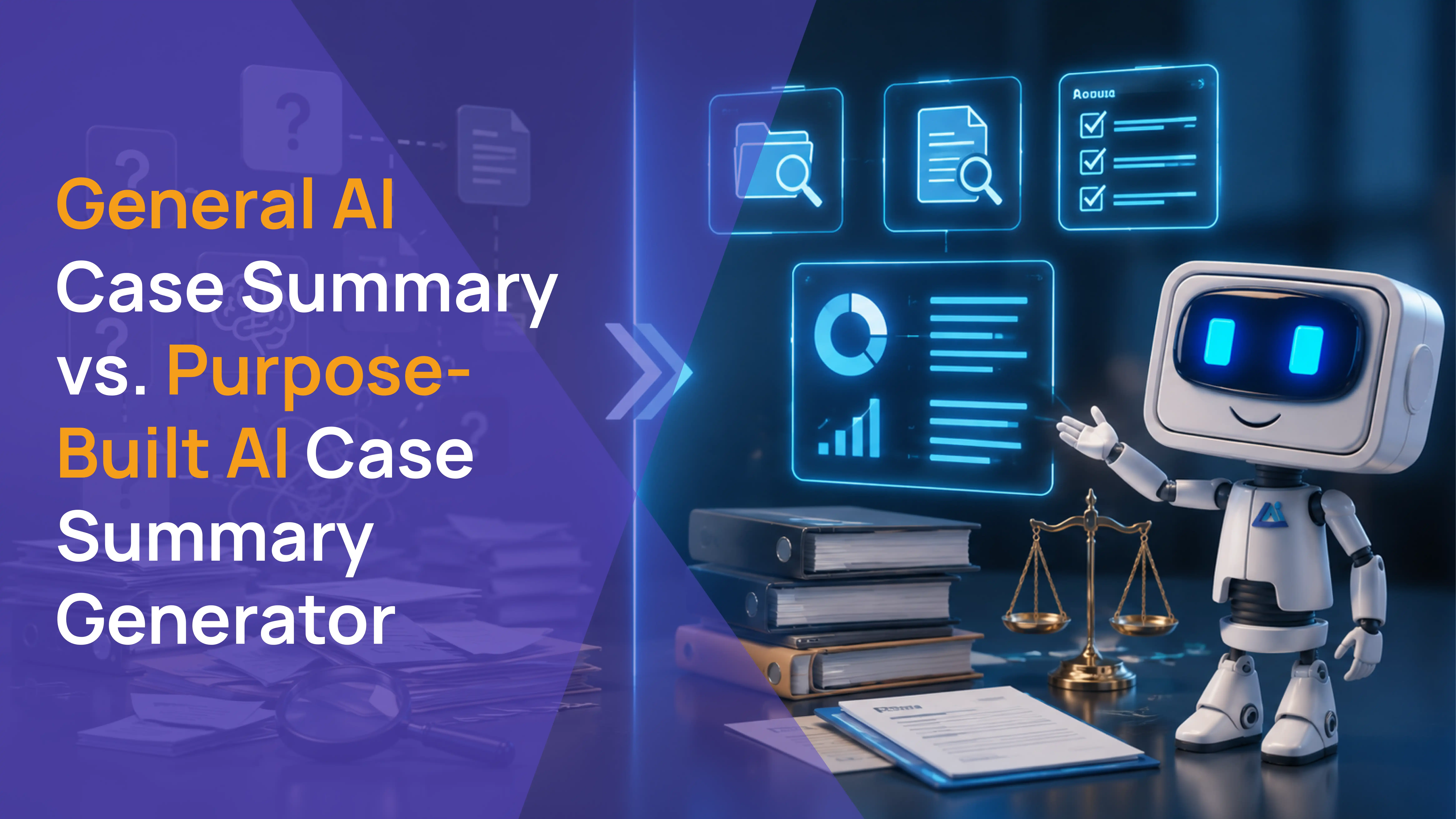
If your firm is ready to stop assembling case summaries manually and wants to see what AI case summary generators actually look like in a PI workflow, this article is for you.
Most AI case summary generators were built for general document compression. They accept a block of text, identify the most prominent information, and return a shorter version. That output has no place in a PI demand letter workflow where the attorney needs clinical language extracted from actual physician notes, ICD codes from source records, and a damage picture assembled from verified billing data.
Law Practice AI's AI case summary generator was built specifically for plaintiff practice. It reads the actual documents in your case file, organizes findings by provider and treatment date, flags documentation gaps before the attorney opens the file, and connects directly to the demand letter workflow.
This article explains exactly what separates it from the general tools and why that distinction directly affects how fast your firm moves cases forward.
KEY TAKEAWAYS
AI case summary generators built for PI firms read your actual uploaded case documents, not pasted text blocks.
Clinical language in an ai case summary should mirror what the treating physician documented, not paraphrase it.
The AI case summary generator your firm uses must be HIPAA compliant and SOC 2 certified before any medical records enter the platform.
For PI firms at volume, a case summarizer for lawyers that integrates with CASEpeer, Filevine, or SmartAdvocate recovers significantly more time than a standalone tool.
How a PI Firm Uses an AI Case Summary Generator in Practice
Here is what the workflow looks like for a PI attorney using a purpose-built ai case summary generator on an active caseload.
Step 1: Upload the case documents. Medical records, billing statements, imaging reports, and provider correspondence are uploaded directly to the case file. No manual data entry.
Step 2: The platform processes the documents. The ai case summary generator reads every uploaded file, extracts clinical findings, organizes the treatment chronology, and assembles the damage indicators from verified billing data.
Step 3: The attorney reviews a structured summary. The attorney opens a summary organized by provider, with clinical language from the physician notes, ICD codes for every documented injury, and a damages picture ready to use. The summary also includes any flags for missing documentation.
Step 4: The attorney moves directly to demand drafting. Because the summary is structured and complete, the attorney can begin demand letter preparation immediately rather than spending hours reviewing raw records.
Step 5: The attorney approves and the summary feeds into the demand letter workflow. The reviewed summary connects directly to the demand letter workflow. Clinical findings, damage figures, and ICD codes flow into the demand without manual transfer so the attorney drafts from the same verified data the summary was built from.
For PI firms producing case summaries across a high-volume caseload, the time recovered at this stage compounds quickly.
What General AI Case Summary Generators Get Wrong for PI Firms
General AI tools approach summarization the same way regardless of context. They read text, identify the most prominent information, and compress it into a shorter output.
That approach works for summarizing a meeting transcript or a research article. It does not work for a plaintiff PI case file.
The Problem With Text-Based Summarization for Medical Records
A PI case file is not a single document. It is a collection of records from multiple providers, each with its own structure, terminology, and clinical significance. An emergency department record looks different from a chiropractic treatment note, which looks different from an orthopedic surgical report.
A general ai case summary generator that accepts a pasted text block processes whatever text was entered not the source documents. Clinical nuance is lost. ICD codes are not extracted. Treatment timelines are not organized. The attorney receives a summary that describes the case in general terms rather than documenting it with the precision an adjuster will scrutinize.
Why Clinical Precision Matters in PI Case Summaries
The language in a case summary flows directly into the demand letter. When the demand letter reflects the exact clinical language the treating physician documented the specific diagnosis codes, the precise injury descriptions, the documented prognosis it is significantly harder for an adjuster to dispute.
When the demand letter paraphrases those findings using general language from a text summarizer, experienced adjusters notice. It gives them grounds to question the documentation and justify a lower offer.
A legal case summary generator built for PI practice extracts the physician's actual language. That is not a minor technical detail. It is the difference between a strong demand and a weak one.
What a Purpose-Built AI Case Summary Generator Does for PI Firms
An ai case summary generator designed specifically for plaintiff personal injury practice handles the workflows that consume the most paralegal and attorney time without requiring legal judgment to execute.
Reads Every Uploaded Document
The platform reads every uploaded medical record, imaging report, billing statement, and provider correspondence in the case file. No manual re-entry. No pasting text. The source documents are the input.
Organizes by Provider and Treatment Timeline
The output is structured by provider and treatment date, not compressed into a single paragraph. The attorney reviewing the summary can go directly to the orthopedic evaluation section, the emergency department records, or the physical therapy notes without reading through everything else.
Extracts Clinical Language From Physician Notes
An automated case summary built for PI practice uses the language the treating physician actually documented. ICD codes are extracted from the source records. Diagnosis descriptions, treatment plans, and prognosis language are sourced from the physician's notes, not paraphrased from a text block.
Surfaces Damage Indicators
Before the attorney reviews the summary, the platform assembles the damage picture from the verified case data: total billed amounts organized by provider, future medical projections based on treating physician recommendations, and wage loss documentation from employer records.
Flags What Is Missing
The platform identifies documentation gaps before the attorney opens the file. Missing provider records, gaps in the treatment timeline, and unverified figures are flagged so the attorney knows exactly what needs to be addressed before the demand letter is drafted.
Before Law Practice AI vs. After Law Practice AI
For a PI attorney at volume, the difference between a general tool and a purpose-built AI case summary generator is not a feature comparison. It is a before-and-after for how the day actually runs.
Before Law Practice AI: A paralegal spends hours per case reading through records from four providers, extracting clinical findings, and organizing them into a usable format. The attorney reviews a manually assembled summary before touching the demand. If documentation is missing, it is discovered during drafting or after the demand is sent.
After Law Practice AI: The attorney opens a structured case summary organized by provider and treatment date, with clinical language extracted from physician notes and damage indicators assembled from verified billing records. Documentation gaps are flagged before the attorney reviews anything. The demand letter workflow begins from a complete, verified starting point.
The time recovered is not marginal. For a firm producing summaries across a high-volume caseload, it compounds across every case, every week.
How Law Practice AI Case Summary Generator Works for PI Firms
Law Practice AI is a case summary platform designed specifically for plaintiff law firms.
The platform reads every uploaded document in the case file. Medical records, imaging reports, billing statements, and provider correspondence are all processed automatically. The output is a structured case summary organized by provider and treatment date, with clinical language extracted directly from physician notes and damage indicators assembled from verified billing records.
Before the attorney reviews the summary, the platform flags any documentation gaps, missing records, or timeline inconsistencies. Every summary requires attorney review. No output leaves the platform without explicit attorney sign-off.
For PI firms handling high-volume caseloads, this is what an automated case summary looks like in practice.
Pricing starts at $97 per demand on a pay-per-use model with no long-term contracts.
Frequently Asked Questions: AI Case Summary Generator for Personal Injury Firms
Q1: Why do PI firms choose Law Practice AI case summary over general AI tools?
Q2: How quickly can a PI firm get started with Law Practice AI case summary?
Q3: How does Law Practice AI case summary integrate with CASEpeer and Filevine in practice?
Q4: What is an AI case summary generator for personal injury firms?
Q5: How is a legal case summary generator different from a general AI summarizer?
Q6: Does a PI firm need HIPAA compliance in a case summarizer for lawyers?
Q7: How much time does a purpose-built AI case summary generator save for a PI firm?
Q8: Does Law Practice AI offer a free trial?
The AI Case Summary Generator Built for How PI Firms Actually Work
General AI tools were built to summarize text. A PI caseload does not run on text blocks.
It runs on medical records from multiple providers, treatment timelines that span months, ICD codes that need to match the demand letter, and damage figures that need to come from verified billing records.
Law Practice AI handles all of it. The AI case summary generator reads your actual case documents, organizes the findings, flags the gaps, and feeds the structured output directly into your demand letter workflow.
When the summary is done, Demand AI takes over. Clinical language flows from the summary into the demand letter automatically. No manual transfer. No starting from scratch.
Book a Consultation to see both features in action and find out how they fit your PI practice.


(1).png)