

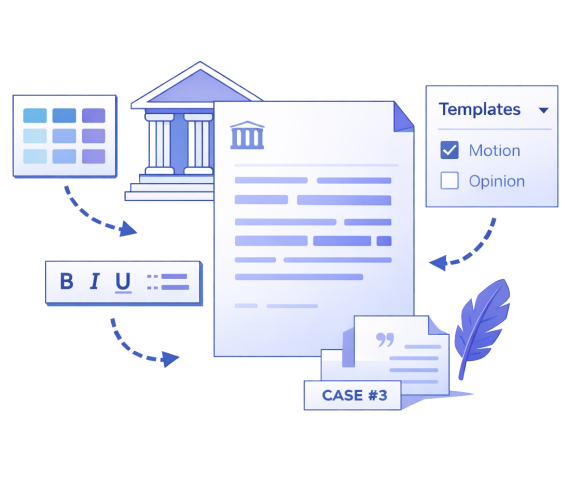

Create and Edit with Ease. Set Your Style.
Set your standard preferences and generate perfectly formatted legal documents every time.
Branding
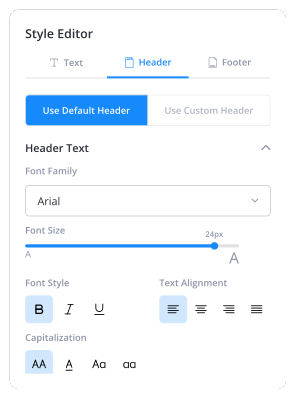
Add your firm’s logo, header, and visual identity to create consistent, professional looking documents.
Format Guidelines
Apply uniform formatting across all your files including fonts, spacing, margins, paragraph styles, and numbering.
Writing Styles
Choose a different writing style for each section. Practice AI adjusts tone and structure automatically.
Unlimited revisions
Review, refine, and update documents anytime. Practice AI keeps your edits consistent and version-controlled.
Edit Templates
Use ready-made templates or upload your own Word template. Customize sections, clauses, and language easily
Adjust Tone
Set overall style—short, concise, or long-form—and align tone with your client’s voice. Practice AI adapts across the entire document.
Take Full Control of How Your Legal Documents Look and Read
Save time
Automate repetitive formatting tasks and eliminate hours of manual adjustments.
Brand Consistency
Maintain a unified look that reinforces your firm's professional image.
Enhance Credibility
Deliver documents that reflect your firm's standards and reliability.
Improve Client Experience
Provide consistent quality that builds trust and strengthens client relationships.
“
I’m able to upload our bill and records on first try. Rolling this out to all of our paralegals.”

Chris Cunningham
McWhirter, Bellinger & Associates
See Customization in Action Across Our Products
Demand Generation
Generate on-brand demand letters that reflect your firm's style.
Case Summary
Get AI-generated summaries formatted to your specifications.
Frequently Asked Questions
What is a legal document template?
What is a legal document format?
Why should I customize my legal document template?
Can I control fonts, spacing, and formatting in my documents?
Can I apply custom formatting across multiple documents at once?
What types of legal documents can be customized?
Are my custom templates and documents secure?
Can I edit templates after creating them?