5
min read time

Best AI Tools for Personal Injury Attorneys in 2026 (Ranked)

Personal injury attorneys have more AI tools available to them in 2026 than ever before. The harder question is no longer "should we use AI?" It is "which tools are actually worth using, and how do they fit together?"

Most ranked lists answer that question by listing features. This one answers it differently. Each tool below is evaluated on four criteria that actually matter for a PI firm: 

  • What workflow it solves
  • How well it integrates with your existing legal software
  • Whether it maintains attorney oversight, and
  • Whether it is purpose-built for personal injury or adapted from a general platform.

The tools are ranked by how well they perform against all four criteria combined.

Key Takeaways

  • The best AI tools for PI attorneys in 2026 are purpose-built platforms trained on personal injury workflows, medical terminology, and plaintiff case structures, not general-purpose AI assistants.
  • Integration with your existing legal software (CASEpeer, Filevine, SmartAdvocate) is the single most important technical requirement when evaluating any AI tool for your firm.
  • No AI tool should send a document without attorney review and approval. Any platform that skips this step creates professional responsibility risk.
  • The highest-ROI tools for PI firms in 2026 are in three categories: demand letter generation, medical record summarization, and client intake.
  • A connected platform that covers multiple workflows outperforms a stack of single-purpose tools in both efficiency and output consistency.

Best AI Tools for PI Attorneys

Software Key Features Best For Why It Stands Out
Law Practice AI Intake, document collection, case summarization, demand letter drafting, litigation support Plaintiff firms wanting a full connected workflow Only platform covering the full Plaintiff firms case lifecycle in one system
Supio Medical record review and summarization at volume Firms where record review is the primary bottleneck Purpose-built for high-volume medical documentation
DemandPro AI Standalone demand letter generation for PI cases Firms automating demand letters without a full platform change Focused single-workflow tool with PI-specific templates
CloudLex PI case management with integrated AI features Firms already using CloudLex as their primary platform AI features built into an existing PI-specific ecosystem
General AI Tools (ChatGPT, Gemini, Co-Pilot) Research, drafting assistance, email drafts Low-stakes one-off tasks only Widely available but not built for PI-specific documentation

How We Ranked These Tools

Every tool was assessed against four criteria:

1. Workflow Specificity 

Is the tool built for personal injury workflows specifically, or is it a general AI tool adapted for legal use? Purpose-built tools produce better output for PI-specific tasks because they are trained on the document structures, medical terminology, and evidentiary standards that PI attorneys actually work with.

2. Legal Software Integration 

Does the tool connect directly to CASEpeer, Filevine, SmartAdvocate, or other PI platforms? Tools that require manual data re-entry between systems create coordination overhead that erodes most of the time savings they are supposed to deliver.

3. Attorney Oversight Built In 

Does the platform require attorney review and approval before output is sent or used? According to the ABA's 2026 Guide to AI Prompts for Personal Injury Lawyers, attorney oversight at every stage of AI-assisted work is a professional responsibility requirement, not a preference. Tools that skip this step create risk.

4. Output Quality at Scale 

Does the tool produce consistent, high-quality output across a full caseload, or does quality degrade when volume increases? The best tools for PI firms maintain documentation standards on case 80 the same way they do on case 1.

The Best AI Tools for PI Attorneys in 2026

1. Law Practice AI — Best All-in-One Platform for Plaintiff Firms

Law Practice AI is the only platform on this list that covers the full PI case lifecycle in a single connected system: intake, document collection, case summarization, demand letter drafting, and litigation support.

Every module pulls from the same verified case data. Output from intake flows automatically into case summaries, and case summaries feed directly into demand letter drafts. No manual re-entry between stages. No version inconsistencies between tools.

The platform integrates directly with CASEpeer, Filevine, and SmartAdvocate. Every AI-generated document requires attorney review and approval before it leaves the firm.

Best for: Plaintiff firms including personal injury, lemon law, and other civil plaintiff practices looking for a unified platform rather than a stack of disconnected tools.

Pricing: Starting at $97.00/mo. Pay-per-use model, no long-term contracts.

Standout capability: Demand letter drafting for both personal injury and lemon law cases, with preparation time dropping from an average of three hours to under 20 minutes per letter.

2. Supio — Best for Medical Record Summarization at Volume

Supio is a purpose-built platform focused specifically on medical record review and summarization for personal injury cases. It processes large volumes of medical documentation, extracts key clinical findings, and organizes them into structured summaries attorneys can use directly in demand letter preparation.

For firms where medical record review is the primary bottleneck, Supio addresses that specific workflow effectively and consistently.

Best for: PI firms where medical record review and summarization is the highest-friction workflow.

Limitation: Supio focuses on the medical record layer. It does not cover intake, demand letter drafting, or litigation support, so it requires additional tools to cover the full case workflow.

3. DemandPro AI — Best Standalone Demand Letter Tool

DemandPro AI is a dedicated demand letter generation platform built for personal injury attorneys. It focuses specifically on producing structured demand letter drafts from case inputs, with templates designed for PI case types.

For firms that want to automate demand letter drafting without adopting a full practice management platform, DemandPro AI is a focused option worth evaluating.

Best for: Firms that want to automate demand letter drafting as a standalone workflow without a full platform commitment.

Limitation: DemandPro AI covers one workflow. Firms using it alongside other single-purpose tools will still face the fragmentation and data re-entry issues that a connected platform avoids.

4. CloudLex — Best Legal Platform With Integrated AI Features

CloudLex is a personal injury-specific legal platform that has integrated AI features into its core workflow. It covers client communication, document management, and increasingly, AI-assisted drafting.

For firms already on CloudLex, the integrated AI features add value without requiring a separate tool.

Best for: Firms already using CloudLex as their primary platform who want AI capabilities within that environment.

Limitation: The AI features are tied to the CloudLex ecosystem. Firms on CASEpeer, Filevine, or SmartAdvocate would need to migrate to access them.

5. General AI Assistants (ChatGPT, Gemini, Co-Pilot) — Use With Caution

General-purpose AI tools are widely used by legal professionals for research queries, email drafts, and quick reference tasks. They are useful for these lower-stakes applications.

However, general AI tools score poorly on three of our four criteria. They are not trained on PI workflows, they do not integrate with legal software, and their output requires significant attorney revision before it is suitable for professional use.

Best for: One-off tasks, research queries, and drafting assistance where PI-specific precision is not required.

Limitation: General AI tools produce generic output for PI-specific tasks and carry higher data privacy risk than platforms built specifically for legal use.

What to Look for in an AI Tool for Your Business

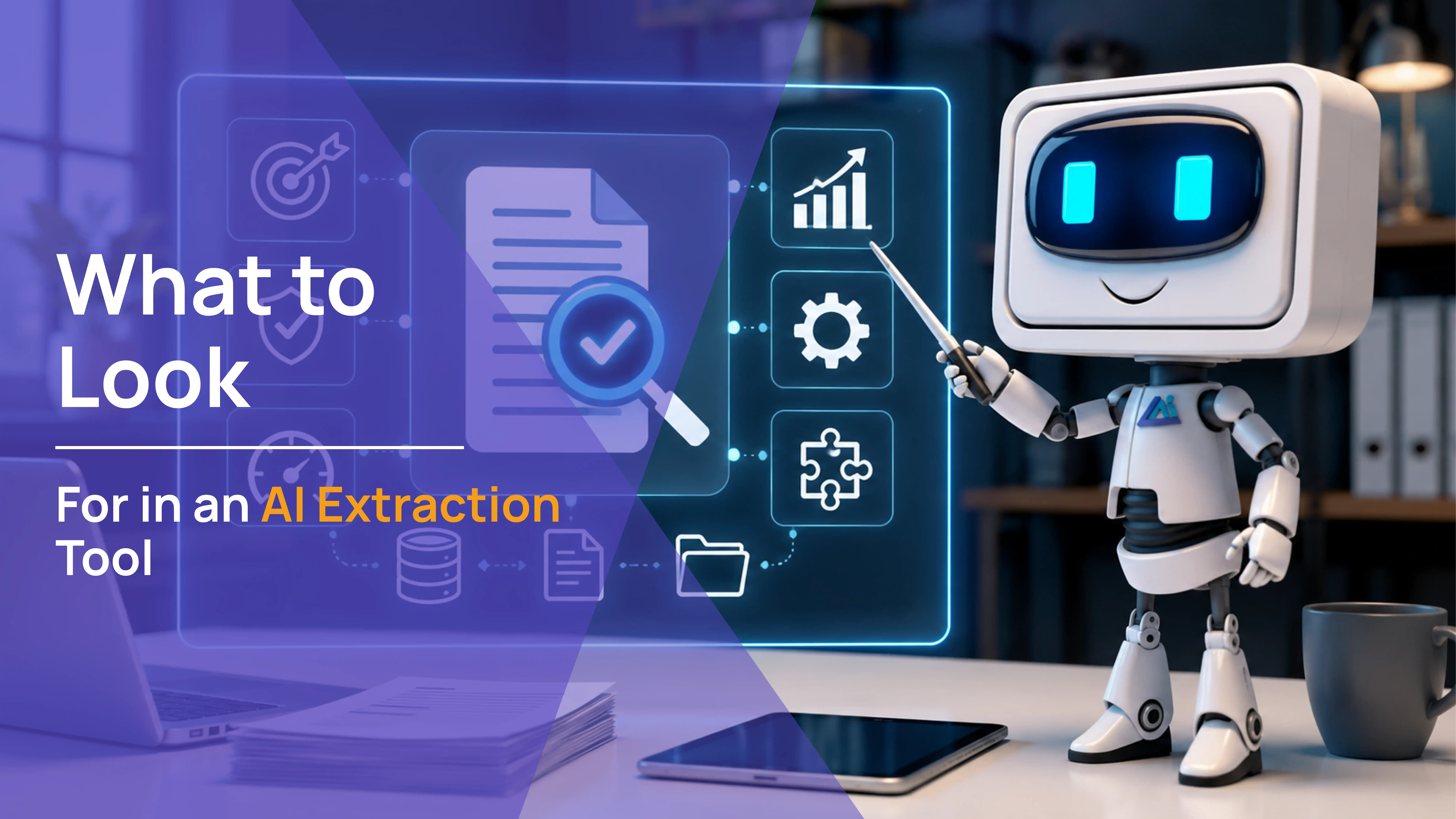
AI robot holding a magnifying glass beside a laptop showing star ratings for legal AI tools, how to choose the right AI tool for PI attorneys by Law Practice AI

With so many tools available, making the right choice depends on your firm's specific needs, not a feature checklist. Here are the practical considerations that matter most.

Audit your current workflow first 

Before evaluating any tool, take stock of where your current process actually breaks down. Identify which tasks eat up the most time, where errors tend to happen, and which systems your team already uses. This gives you a clear baseline so you can evaluate any new tool against real pain points rather than hypothetical ones.

Match the tool to the bottleneck 

Not every firm has the same problem. If medical record review is slowing your team down, a summarization tool addresses that directly. If demand letter drafting is the bottleneck, a drafting tool solves it. Start with the workflow that costs your firm the most time and work outward from there.

Prioritize integration over features 

A tool with more features is not always better than a tool that connects cleanly to the systems your firm already uses. Data that flows automatically between your legal software and your AI tool saves more time than any individual feature that requires manual re-entry to use.

Confirm attorney oversight is built in 

Every AI-generated document that leaves your firm carries your firm's professional responsibility. Any tool that does not include a built-in attorney review and approval step before output is transmitted creates risk that no efficiency gain justifies.

Test at volume before committing 

A tool that performs well on five cases may not hold its output quality at 50 or 150. Before committing to any platform, test it against the volume your firm actually handles and evaluate whether the output consistency holds.

Frequently Asked Questions: AI Tools for Personal Injury Attorneys in 2026

Q1: What is the best AI tool for personal injury demand letters in 2026?

Q2: Are general AI tools like ChatGPT suitable for PI legal work?

Q3: How do I evaluate whether an AI tool is worth adopting for my PI firm?

Q4: What is the risk of using AI tools that do not require attorney review?

Q5: How much do AI tools for personal injury attorneys cost in 2026?

The Firms Getting the Most From AI Are Using It as a System, Not a Tool

The best AI tools for PI attorneys in 2026 are not the flashiest. They are the ones that solve a real workflow problem, connect to the systems your firm already uses, maintain attorney oversight, and produce consistent output at volume.

A single well-chosen tool is better than five disconnected ones. A connected platform that covers the full case lifecycle is better than both.

Law Practice AI is built for plaintiff solo & firms that want to consolidate their workflow into one connected system. Book a Consultation to see how it fits your practice.

Browse more blogs

AI Demand Letters Explained: Speed, Accuracy, and Settlement Impact

0
min read

You already know AI demand letters exist. You have probably seen the pitch: faster drafting, less manual work, stronger output. What most of those pitches skip is the part that actually matters to a personal injury attorney managing 60 to 100 active cases.

How accurate is the output when it counts? How does it hold up when an experienced insurance adjuster reads it? And what does it actually do to your settlement numbers when you use it across your full caseload?

Those are the questions this article answers.

Key Takeaways

  • Speed is the entry point for AI demand letters, but accuracy and documentation depth are what drive settlement impact at the negotiating table.
  • AI demand letters built on general-purpose language models produce clean, readable output that experienced adjusters can identify as template-driven, which weakens negotiating leverage.
  • Purpose-built PI platforms pull clinical language directly from medical records rather than paraphrasing them, a distinction that directly affects how adjusters evaluate claim value.
  • Firms fully integrated on purpose-built AI demand letter software report handling 40% more active cases per attorney, with preparation time dropping from 3 hours to under 20 minutes per letter.
  • The settlement multiplier for attorney-represented claimants is 3.5 times higher on average than unrepresented claimants, and that gap narrows when the demand letter is weak regardless of how it was produced.

Why Speed Is the Wrong Metric for Evaluating AI Demand Letters

Every AI demand letter platform will tell you it is faster. That part is true across the board. A tool that generates a first draft in minutes will always outpace a paralegal building one from scratch. Speed is not where the platforms differentiate.

The metric that actually determines whether an AI demand letter moves your settlement number is documentation precision. Insurance adjusters are trained to find gaps. A demand letter that is fast but imprecise gives them exactly what they need to justify a reduced payout. A demand letter that is fast and airtight removes that option entirely.

According to the Insurance Research Council, attorney-represented claimants receive settlements averaging 3.5 times higher than unrepresented claimants. That multiplier does not come from the speed at which the letter was produced. It comes from the quality of the documentation inside it. AI demand letters only improve settlement outcomes when the output quality is high enough to close the gaps adjusters look for.

The Real Difference Between AI Demand Letter Platforms

General AI Tools vs. Purpose-Built PI Platforms

Most AI demand letter tools on the market today are general-purpose language models with a legal prompt layered on top. They produce grammatically clean, professionally structured output. They also produce language that paraphrases medical records rather than pulling from them directly.

That distinction matters more than most attorneys realize. When a demand letter describes an injury in summarized language rather than mirroring the physician's own clinical documentation, an experienced adjuster sees the difference immediately. It signals that the letter was assembled from a summary rather than built from the source records. That gap creates negotiating room the adjuster will use.

Purpose-built PI demand letter platforms are trained specifically on personal injury document structures, medical terminology, and damage calculation frameworks. They integrate directly with case management systems like CASEpeer, Filevine, and SmartAdvocate to pull structured case data automatically, including treatment timelines, physician notes, billing records, and wage loss documentation. The clinical language in the output reflects the actual records, not a paraphrase of them.

Documentation Gap Detection Changes the Pre-Send Process

One capability that separates strong AI demand letter platforms from weak ones is what happens before the letter is finalized. Purpose-built platforms audit the draft against the case file and flag missing documentation before the letter reaches the adjuster.

Missing medical records, unverified wage loss figures, gaps in the treatment timeline, and unsupported liability claims are all identified at the drafting stage rather than discovered after the adjuster has already used them to discount the claim. That pre-send audit function has a direct and measurable impact on the quality of demand packages your firm sends consistently across every case.

Integration Depth Determines Real-World Time Savings

A platform that requires manual data re-entry to function is not delivering the time savings its marketing claims. The genuine time reduction in AI demand letter workflows comes from direct integration with the case management system your firm already uses. When case data flows automatically into the drafting environment, preparation time drops from 3 hours to under 20 minutes per letter. When it requires manual input, the savings shrink significantly.

What AI Demand Letters Actually Do to Settlement Outcomes

Metric Manual Drafting Purpose-Built AI Demand Letters
Average preparation time 3 to 5 hours per letter 15 to 20 minutes per letter
Clinical language source Paralegal paraphrase of records Pulled directly from medical documentation
Documentation gap detection Found during review or missed entirely Flagged before the letter is sent
Consistency across caseload Varies by attorney and paralegal Standardized structure on every case
Cases handled per attorney Baseline 40% more active cases per attorney
Adjuster response to output Variable based on draft quality Consistently stronger demand packages

The 40% increase in cases per attorney is sourced from Law Practice AI client performance data published in the National Law Review in March 2026. That figure reflects firms using purpose-built AI demand letter software across their full caseload, not firms using AI selectively on individual cases.

The settlement impact compounds over time. When every demand letter your firm produces follows the same evidence-backed structure, adjusters learn to take your packages seriously. That reputation has a value that is difficult to quantify per case but visible across a full year of settlement outcomes.

Why Attorney Review Is Not Optional

The firms getting the strongest results from AI demand letters are not the ones using the most automated platforms. They are the ones that have built a clear review process around every AI-generated draft.

The Bloomberg Law AI Trends Report identified AI-assisted legal drafting as one of the fastest-growing technology categories in the legal sector, with high-volume practice areas like personal injury leading adoption. The firms cited for the strongest outcomes consistently shared one practice: structured attorney review at every stage of the drafting workflow.

AI handles the documentation assembly. The attorney evaluates liability strength, sets the final demand figure, adjusts tone for the specific insurer and adjuster, and takes professional responsibility for the letter. That division of labor is where the time savings and quality improvements coexist. Removing attorney oversight from the process does not improve efficiency. It introduces risk that shows up in the settlement room.

How Law Practice AI Is Built for This

Law Practice AI is purpose-built for plaintiff personal injury firms that need AI demand letters with the documentation depth that adjusters take seriously.

The platform pulls structured case data directly from CASEpeer, Filevine, and SmartAdvocate. It generates demand letter drafts with clinical language sourced from actual medical records, organized treatment chronologies, verified damage calculations, and liability narratives built from case documentation. Every draft is audited for documentation gaps before the attorney reviews it, and every letter requires attorney approval before it is sent.

Firms using Law Practice AI report handling 40% more active cases per attorney, with demand letter preparation time consistently under 20 minutes per letter across their full caseload.

Frequently Asked Questions: AI Demand Letter Platforms for Personal Injury Firms

Q1: What makes one AI demand letter platform better than another?

Q2: Do AI demand letters actually improve settlement amounts?

Q3: How do AI demand letters handle complex cases with multiple providers and injuries?

Q4: What happens if the AI misses something in the medical records?

Q5: Is AI demand letter software worth it for smaller PI firms?

The Firms Getting Results Are Not Just Using AI Faster: They Are Using It Better

The personal injury practices seeing the strongest settlement outcomes from AI demand letters are not the ones using the most automated workflow. They are the ones using purpose-built tools with documented clinical precision, structured attorney review, and full caseload integration.

AI demand letters have moved past the adoption question. The question now is which platform is built well enough to trust with your cases and your clients. That answer comes down to documentation depth, integration quality, and whether the tool treats your medical records as source material or as something to summarize.

Law Practice AI is built for the firms that want the former. See how it works across your full caseload.

CASEpeer and Practice AI Partnership for Smarter Demand Letters

0
min read

Making deeper connections than the surface. That’s what drives this collaboration.

At Practice AI, we’ve always believed that powerful tools should serve you behind the cases, not complicate your work. And with CASEpeer, that purpose was clear: give you personal injury law firms the kind of automation that works where it counts most.

Our partnership isn’t just an integration. It’s a purposeful move toward smarter workflows, greater efficiency, and real support for the moments that matter to you. With CASEpeer’s PI expertise and Practice AI’s automation, your team gets a system that truly works for you.

Demand Letters

In this blog, we’re sharing why this partnership works, how it benefits your law firms using CASEpeer, and what it means for the future of legal tech built around you, not just platforms.

Practice AI for Personal Injury Law Firms Using CASEpeer

Practice AI strengthens what personal injury firms already love about CASEpeer by bringing intelligent, behind-the-scenes automation into the mix. From client intake to resolution, our integration helps you do more without doing it all manually.

And we’re not stopping at product features! We’re building an ecosystem. So it’s important to keep an eye out for our latest social media updates, thought leadership articles, podcast episodes, and use-case stories designed to help your firm stay ahead.

CASEpeer Integration Features: What Practice AI Brings to the Table

Practice AI integrates directly with CASEpeer to streamline workflows in ways that matter most to personal injury firms. You’ll get:

  • Automatic case data sync between CASEpeer and Practice AI so every update, document, and deadline is reflected instantly across both platforms.
  • AI-powered document summarization for medical records, police reports, and demand letters, giving you the key facts in minutes instead of hours.
  • Faster demand letter generation with AI that pulls from CASEpeer data, reducing turnaround times and helping you send stronger, data-backed demands.
  • Deadline and task tracking automation so no statute date, court hearing, or follow-up falls through the cracks.
  • Integrated client communication tools to keep injured clients informed and reassured at every stage without doubling your effort.

Solving Personal Injury Law Firm Pain Points with AI

We’ve talked to legal teams buried under case files, client follow-ups, and court deadlines. That’s why we built this with you in mind. Practice AI helps eliminate the bottlenecks that slow down PI law firms, while CASEpeer keeps your operations grounded in the legal tools you trust.

Think about the hours your team spends following up on paperwork, chasing down missing client information, or manually logging updates across systems. That’s time lost. Practice AI reduces that friction through automation, and when paired with CASEpeer, it creates a powerful feedback loop of efficiency, accuracy, and clarity!

Official Launch Update: Our official CASEpeer x Practice AI launch is live. Read the full announcement here and see how this integration is built to serve PI firms on day one!

Building Smarter Legal Workflows through the CASEpeer and Practice AI Alliance

We’re not stopping at syncing and automation. Practice AI is actively expanding its roadmap with tools just for personal injury firms. Features like document summarization, deadline reminders, and voice memo logging are already in development and designed to enhance your firm’s CASEpeer experience.

And if you ever need help? You’re backed by real humans on both sides! Our support teams collaborate directly so you don’t have to bounce between providers when you need answers.

What’s Next: Continuous Innovation for CASEpeer Users

This collaboration is just the beginning. Practice AI is already working on expanded features specifically for CASEpeer firms, including:

  • AI-powered document summarization
  • Automated follow-up sequences
  • Voice-to-text transcription for phone logs
  • Cross-platform analytics dashboards

We’re building with momentum  and you’ll see that reflected in regular updates, webinars, and resource drops designed to keep your firm ahead.

Explore the CASEpeer x Practice AI Integration Today!

You don’t have to imagine how this fits into your firm, we’ll show you. Book a demo and see how the CASEpeer integration with Practice AI transforms personal injury case management into a faster, smarter, and more profitable workflow for your firm, gives your team the power to move faster, work cleaner, and focus on what really matters: winning cases and supporting clients.

How Practice AI™ Solves HIPAA Compliance Challenges with Microsoft Azure’s Security Framework

0
min read

In the age of digital transformation, compliance isn’t just a requirement, it’s a responsibility. Nowhere is this more critical than in the legal and medical sectors, where professionals handle some of the most sensitive data imaginable. With HIPAA violations costing organizations millions, it’s no wonder legal and healthcare providers are seeking AI solutions that do more than automate, they must also protect. That’s where Practice AI steps in.

The Core HIPAA Compliance Challenges in Legal and Medical Sectors

HIPAA, the Health Insurance Portability and Accountability Act, sets strict standards for protecting patient health information (PHI). For legal and medical professionals, compliance involves more than just confidentiality, it requires secure storage, access control, audit capabilities, and encrypted communication.

Some of the main challenges include:

  • Data Diversity: PHI often comes from multiple sources (EMRs, handwritten records, scanned police reports), each with different formats and vulnerabilities.
  • Human Error: Manual redaction or processing can easily lead to breaches.
  • Severe Penalties: Non-compliance can result in fines ranging from $100 to $50,000 per violation.

These challenges are intensified when handling hybrid documents, think of a personal injury case where legal arguments and medical records intersect.

Why Legal and Medical Documents Are Especially Vulnerable

Legal and medical files are frequent targets for cyberattacks because they contain PHI, Social Security numbers, addresses, and case-critical information. Whether it's a demand letter involving a surgery or a summary of medical visits in a malpractice suit, every document must be protected from unauthorized access or alteration.

AI document processing is only valuable if it maintains, or strengthens, compliance. That’s why choosing a secure platform isn’t optional; it’s foundational.

How Practice AI Tackles HIPAA Compliance Head-On

At Practice AI, HIPAA compliance isn't a box to check, it's embedded into every layer of our platform. Here’s how we help law firms and medical professionals stay ahead:

  • End-to-End Encryption: All data in transit and at rest is encrypted using advanced protocols.
  • Access Control: Only authorized personnel can view or handle documents, and each access is time-stamped and logged.
  • Real-Time Audit Trails: Every document interaction is recorded, allowing full visibility for compliance officers and IT teams

Additionally, Practice AI includes automatic deletion features and anonymization options, reducing long-term liability.

Why Practice AI Chose Microsoft Azure for Data Security

When building our secure infrastructure, Microsoft Azure was the obvious choice. Here’s why:

  • Azure is HIPAA & HITECH Compliant: Azure offers over 90 compliance certifications, including those specific to healthcare and legal tech.
  • Security as a Service: Azure provides built-in tools like Defender for Cloud, Key Vault, and Azure Policy, which allow Practice AI to implement proactive, scalable protection.
  • Data Residency & Geo-Redundancy: Azure ensures data is stored in compliant, region-specific centers, vital for U.S.-based legal and medical clients.

With Azure as the backbone, we’re able to guarantee that AI Doc Summary and AI Demands are not just fast, they’re secure by design.

Use Cases: HIPAA Compliance in Action

AI Doc Summary is used to create medical chronologies, summaries, and narrative timelines, all from scanned records or EMRs. Instead of relying on human assistants to manually redact or secure data, Practice AI does this automatically in a HIPAA-compliant environment.

AI Demands helps legal teams generate settlement demands that include sensitive medical details. Whether you're referencing an orthopedic surgeon’s report or calculating damages from ongoing therapy, every document is protected with Azure-backed safeguards.

Conclusion: Trust, Compliance, and the Future of AI in Regulated Industries

AI can save professionals thousands of hours, but only if it’s trusted to protect sensitive data. At Practice AI, we believe the future of automation must be ethical, compliant, and secure.

By integrating with Microsoft Azure’s robust compliance infrastructure, we make it possible for attorneys, paralegals, and medical caseworkers to work faster and safer.

Ready to Secure Your Workflow?

Explore how Practice AI ensures HIPAA-compliant automation with AI Doc Summary and AI Demands. Sign up now to protect your documents, nd your peace of mind.