5
min read time

AI Case Summary Generators: The Smarter Choice for PI Firms

Two attorneys reviewing case documents on a laptop beside an AI robot pointing to a floating workflow of case file search, document review, and checklist completion.

If your firm is ready to stop assembling case summaries manually and wants to see what AI case summary generators actually look like in a PI workflow, this article is for you.

Most AI case summary generators were built for general document compression. They accept a block of text, identify the most prominent information, and return a shorter version. That output has no place in a PI demand letter workflow where the attorney needs clinical language extracted from actual physician notes, ICD codes from source records, and a damage picture assembled from verified billing data.

Law Practice AI's AI case summary generator was built specifically for plaintiff practice. It reads the actual documents in your case file, organizes findings by provider and treatment date, flags documentation gaps before the attorney opens the file, and connects directly to the demand letter workflow.

This article explains exactly what separates it from the general tools and why that distinction directly affects how fast your firm moves cases forward.

KEY TAKEAWAYS

  • AI case summary generators built for PI firms read your actual uploaded case documents, not pasted text blocks.
  • Clinical language in an ai case summary should mirror what the treating physician documented, not paraphrase it.
  • The AI case summary generator your firm uses must be HIPAA compliant and SOC 2 certified before any medical records enter the platform.
  • For PI firms at volume, a case summarizer for lawyers that integrates with CASEpeer, Filevine, or SmartAdvocate recovers significantly more time than a standalone tool.

How a PI Firm Uses an AI Case Summary Generator in Practice

Here is what the workflow looks like for a PI attorney using a purpose-built ai case summary generator on an active caseload.

Step 1: Upload the case documents. Medical records, billing statements, imaging reports, and provider correspondence are uploaded directly to the case file. No manual data entry.

Step 2: The platform processes the documents. The ai case summary generator reads every uploaded file, extracts clinical findings, organizes the treatment chronology, and assembles the damage indicators from verified billing data.

Step 3: The attorney reviews a structured summary. The attorney opens a summary organized by provider, with clinical language from the physician notes, ICD codes for every documented injury, and a damages picture ready to use. The summary also includes any flags for missing documentation.

Step 4: The attorney moves directly to demand drafting. Because the summary is structured and complete, the attorney can begin demand letter preparation immediately rather than spending hours reviewing raw records.

Step 5: The attorney approves and the summary feeds into the demand letter workflow. The reviewed summary connects directly to the demand letter workflow. Clinical findings, damage figures, and ICD codes flow into the demand without manual transfer so the attorney drafts from the same verified data the summary was built from.

For PI firms producing case summaries across a high-volume caseload, the time recovered at this stage compounds quickly.

What General AI Case Summary Generators Get Wrong for PI Firms

General AI tools approach summarization the same way regardless of context. They read text, identify the most prominent information, and compress it into a shorter output.

That approach works for summarizing a meeting transcript or a research article. It does not work for a plaintiff PI case file.

The Problem With Text-Based Summarization for Medical Records

A PI case file is not a single document. It is a collection of records from multiple providers, each with its own structure, terminology, and clinical significance. An emergency department record looks different from a chiropractic treatment note, which looks different from an orthopedic surgical report.

A general ai case summary generator that accepts a pasted text block processes whatever text was entered not the source documents. Clinical nuance is lost. ICD codes are not extracted. Treatment timelines are not organized. The attorney receives a summary that describes the case in general terms rather than documenting it with the precision an adjuster will scrutinize.

Why Clinical Precision Matters in PI Case Summaries

The language in a case summary flows directly into the demand letter. When the demand letter reflects the exact clinical language the treating physician documented the specific diagnosis codes, the precise injury descriptions, the documented prognosis it is significantly harder for an adjuster to dispute.

When the demand letter paraphrases those findings using general language from a text summarizer, experienced adjusters notice. It gives them grounds to question the documentation and justify a lower offer.

A legal case summary generator built for PI practice extracts the physician's actual language. That is not a minor technical detail. It is the difference between a strong demand and a weak one.

What a Purpose-Built AI Case Summary Generator Does for PI Firms

An ai case summary generator designed specifically for plaintiff personal injury practice handles the workflows that consume the most paralegal and attorney time without requiring legal judgment to execute.

Reads Every Uploaded Document

The platform reads every uploaded medical record, imaging report, billing statement, and provider correspondence in the case file. No manual re-entry. No pasting text. The source documents are the input.

Organizes by Provider and Treatment Timeline

The output is structured by provider and treatment date, not compressed into a single paragraph. The attorney reviewing the summary can go directly to the orthopedic evaluation section, the emergency department records, or the physical therapy notes without reading through everything else.

Extracts Clinical Language From Physician Notes

An automated case summary built for PI practice uses the language the treating physician actually documented. ICD codes are extracted from the source records. Diagnosis descriptions, treatment plans, and prognosis language are sourced from the physician's notes, not paraphrased from a text block.

Surfaces Damage Indicators

Before the attorney reviews the summary, the platform assembles the damage picture from the verified case data: total billed amounts organized by provider, future medical projections based on treating physician recommendations, and wage loss documentation from employer records.

Flags What Is Missing

The platform identifies documentation gaps before the attorney opens the file. Missing provider records, gaps in the treatment timeline, and unverified figures are flagged so the attorney knows exactly what needs to be addressed before the demand letter is drafted.

Before Law Practice AI vs. After Law Practice AI
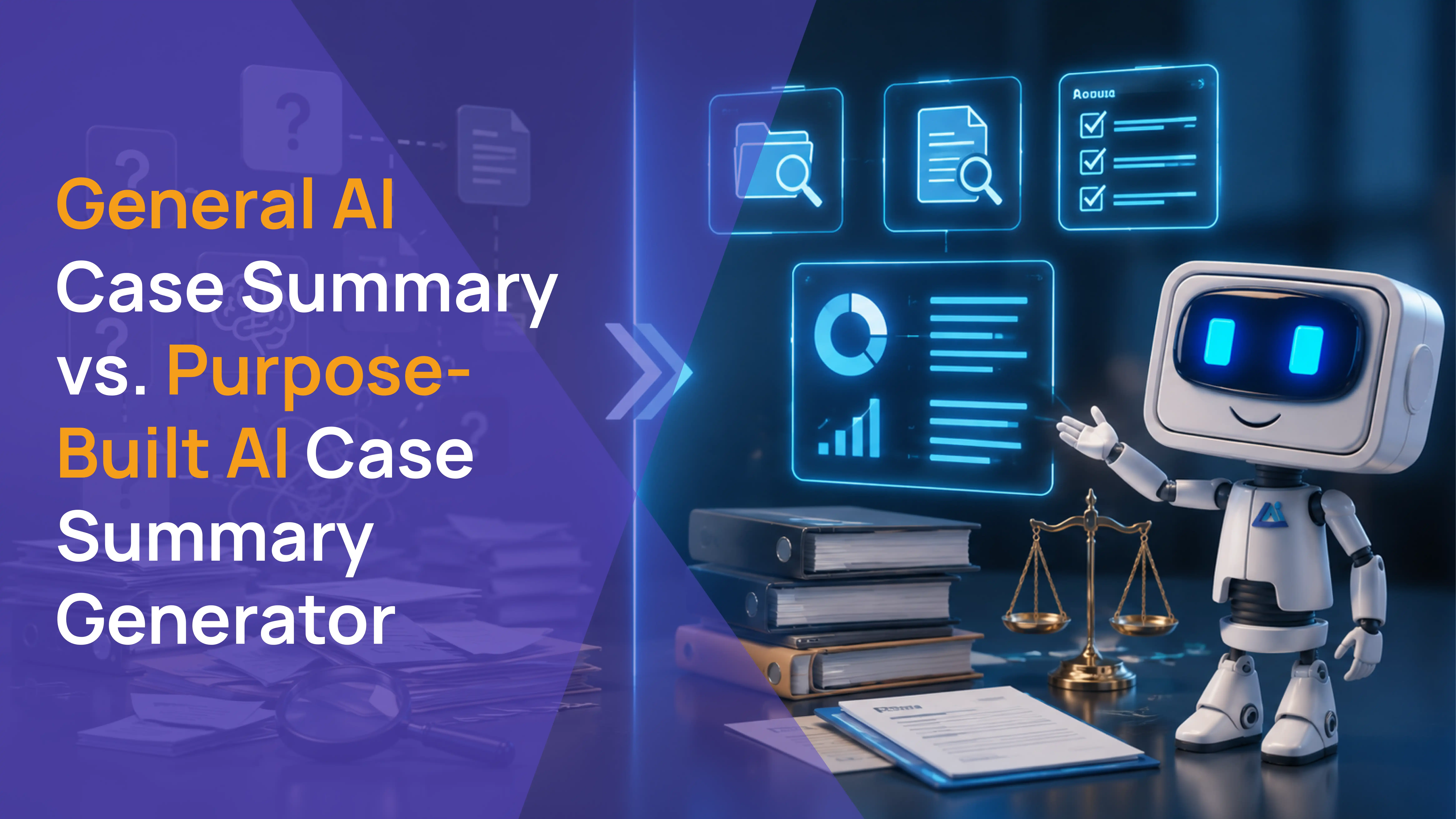
AI robot presenting a comparison of general AI versus purpose-built AI case summary generators with document review icons and analytics dashboard.

For a PI attorney at volume, the difference between a general tool and a purpose-built AI case summary generator is not a feature comparison. It is a before-and-after for how the day actually runs.

Before Law Practice AI: A paralegal spends hours per case reading through records from four providers, extracting clinical findings, and organizing them into a usable format. The attorney reviews a manually assembled summary before touching the demand. If documentation is missing, it is discovered during drafting or after the demand is sent.

After Law Practice AI: The attorney opens a structured case summary organized by provider and treatment date, with clinical language extracted from physician notes and damage indicators assembled from verified billing records. Documentation gaps are flagged before the attorney reviews anything. The demand letter workflow begins from a complete, verified starting point.

The time recovered is not marginal. For a firm producing summaries across a high-volume caseload, it compounds across every case, every week.

How Law Practice AI Case Summary Generator Works for PI Firms

Law Practice AI is a case summary platform designed specifically for plaintiff law firms.

The platform reads every uploaded document in the case file. Medical records, imaging reports, billing statements, and provider correspondence are all processed automatically. The output is a structured case summary organized by provider and treatment date, with clinical language extracted directly from physician notes and damage indicators assembled from verified billing records.

Before the attorney reviews the summary, the platform flags any documentation gaps, missing records, or timeline inconsistencies. Every summary requires attorney review. No output leaves the platform without explicit attorney sign-off.

For PI firms handling high-volume caseloads, this is what an automated case summary looks like in practice.

Pricing starts at $97 per demand on a pay-per-use model with no long-term contracts.

Frequently Asked Questions: AI Case Summary Generator for Personal Injury Firms

Q1: Why do PI firms choose Law Practice AI case summary over general AI tools?

Q2: How quickly can a PI firm get started with Law Practice AI case summary?

Q3: How does Law Practice AI case summary integrate with CASEpeer and Filevine in practice?

Q4: What is an AI case summary generator for personal injury firms?

Q5: How is a legal case summary generator different from a general AI summarizer?

Q6: Does a PI firm need HIPAA compliance in a case summarizer for lawyers?

Q7: How much time does a purpose-built AI case summary generator save for a PI firm?

Q8: Does Law Practice AI offer a free trial?

The AI Case Summary Generator Built for How PI Firms Actually Work

General AI tools were built to summarize text. A PI caseload does not run on text blocks.

It runs on medical records from multiple providers, treatment timelines that span months, ICD codes that need to match the demand letter, and damage figures that need to come from verified billing records.

Law Practice AI handles all of it. The AI case summary generator reads your actual case documents, organizes the findings, flags the gaps, and feeds the structured output directly into your demand letter workflow.

When the summary is done, Demand AI takes over. Clinical language flows from the summary into the demand letter automatically. No manual transfer. No starting from scratch.

Book a Consultation to see both features in action and find out how they fit your PI practice.

Browse more blogs

Legal Medical Summary Example - Complete Guide

0
min read
December 1, 2025

You're staring at a stack of medical records three inches thick, and your client's case hearing is next week. Sound familiar? Medical record summaries can turn that overwhelming pile of documentation into an organized narrative that strengthens your case.

Whether you're handling a personal injury case or just want to learn about the process, this guide will give you the practical steps and walk you through everything from structuring your summary to using modern tools that can streamline your work.

What Is a Medical Summary?

A medical summary is a concise document that organizes and condenses information from a patient’s medical records. It highlights key details such as diagnoses, treatments, and prognoses, while excluding unnecessary data.

Medical summaries serve as reference tools that allow attorneys, insurance adjusters, and other legal professionals to quickly understand a patient's medical history without having to review hundreds of pages of raw medical records.

What to Include in a Legal Medical Summary

When creating a medical summary, focus on pulling in the right documents and information that directly support your case. Let's break it down.

Documents

Your medical summary should reference all relevant medical documents that support your case, including:

  • Hospital admission and discharge summaries
  • Physician office visit notes
  • Emergency room records
  • Laboratory test results
  • Imaging reports (e.g., X-rays, MRIs, CT scans)
  • Surgical or procedure reports
  • Prescription and medication records
  • Physical therapy or rehabilitation notes
  • Specialist consultation reports
  • Billing statements (for cost-related claims)

Don’t overlook any document that helps establish the severity of injuries, duration of treatment, or the connection between the incident and the medical care. These documents work together to build a clear timeline and ensure your summary is fully backed by verifiable evidence.

Information

Each entry in your medical summary should include the following important information:

  • Date of Service: The exact date the medical event occurred, crucial for establishing a chronological timeline.
  • Provider and Facility: The name and specialty of the doctor, hospital, or clinic that provided the service.
  • Bates Number (or Page Reference): The unique identifier for the page(s) in the original records where the fact can be verified.
  • Diagnosis (DX): The official medical finding or condition identified by the provider to link to the legal claims.
  • Chief Complaint (CC): What the patient specifically reported or complained about during that visit.
  • Treatment or Plan (TX/Plan): The medical intervention performed, such as surgery, medication, or a referral for therapy.
  • Test results: Key findings from labs or imaging that support or refute the claims.
  • Prognosis: Any statement by the provider regarding the expected outcome, long-term effects, or future limitations.
  • Pre-existing conditions: Relevant medical history that helps distinguish new injuries from pre-existing issues.

Include all information that helps you create a clear narrative that supports your legal arguments. The more accurate and complete your entries are, the easier it becomes to identify strengths, weaknesses, and gaps in your case.

How to Structure a Medical Record Summary

Start with a brief introduction that outlines the context of the injury and the cause of the case. Follow this with the body of your summary, presented as a chronological breakdown of the care received. Next, include a section highlighting the key supporting evidence such as diagnoses, test results, and significant medical findings.

End with a summary section that synthesizes the most important information. This is where you connect the dots between treatments, identify any gaps in care, and emphasize facts that support your legal theory.

This structure ensures that all essential legal and medical details are easy to locate and understand, making it simpler for any reader, whether a judge, adjuster, or opposing counsel, to follow the narrative.

Legal Medical Summary Example (Free Template)

Here’s an example to have better analysis on the structure of a legal medical summary.

TO: Michael Rodriguez, Esq.

FROM: Patricia Chen, Paralegal | Legal Support Services

DATE: November 12, 2025

RE: Medical Summary - Robert Martinez v. Summit Construction Group, LLC

Case Information

Patient: Robert Martinez, DOB: 08/22/1981 (Age 43)

Case No: 2024-CV-08947 (Superior Court, Maricopa County)

Date of Incident: March 15, 2024

Records Period: March 15, 2024 through October 28, 2025

Incident Description

On March 15, 2024, at approximately 2:35 p.m., Mr. Robert Martinez, a 43-year-old warehouse supervisor, was struck by a falling pallet of construction materials while conducting a safety inspection at the defendant's construction site. Witness statements indicate improperly secured materials became dislodged when a forklift operator collided with support scaffolding. Mr. Martinez was struck on his left side and fell approximately 4 feet onto concrete. He remained conscious but was unable to stand without assistance due to severe left shoulder pain, chest pain, and difficulty breathing.

Alleged Injuries (from Complaint):

Orthopedic:

  • Full-thickness rotator cuff tear (left shoulder) – 2.5-3 cm with retraction
  • Multiple rib fractures (ribs 4, 5, 6 – left side)
  • Lumbar disc herniation L4-L5 with nerve root compression (8mm, right paracentral)

Neurological:

  • Traumatic brain injury with cortical contusion
  • Post-concussive syndrome with cognitive deficits

Other:

  • Pulmonary contusion
  • Major depressive disorder and PTSD (post-injury onset)
  • Chronic pain syndrome

Pre-Existing Conditions

  • Hypertension (controlled with medication since 2019)
  • Type 2 Diabetes (managed with Metformin)
  • Mild degenerative disc disease on 2021 X-ray (asymptomatic)

Note: No prior shoulder injuries, head trauma, or mental health issues documented.

Claimed Damages

Category Amount
Past Medical Expenses $127,450.00
Future Medical Expenses $85,000.00
Past Lost Wages $42,300.00
Future Lost Earning Capacity $380,000.00
Non-Economic Damages $750,000.00
Total Amount $1,384,750.00

Medical Chronology (Key Events)

Date Facility / Provider Bates No. Summary
03/15/2024 Banner Desert Medical Center Emergency Department - Dr. Sarah Kim, MD RM-0005 to RM-0087 Patient transported via EMS following workplace injury. CT head revealed small cortical contusion in left frontal lobe (no hemorrhage)...
03/29/2024 Arizona Advanced Imaging Center - Dr. Thomas Brewster, MD RM-0164 to RM-0169 MRI revealed full-thickness tear of supraspinatus tendon (2.5 cm) with retraction and moderate muscle atrophy...
04/26/2024 Phoenix Surgical Center - Dr. Andrew Martinez, MD RM-0193 to RM-0202 Arthroscopic rotator cuff repair with 4 suture anchors, biceps tenodesis, subacromial decompression...
05/15/2024 Desert View Primary Care - Dr. Linda Huang, MD RM-0203 to RM-0208 New complaint of lower back pain radiating down right leg (7/10), began 2 weeks prior...
05/23/2024 Arizona Advanced Imaging Center - Dr. Thomas Brewster, MD RM-0209 to RM-0214 MRI lumbar spine revealed NEW large right paracentral disc herniation at L4-L5 (8mm) with nerve root compression...
06/07/2024 Arizona Pain & Spine Institute - Dr. Marcus Williams, MD RM-0215 to RM-0223 Pain management consultation for chronic pain affecting shoulder, back, and headaches...
09/10/2024 Phoenix Neuropsychology Group - Dr. Catherine Reynolds, PsyD RM-0236 to RM-0267 Neuropsychological evaluation 6 months post-injury showed deficits in attention, processing speed...
10/03/2024 Phoenix Orthopedic & Sports Medicine - Dr. Andrew Martinez, MD RM-0268 to RM-0275 6-month post-operative follow-up. Significant improvement in shoulder function...

Current Medical Status (as of 10/28/2025)

  • Left Shoulder: Maximum medical improvement. Permanent 15% upper extremity disability. Cannot lift >25 lbs or perform prolonged overhead work.
  • Traumatic Brain Injury: Persistent post-concussive syndrome with documented cognitive deficits. Ongoing headaches and concentration difficulties.
  • Lumbar Spine: L4-L5 disc herniation with radiculopathy. Temporary relief from injection, symptoms recurring.
  • Mental Health: Major depressive disorder and PTSD secondary to injury. Active treatment ongoing.
  • Work Status: Totally disabled from warehouse supervisor occupation.

Causation Analysis

Strength: Strong

  • Temporal Relationship: All injuries occurred immediately following workplace incident with documented mechanism of injury
  • Shoulder: Acute traumatic tear confirmed surgically. No prior shoulder complaints or injuries in medical history.
  • Lumbar Spine: Comparison MRI (2021 vs. 2024) definitively shows NEW herniation. Radiologist documented acute traumatic appearance. Prior imaging showed only minimal asymptomatic bulge at different characteristics.
  • TBI: Immediate neurological symptoms documented by EMS and ER. Objective cognitive deficits confirmed on formal neuropsychological testing 6 months post-injury.
  • Mental Health: No prior psychiatric history. Symptoms directly related to workplace trauma and physical limitations.

Key Findings & Conclusion

  • Injury Severity: Multi-system traumatic injuries including surgical rotator cuff repair, TBI with objective cognitive deficits, lumbar disc herniation requiring pain management, and significant psychological trauma.
  • Permanency: 15% permanent upper extremity impairment with ongoing cognitive deficits, chronic pain syndrome, and permanent work restrictions.
  • Treatment Necessity: All treatment medically appropriate. Conservative care attempted before surgical and pain management interventions.
  • Pre-Existing Impact: Minimal. Prior degenerative changes were asymptomatic and at a different spinal level than acute herniation.
  • Work Disability: Multiple physicians confirm total disability from prior warehouse supervisor occupation. Permanent restrictions preclude return to previous work duties.
  • Damage Exposure: High. Documented past medicals ($127,450), permanent disability affecting earning capacity, and strong non-economic damages given life-altering injuries and chronic conditions.

Outstanding Records

Date Range Facility Notes
07/10/2024 - 08/05/2024 Resilience Physical Therapy Four PT session notes missing. Billing confirms attendance. Requested 09/15/2024 and 10/20/2024. Still pending.
08/20/2024 Valley Neurology Associates Follow-up neurology appointment referenced but consultation report not provided. Requested 10/05/2024. Pending.
09/25/2024 Arizona Pain & Spine Institute Follow-up visit noted in pharmacy records but no office note received. Requested 10/22/2024. Pending.

Prepared by: Patricia Chen, Paralegal

Records Reviewed: 267 pages (Bates RM-0005 through RM-0275)

Download medical summary template in PDF for free

5 Steps to Summarize Medical Records

AI robot holding a tablet beside a five-step workflow for summarizing medical records in personal injury cases

Preparing a summary from a large volume of files may seem overwhelming, so here are five steps to make the process manageable and efficient:

1. Gather and Organize All Records

Before you start reviewing, request all relevant medical records and make sure you have every page. Note the provider, facility, and date range for each document. Then organize everything by date to establish the sequence early, regardless of the provider. Apply Bates numbers to every page so you can easily reference the original documents in your summary.

2. Identify Relevant Medical Events

Review the records with a legal lens. Flag any treatment, diagnosis, or event directly related to the injuries or conditions at issue in your case. Skip records that don’t connect to your legal theory, you’re aiming for efficiency, so stay focused.

3. Build a Detailed Chronology

Create a working chronological list of every significant event: date, provider, diagnosis, treatment provided, and any statements regarding causation or prognosis. Be sure to include the corresponding Bates number for each entry.

4. Draft the Summary Narrative

Using your detailed chronology, begin writing the summary in a clear, objective narrative format. Translate complex medical terminology into plain language without losing accuracy so that non-medical readers can easily understand it.

5. Review and Cross-Reference

Once your summary is complete, cross-check every date, diagnosis, and provider name against the original records to verify accuracy. Even a small factual error can undermine the credibility of your entire case. Look for inconsistencies between providers' notes or gaps in the treatment timeline that could affect your legal argument.

Challenges in Preparing a Medical Summary

Even for experienced legal teams, preparing a medical summary can be challenging. Here are the most common hurdles that can slow down a case and introduce errors, things you should consider when planning your workflow:

  • Volume and Complexity: You often face hundreds or even thousands of pages of medical records as your first obstacle, many of which are filled with highly specialized terminology. According to the National Institutes of Health, medical terminology comprises more than 250,000 specialized terms, making it difficult to review quickly and identify what truly matters.
  • Unstructured Data: Records arrive in varying formats because they come from multiple providers, from PDFs to hard-to-read handwritten notes. Standardizing and organizing these documents can require significant time and effort.
  • Identifying Relevance: It can be challenging for non-medical professionals to determine which diagnoses, past conditions, or old entries are relevant to the current legal claim.
  • Time constraint: Tight deadlines add pressure, especially when the review process is done manually, page by page. This increases the chance of missing important details or making errors.

Options for Medical Record Summary Creation

You have several ways to create medical summaries, depending on your budget, timeline, and case complexity. Here are the typical options:

DIY

Handling medical summaries by yourself or with your team gives you complete control over the process. However, it can be time-intensive and carries the risk of human error or misinterpretation of medical facts.

Outsource

Legal nurse consultants or medical record review companies specialize in preparing medical summaries. These professionals understand medical terminology, can spot inconsistencies, and often complete summaries faster than in-house staff.

The tradeoff is less direct control over formatting or prioritization of information for your specific legal arguments. Additionally, outsourced professionals may lack formal legal knowledge, which can affect how the summary aligns with legal strategy.

Use AI

Professional AI platforms designed for medical record summarization can process large volumes of records in minutes, extracting key information and organizing it into structured summaries.

This option is fast, scalable, and ideal for high-volume work, as AI handles time-consuming extraction and organization. However, while AI is quick and accurate for data extraction, a human expert must still review the output. AI is meant to support human work, not replace it entirely.

Final Notes

Wrapping up, creating effective legal medical summaries involves a lot of focus and attention to detail to identify relevant facts. While the process can be time-consuming, the payoff comes in faster case evaluation, stronger settlement demands, and more persuasive trial presentations.

Whether you handle summaries manually, in-house, outsource, or use AI technology, the key is to develop a clear roadmap that can be quickly understood by judges, attorneys, or other stakeholders. Focus on consistency, accuracy, and relevance of the output to ensure you capture all critical medical information, building a stronger case every time.

Is there a free AI to summarize medical records?

While general-purpose AI tools like ChatGPT are free, they may not be suitable for sensitive legal and medical data due to privacy concerns and the lack of legal-specific formatting.

There are platforms, such as Law Practice AI, that offer free trial versions specifically designed for legal practices to summarize medical records and provide other legal-focused features. These tools invest in infrastructure to secure client confidentiality and comply with industry-standard security. 

However, trial versions may have certain limitations, such as a maximum number of pages processed, which is why full subscriptions are often necessary for more robust usage.

How AI Reduces Demand Letter Turnaround Time for PI Firms

0
min read
May 8, 2026

Every personal injury firm knows the demand letter bottleneck. The case is ready. The records are in. But getting a complete, well-documented demand letter out the door still takes days, sometimes longer, because the drafting process is slow by design.

Improving demand letter turnaround with AI is now one of the most discussed operational shifts in plaintiff practice. Yet most firms are still unsure how it actually works, which tools deliver real results, and what the difference is between a platform that saves 30 minutes and one that recovers an entire workday per case.

Manually building a demand letter from scratch requires pulling clinical details from medical records, calculating damages, drafting liability language, organizing exhibits, and reviewing everything before it goes out. In a complex case, that process alone can consume an entire workday. Multiply that across an active caseload and the demand letter turnaround problem compounds fast.

AI demand letter generation is changing that equation. This article explains exactly how AI reduces demand letter turnaround time, what the bottlenecks are that AI solves, and what to look for in a platform before you commit.

Key Takeaways

  • The average personal injury demand letter takes three to five hours to prepare manually. AI demand letter software reduces that to under 20 minutes per letter when the platform integrates directly with your case data.
  • The biggest turnaround killers are not drafting speed. They are the time spent locating records, extracting clinical details, and re-entering information that already exists in your case management system.
  • AI reduces demand letter turnaround time by eliminating the assembly layer, not by replacing attorney judgment. Every draft still requires attorney review and approval before it is sent.
  • The quality of AI demand letter output depends directly on whether the platform is purpose-built for personal injury workflows or adapted from a general AI tool.
  • Faster turnaround on demand letters directly affects settlement timelines. The sooner a strong demand package reaches the adjuster, the sooner meaningful negotiations can begin.

Why Demand Letter Turnaround Takes So Long in the First Place

Before understanding how AI helps, it is worth being specific about where the time actually goes. Most attorneys and paralegals assume drafting is the bottleneck. It rarely is.

The real time drains in demand letter preparation are:

Locating and Reviewing Medical Records

Medical records arrive from multiple providers at different times, in different formats, and often out of sequence. Before drafting can begin, someone has to locate every relevant record, read through them, extract the clinical details that support the claim, and organize them into a usable format.

In a case with two or three providers, this process takes two to three hours. In a case with multiple hospitalizations, specialist visits, and ongoing therapy, it can take significantly longer.

Extracting and Organizing Case Data

The information needed to build a demand letter lives in multiple places: the intake file, the medical records, the billing statements, employer verification documents, and the liability documentation. Pulling all of it together and organizing it into a structure that supports the letter is a significant manual effort.

This is where most demand letter preparation time actually goes: not writing the letter, but assembling the raw material the letter is built from.

Drafting Clinical Language Accurately

A well-built demand letter uses clinical language pulled directly from the physician's notes, not a paraphrase of them. Writing that language accurately while maintaining the narrative flow of the letter takes time and focus. Errors here give adjusters room to question the documentation.

Review and Revision Cycles

Once a draft is complete, the attorney reviews it, often revising language, adjusting damage figures, and strengthening the liability argument. On a busy week, that review cycle can take days simply because of scheduling.

How AI Reduces Demand Letter Turnaround Time

AI demand letter software addresses each of these bottlenecks directly.

Automated Record Extraction and Organization

Purpose-built AI platforms trained on medical terminology can read through medical records, extract the clinically relevant findings, and organize them into a structured format ready for the demand letter. The paralegal or attorney does not have to manually read every page and transcribe the key details. The AI surfaces them.

Direct Case Data Integration

The most effective AI demand letter platforms do not ask attorneys to re-enter case information into a separate drafting interface. They pull directly from the case management system your firm already uses, whether that is CASEpeer, Filevine, or SmartAdvocate.

When the AI has access to the full case record from intake through billing, it can build a demand letter that reflects the actual case without manual assembly. That integration is what drives the biggest reduction in turnaround time.

Structured First Draft Generation

Once the records are extracted and the case data is organized, the AI generates a structured first draft that includes the liability narrative, medical chronology, clinical language sourced from the physician notes, damage calculations, and settlement demand. The attorney receives a 90% complete document ready for review rather than a blank page.

Consistent Structure Across Every Case

One of the less obvious benefits of AI demand letter generation is output consistency. When every letter follows the same evidence-backed structure, the review cycle is faster because the attorney knows exactly where to look for each component. There are no structural surprises to correct, no missing sections to rebuild, and no formatting inconsistencies to clean up before the letter goes out.

What the Data Shows About Demand Letter Turnaround and AI

AI robot beside stacked personal injury case files with automated steps from record review to demand letter draft

The impact of AI on demand letter turnaround time is measurable at the firm level. Law Practice AI client performance data shows preparation time dropping from an average of two to four hours per letter to under 20 minutes per letter when the platform integrates directly with case management data.

Manual vs. AI Demand Letter Turnaround: A Direct Comparison

Stage Manual Process With AI Demand Letter Software
Record location and review Staff reads through each provider's records page by page to find relevant clinical details Platform extracts and organizes key findings automatically
Case data assembly Additional manual effort Pulled automatically from case management system
First draft generation Can take an hour or more Generated from case data in minutes
Clinical language accuracy Depends on paralegal transcription Sourced directly from physician notes
Attorney review cycle Variable, often delayed by scheduling Focused review of structured draft
Total preparation time 3 to 5 hours per letter Under 20 minutes per letter

What to Look for in AI Demand Letter Software

Not all AI demand letter tools reduce turnaround time equally. The difference between a tool that saves 30 minutes and one that saves three hours comes down to a few specific capabilities.

Integration With Your Case Management System

This is the single most important factor. A tool that requires manual data entry to function is not solving the assembly problem. It is adding a step. Look for platforms that connect directly to CASEpeer, Filevine, or SmartAdvocate so case data flows into the drafting workflow automatically.

Tavrn AI's research on AI demand letter drafting highlights integration depth as the primary differentiator between AI tools that deliver meaningful turnaround improvements and those that simply reformat manually entered information.

Purpose-Built for Personal Injury

General AI tools produce generic demand letter output. They are not trained on PI document structures, medical terminology, or the evidentiary standards insurance adjusters use to evaluate claims. Purpose-built PI platforms produce clinically precise output that requires editing, not rewriting.

Documentation Gap Detection

The best AI demand letter platforms audit the draft before it is finalized. They flag missing medical records, incomplete wage loss documentation, and unsupported liability claims before the letter reaches the adjuster. This prevents the back-and-forth revision cycles that extend turnaround time after the initial draft is complete.

Attorney Review Built In

Every AI demand letter platform worth adopting requires attorney review and approval before a letter is sent. This is not optional. The attorney is professionally responsible for every document that leaves the firm. A platform that skips this step introduces risk that no time saving justifies.

How Law Practice AI Reduces Demand Letter Turnaround

Law Practice AI is built for plaintiff firms including personal injury, lemon law, and other civil plaintiff practices that need AI demand letter generation integrated directly into their full case workflow.

The platform connects to CASEpeer, Filevine, and SmartAdvocate to pull verified case data automatically. It extracts clinical language from the actual medical records, organizes the treatment chronology, calculates damages from documented figures, and generates a structured first draft ready for attorney review.

Demand letter preparation time drops to under 20 minutes per letter. Every draft requires attorney review and approval before it is sent. The AI handles the assembly. The attorney controls the output.

See how it works for personal injury demand letters and for lemon law demand letters.

Frequently Asked Questions

Frequently Asked Questions: AI Demand Letter Software for Personal Injury Firms

Q1: How much time does AI actually save on demand letter preparation?

Q2: Does AI demand letter software work for all personal injury case types?

Q3: What is the risk of using AI for demand letter drafting?

Q4: Will faster demand letter turnaround actually improve settlement timelines?

Q5: How does AI handle the clinical language in medical records?

Faster Turnaround Starts With the Right Platform

The demand letter bottleneck is not going away on its own. As long as the assembly process is manual, demand letter turnaround time will be limited by the time available to do the work. AI addresses that directly by automating the part of the process that consumes the most time without requiring the most judgment.

AI demand letter generation removes that ceiling by automating the part of the process that consumes the most time without requiring the most judgment. The attorney still reviews, edits, and approves every letter. The difference is what they are reviewing: a structured, evidence-backed first draft rather than a blank page.

Law Practice AI gives plaintiff firms the platform to generate that first draft automatically from verified case data. Book a Consultation to see how it fits your firm's demand letter workflow.

Legal Document Data Extraction: What It Is and How It Works

0
min read
December 9, 2025

One of the basic stages of the legal workflow is document review, where law firms deal with large volumes of documents every single day. Each one contains valuable data buried in dense paragraphs and complex formatting. Manually extracting information from these lengthy documents can be time-consuming and exhausting.

For anyone wishing there were a faster way to deal with piles of paperwork, there is an alternative: legal document data extraction.

What Is Legal Document Data Extraction?

Legal document data extraction is the process of identifying and retrieving relevant information from legal documents. It works by scanning a document, recognizing the characters on the page, and understanding the context of those characters so they can be labeled accurately. This allows diverse documents to be queried, analyzed, and integrated into internal databases.

In the past, manual extraction required legal professionals to read documents line by line, locate relevant information, and enter it into spreadsheets or case management systems. Modern legal technology now uses artificial intelligence to automate the whole extraction process.

How AI Powers Legal Document Data Extraction

AI is powered by a combination of technologies that allow it to read and understand documents and work in a way similar to humans, but at a much faster scale. Here are the key technologies that make this possible:

Optical Character Recognition (OCR)

OCR converts scanned documents and images into text that computers can read and analyze. This is important because many legal documents are received as PDFs or scanned copies.

Natural Language Processing (NLP)

If OCR serves as the “eyes,” NLP functions as the language center. It helps AI understand context, sentence structure, and grammar so it can extract meaning, not just keywords. It can recognize that “party of the first part” is a specific contractual term, or that “plaintiff” and “claimant” may refer to the same party.

Machine Learning

Machine learning algorithms improve by learning from examples. As the system processes more legal documents, it gets better at recognizing patterns and extracting information. The more documents it encounters, the more accurate it becomes over time.

Large Language Models (LLMs)

LLMs understand context and meaning at a deeper level. They can interpret complex legal concepts, identify relationships between sections of a document, and even recognize implied information that may not be stated directly.

What AI Data Extraction Can Do

AI data extraction goes far beyond simple copy-and-paste. Here's what modern systems can handle:

  • Automation: AI eliminates manual data entry and enables workflows that handle routine documents entirely on their own, without human intervention.
  • Classification: AI automatically sorts documents into categories, routes them to the appropriate extraction workflow, and applies the correct rules for each document type.
  • Visualization: Extracted data can be turned into visual dashboards, timelines, and relationship maps. This converts text into insights, for example, showing contract expiration dates on a calendar or visualizing case timelines across multiple documents.
  • Search & Querying: Instead of searching for file names, you can search across thousands of documents for specific terms or concepts, such as locating every mention of a particular party.
  • Intent/Topic Detection: AI understands the “why.” It can detect what a document is about and what the parties intend to accomplish.

Features of Legal Document Data Extraction

Not all extraction tools are built the same. Modern legal document extraction tools include advanced features such as:

Entity Extraction

The system automatically identifies and extracts specific data points, such as names of parties, dates, monetary amounts, and locations.

Metadata Extraction

Beyond the document content, AI captures metadata like file creation dates, author information, document version numbers, and edit history.

Clause Identification

This feature lets you quickly see which contracts contain specific provisions without reading each one cover to cover. It locates and categorizes clauses regardless of their placement in the document.

Table Extraction

This feature pulls data from tables, schedules, and exhibits while maintaining the relationships between data points. It preserves the organization of the key information rather than converting it into jumbled text.

Batch Processing

As caseloads and document volumes grow, this feature improves efficiency by allowing firms to process hundreds or thousands of documents at once, extracting data from all of them simultaneously.

Software Integration

For practices using software or CRM platforms, legal data extraction tools can connect directly to existing systems, eliminating the need for manual data entry.

Benefits of Automated Legal Document Data Extraction

Why are firms making the switch? Here are key advantages over traditional manual extraction:

  • Time Savings: What once took hours or days can now be completed in minutes. Teams can review large volumes of contracts in the time it previously took to process just one manually, freeing time for tasks that require legal expertise.
  • Improved Accuracy: Humans can get tired, especially in fast-paced work environments, which can often lead to missing things, particularly when reviewing repetitive documents. Automated data extraction, powered by machine learning and artificial intelligence, maintains consistent accuracy and catches details that might otherwise be overlooked.
  • Better Client Service: Faster document processing means quicker responses to client questions, shorter turnaround times, and more time for strategic legal advice rather than administrative tasks.
  • Cost Reduction: According to Clio's 2024 Legal Trends Report, lawyers spend only 2.9 hours per day on billable tasks, with the rest spent on non-billable administrative work. Manual review and extraction of documents adds more work, making automation a solution to save time and reduce costs.
  • Scalability: Handle sudden increases in workload or take on more cases without needing extra staff. This technology helps law firms work more efficiently and grow their processes beyond what people can do manually.

Common Use Cases for Legal Data Extraction

Legal professionals use data extraction across many practice areas and document types:

  • Contracts: Pulling renewal dates, parties involved, termination clauses, and payment terms.
  • Court Documents: Extracting case numbers, ruling summaries, filing deadlines, hearing dates and claims.
  • Discovery Files: Sorting through thousands of emails and memos for relevant information.
  • Intake Forms: Automatically capture client information, case details, and relevant matters from questionnaires.
  • Compliance Documents: Verifying that vendor certificates meet regulatory standards.
  • Medical Records: Pull patient information and summarize relevant medical history for personal injury or malpractice cases.
  • Insurance Claims: Extract claim details, incident dates, and policy limits.
  • Corporate Filings: Organizing bylaws, minutes, and shareholder information.
  • Police Reports: Extract incident dates, locations, parties involved, witnesses, and narrative details.

By applying these tools across different document types, legal teams can focus on more important work and provide better service to clients.

What to Look for in an AI Extraction Tool

AI robot pointing to a panel of AI extraction tool features including analytics, settings, integrations, and file management, with text - what to look for in a legal document data extraction tool

Not all extraction tools work the same way, they’re built for specific purposes and industries. For legal documents, here are the key factors to consider when choosing a tool for your practice:

Key Considerations

  • Accuracy rates: Look for systems with proven high accuracy on legal documents. Lower accuracy means more manual correction, which defeats the purpose of automation.
  • Legal-specific training: General-purpose AI won’t understand legal terminology or document structures. Choose tools trained or designed specifically for legal documents and concepts.
  • Customization options: No two law practices are the same. Find tools that allow custom templates and writing styles that reflect your practice’s unique needs.
  • Security and compliance: Legal documents contain sensitive and confidential client information protected by law. Ensure the tool meets legal industry security standards and has clear privacy policies explaining how information is handled.

Common Pitfalls to Avoid

You're responsible for the tools you use in your practice, so watch out for these common mistakes:

  • Overlooking training requirements: Some tools need extensive training or configuration before they work well. Understand the setup time required before committing.
  • Ignoring document variety: Many tools offer trial versions, use this opportunity to test them with your actual documents. Performance on sample files doesn't always translate to real-world documents with varying quality and formats.
  • Neglecting vendor support: When you encounter problems or need customization, responsive support makes the difference. Evaluate the vendor's reputation and support options carefully.

3 Steps to Extract Data From Legal Documents Using AI

Getting started is simple and doesn't require a steep learning curve. Here's an example process using Law Practice AI:

1. Upload the Legal Document

Simply drag and drop your document into the extraction tool to upload it to the platform. The system supports batch processing, letting you upload multiple documents or entire folders at once.

2. Review and Verify Extracted Data

The AI processes the file and presents the data in a summarized, structured format. You review the output on a dashboard and verify that all relevant information is captured. An intelligent search feature lets you find exact information from your documents instantly.

3. Export Legal Data to Your Preferred Format

Once verified, click export to send the structured data directly to your software system, share it with your team, or download it in your preferred format.

See Legal Document Data Extraction in Action for free

Get Started with Automated Legal Document Data Extraction

The way law practices operate is constantly evolving, and new technologies powered by artificial intelligence are transforming how legal work is done. The question isn't whether to adopt this technology, but how you'll use it to enhance your legal services and better support for your team.

At Law Practice AI, we've built extraction tools specifically designed for legal professionals who need reliability, accuracy, and security. Our systems are engineered to meet the unique demands of legal practice while maintaining industry standards for confidentiality and data protection.

Ready to see how much time you could save? Start with a few documents and experience the difference automated extraction can make.

Frequently Asked Questions

Can AI extract data from multiple documents at the same time?
Can it Understand Legal Language?
Is AI-powered data extraction accepted in the legal industry?