AI in Healthcare: Benefits, Challenges & Solutions from Practice AI
This guide helps medical firms introduce and adopt Practice AI™ tools to improve efficiency, accuracy, and patient outcomes. It outlines the key benefits of AI in healthcare, such as automation of medical documents and enhanced decision-making, while also addressing common challenges like resistance to change and cost concerns. Strategies include hosting demos, offering training, and leadership involvement to ease the transition and ensure successful AI integration within medical practices.
Are you ready to switch to Practice AI™? How about your team? Are they ready too?
Efficiency and accuracy are paramount in the world of healthcare. Medical firms often deal with vast amounts of data, from electronic medical records (EMRs) to billing documentation, making the integration of advanced technology essential. Artificial intelligence or AI for medical professionals, such as Law Practice AI’s innovative products, offer solutions to streamline workflows, enhance decision-making, and improve outcomes.
Despite its benefits, encouraging a medical firm to adopt AI in medical tech can be challenging. This guide explores strategies to introduce and promote Practice AI automation tools within your organization, helping you unlock their full potential.
Table of Contents
The Benefits of AI in Healthcare for Medical Firms
Challenges in AI Adoption for Medical Firms
Smart Strategies for AI Adoption in Healthcare
Demonstrating Value with Practice AI
Addressing Concerns and Misconceptions
The Role of Leadership in Driving Change with AI in Healthcare jobs
The Benefits of AI in Healthcare for Medical Firms
Better Patient Outcomes: By providing actionable insights, AI in the medical field helps medical professionals make informed decisions that benefit patients.
Understanding these benefits is the first step in fostering a positive attitude toward AI adoption.
Challenges in AI Adoption for Medical Firms
Resistance to change is natural, especially in industries where accuracy and reliability are non-negotiable. Common barriers include:
Fear of Job Displacement: Staff may worry that AI will replace their roles.
Concerns About Accuracy: There may be skepticism about whether AI tools can handle complex medical data.
Lack of Technical Expertise: Implementing AI may seem daunting for firms without dedicated IT resources.
Cost Concerns: Initial investment in medical AI tools can be a significant hurdle for some organizations.
Acknowledging these concerns allows you to address them effectively and build trust.
Smart Strategies for AI Adoption in Healthcare
Demonstrating Value with Practice AI
To foster enthusiasm for Practice AI tools, start by demonstrating their tangible benefits:
Host Demonstrations: Show how AI Doc Summary simplifies tasks like summarizing EMRs and identifying critical data points.
Share Metrics: Present case studies or data that highlight time and cost savings achieved by other firms using Practice AI for healthcare professionals.
Pilot Programs: Implement a trial run to let staff experience the benefits firsthand, fostering trust through direct experience.
Addressing Concerns and Misconceptions
Emphasize Collaboration: Explain that AI is a tool to enhance human capabilities, not replace them. Highlight how it reduces mundane tasks, enabling staff to focus on meaningful work.
Provide Training: Offer comprehensive training sessions to ensure everyone feels confident using the tools.
Address Accuracy Concerns: Share examples of how Practice AI’s algorithms are designed for AI compliance in medical law, precision and reliability.
The Role of Leadership in Driving Change with AI in Healthcare jobs
Leadership plays a pivotal role in encouraging AI adoption. To create a culture that embraces innovation:
Lead by Example: Show your commitment to AI by actively using and supporting its implementation such as through AI document management in healthcare.
Communicate Benefits: Regularly share updates and success stories to maintain momentum.
Encourage Feedback: Create an open environment where staff can voice concerns and suggestions about AI integration.
By showcasing the benefits and empowering your team with training and support, you can drive meaningful change that improves efficiency, accuracy, and patient outcomes.This can help you encourage your medical firm to adopt Practice AI tools with a strategic approach and make the transition smooth.
Don’t wait to transform your medical practice. Explore how Practice AI can revolutionize your workflows today.
Are you wondering if 2025 is the year for your law firm to embrace AI legal tools? The legal field is evolving rapidly, and artificial intelligence (AI) is becoming an essential tool for maintaining a competitive edge. But like many firms, you may have concerns about cost, disruption, or the impact on your team. Practice AI™ is here to help you navigate these uncertainties with confidence.
Let’s explore why AI is worth the investment, the barriers firms face, and how Practice AI can provide tailored solutions to address your concerns.
Table of Contents
Why Law Firms Need AI Legal Tools
Challenges and Concerns About AI Adoption
How Practice AI Solves Key Challenges
Step-by-Step Guide to Adopting Practice AI™
Why Law Firms Need AI Legal Tools
AI technology is reshaping the legal landscape by automating repetitive tasks, enhancing accuracy, and saving time. In 2025, law firms that fail to leverage AI risk falling behind in a market that demands efficiency and innovation. Key benefits include:
Streamlined Workflows: Automate tasks like demand letter drafting, legal research, and compliance checks with AI-powered legal writing and legal document automation tools.
Increased Accuracy: Reduce human errors with AI for legal professionals, AI-powered tools designed for precision.
Cost Savings: Free up valuable time for attorneys to focus on high-value tasks rather than administrative duties— a game-changer for legal and professional services.
Improved Client Outcomes: Faster turnaround times and higher-quality work improve client satisfaction and loyalty. This is especially valuable in practice areas like personal injury demand letters and lemon law demand letters, where efficiency directly impacts case success.
Challenges and Concerns About AI Adoption
Law firms often hesitate to adopt AI due to common concerns, such as:
Cost of Implementation: Worries about the upfront investment and long-term expenses.
Disruption to Workflow: Concerns about how AI will integrate into existing systems and processes.
Data Privacy and Security: Fear of breaches when sensitive information is involved, especially in areas like AI in data security and AI HIPAA compliance.
Job Security: Misconceptions that AI will replace human employees rather than complement them.
How Practice AI Solves Key Challenges
Practice AI understands these concerns and offers solutions designed specifically for law firms.
Affordability: Practice AI provides cost-effective tools like Demands and AI Doc Summary, ensuring firms of all sizes can access the best AI for lawyers without breaking the budget.
Seamless Integration: Our products, including AI legal document generator and AI legal assistant solutions can integrate easily into your existing workflows, minimizing disruption and enabling your team to adopt new processes quickly.
Robust Data Security: Practice AI prioritizes data security in AI with advanced encryption and compliance with legal industry standards, safeguarding sensitive client information.
Empowering, Not Replacing: Practice AI enhances human capabilities by automating repetitive tasks, allowing attorneys to focus on strategy, advocacy, and client engagement, ideal for law firms looking for time-saving AI for lawyers, not job-replacing bots.
Step-by-Step Guide to Adopting Practice AI™
Assess Your Firm’s Needs: Identify areas where AI can add the most value, such as document drafting, AI-powered demand letters, legal document automation, or AI Doc Summary™ for legal document or medical record analysis.
Schedule a Demo: Explore Practice AI’s tools through a live demonstration to see how exploring AI for law firms or expanding into AI for personal injury lawyers work in real-world scenarios.
Involve Your Team: Include key stakeholders in the decision-making process to ensure buy-in and smooth adoption of AI in the legal field.
Start Small: Begin with one or two tools, such as Demands or AI Doc Summary, and gradually expand as your team becomes comfortable.
Provide Training: Practice AI offers training resources to ensure your team understands how to maximize the tools’ potential — whether they need help with AI-generated legal documents, document summarization, or automating legal documents.
2025 is the year to invest in AI for your law firm. The potential for improved efficiency, accuracy, and client outcomes is undeniable, and Practice AI is your partner in this transformative journey.
Don’t let concerns hold you back. With affordable, secure, and user-friendly tools like Demands and AI Doc Summary, Practice AI addresses the challenges of AI adoption while delivering tangible benefits.
Automate your next demand letter with Practice AI™.
From AI-powered legal writing to medical records analysis, our tools like AI Demands™ and AI Doc Summary™ help law firms boost efficiency, accuracy, and client outcomes. Sign up today and empower your firm to lead in 2025 and beyond.
In today's fast-paced legal environment, efficiency and accuracy are paramount. Legal professionals are increasingly turning to AI-powered legal tools to streamline tasks like drafting personal injury demand letters, summarizing medical records, and managing case workflows.
Two prominent players in this space are Practice AI™ and EvenUp™. While both offer solutions aimed at enhancing legal operations, they differ in features, performance, and user experience. This article delves into a side-by-side comparison to help you determine which tool aligns best with your firm's needs, especially if you're searching for the best AI for lawyers or evaluating AI legal assistant platforms.
What Practice AI™ Offers
Practice AI™ is designed to automate and simplify the drafting process for legal professionals. Key features include:
AI-Generated Demand Letters: Quickly create precise and persuasive AI-powered demand letters tailored to various case types, including personal injury and lemon law. This is ideal for attorneys looking for an AI legal document generator that saves time and boosts accuracy.
Medical Records Summaries and Chronologies: Automatically generate comprehensive summaries and timelines from medical records, aiding in case preparation and strategy. This capability is especially beneficial for firms handling AI for healthcare legal cases or needing AI document summarization for large files.
HIPAA-Compliant Storage via Microsoft Azure: Ensures that all data is stored securely, maintaining compliance with healthcare privacy regulations. This meets the growing need for AI HIPAA compliance and addresses concerns around data security in AI.
Customizable Templates and User Access Controls: Offers flexibility in document formatting and robust access management to maintain data integrity and security, ideal for firms seeking legal document automation tools or investing in AI for legal professionals.
What EvenUp™ Offers
EvenUp™ provides AI-driven solutions aimed at personal injury law firms. Its offerings include:
AI-Generated Demand Letters with Human Review: Combines AI demand letter drafting with in-house legal expert reviews to produce demand letters.
Medical Chronologies and Case Preparation Tools: Assists in organizing and summarizing medical information pertinent to cases, helping attorneys manage workflows that intersect with AI in medical tech or AI for medical records.
Integration of Proprietary AI Models and In-House Legal Expertise: Utilizes a combination of AI technology and legal professionals to enhance document quality.
Key Differences at a Glance
Feature
Practice AI™
EvenUp™
AI-Generated Demand Letters
✅ Yes
✅ Yes, with human review
Medical Records Summaries
✅ Yes
✅ Yes
HIPAA-Compliant Storage
✅ Yes (Microsoft Azure)
🟧 Partial (SOC 2, not HIPAA-certified)
Customizable Templates
✅ Yes
❌ No
User Access Controls
✅ Yes
❌ No
Delivery Time
✅ Fast and predictable
❌ Slow and unpredictable
Legal Citations in Documents
✅ Comprehensive
❌ Limited
Revision Flexibility
✅ Unlimited
❌ Limited
Billing and Sign-Up Process
✅ Transparent and straightforward
❌ Confusing and costly
Document Output Formats
✅ Multiple formats
❌ Word files only
Which Tool is Best for Your Firm?
Practice AI™ is ideal for firms seeking:
Efficiency: Rapid generation of demand letters and medical summaries in minutes.This is especially useful for law offices handling bulk documentation, including AI-generated legal documents for high-volume caseloads.
Customization: Flexibility in document templates and formatting makes Practice AI™ an ideal solution for those exploring AI for attorneys
Security: Robust data protection with HIPAA-compliant storage and user access controls, important for firms handling sensitive client records and those interested in AI in data security or AI for medical professionals.
EvenUp™ may suit firms that:
Prefer Human Oversight: Value the combination of AI drafting with human legal review, especially in complex personal injury or lemon law cases where nuance is critical.
Focus on Personal Injury Cases: Specialize in personal injury law and can accommodate the platform's limitations.
Why Practice AI™ Is the Best AI Legal Assistant for Law Firms
Selecting the right AI tool is crucial for enhancing your firm's productivity and client service. Practice AI™ offers a comprehensive, secure, and customizable solution that addresses common pain points in legal document preparation. Its emphasis on speed, accuracy, and user control makes it a compelling choice for modern legal practices evaluating AI in the legal field or looking to invest in AI for law firms.
The platform is led by industry veteran Hamid Kohan, whose vision for legal AI innovation continues to shape how law firms adopt intelligent automation tools.He has proven that in this lifetime, AI is indeed a useful tool to support human efforts and he showed it through the platform, Practice AI.
Explore Practice AI™ today to experience how it can transform your legal operations, whether you’re looking to automate legal documents, improve AI-powered legal writing, or drive faster resolutions with AI for faster settlements. Schedule a demo or start your free trial to see the benefits firsthand.
Personal injury firms run on documentation. Every case requires intake records, medical files, billing statements, demand letters, and litigation materials, all assembled, organized, and reviewed before a single negotiation begins. For most firms, that documentation process consumes a significant portion of every attorney and paralegal's working day.
Law Practice AI software is built to automate that documentation layer so attorneys spend less time on assembly and more time on the work that actually moves cases forward. This article breaks down what the software automates, how each workflow changes, and what the verified data says about the results.
Key Takeaways
Law Practice AI software automates five core personal injury workflows: client intake, document collection, case summarization, demand letter drafting, and litigation support.
Every automated workflow still requires attorney review and approval before output is used or sent. Automation handles assembly. Attorneys handle judgment.
Firms using Law Practice AI report handling 40% more active cases per attorney compared to firms using manual drafting workflows, according to data published in the National Law Review.
Demand letter preparation time drops from an average of three hours per letter to under 20 minutes, based on Law Practice AI client performance data.
The platform integrates directly with CASEpeer, Filevine, and SmartAdvocate so existing case data flows into automated workflows without manual re-entry.
Workflow 1: Client Intake Goes from Manual to Automated
What It Looked Like Before
In a traditional PI firm intake process, a paralegal spends 30 to 45 minutes with each prospect collecting incident details, checking for conflicts, documenting the case, and routing the file. For firms receiving a high volume of inquiries, this process consumes significant paralegal hours every week, with no guarantee that every prospect receives the same quality of intake experience.
What Law Practice AI Software Does
The AI intake module uses an AI voice agent to conduct structured qualification interviews with prospects. It collects incident details, flags liability indicators, documents the conversation, and delivers an organized case summary to the attorney for review. Cases with strong merit are routed immediately. Cases that do not meet threshold criteria are handled appropriately without consuming attorney time.
What Changes
The paralegal role in intake shifts from data collection to quality review. The attorney receives a pre-qualified, documented case file rather than raw intake notes. The prospect receives an immediate, professional response rather than waiting for a callback.
According to the 2026 Legal Industry Report by 8am, 70% of legal professionals now use generative AI tools at work, a figure that more than doubled in a single year. Intake automation is consistently cited as one of the first workflows firms implement because the time savings are immediate and the output is measurable from the first week.
Workflow 2: Document Collection Becomes Trackable and Consistent
What It Looked Like Before
Gathering medical records, billing statements, police reports, and supporting documents is one of the most administratively intensive parts of personal injury case preparation. Most firms manage this through a combination of manual requests, email follow-ups, and spreadsheet tracking. Records arrive out of order, get buried in email threads, or require repeated follow-up before they are received.
What Law Practice AI Software Does
The document collection module sends automated requests to medical providers and other sources, tracks responses, and follows up automatically when records have not been received. Documents that arrive are organized, labeled, and synced automatically to Google Drive, OneDrive, or Dropbox. Every file is accessible from the case record without manual sorting.
What Changes
The administrative burden of record collection shifts from active management to exception handling. Staff only intervene when a request requires escalation rather than managing every request manually from start to finish. Case files are consistently organized and current, which reduces the time attorneys spend searching for documents when they need them.
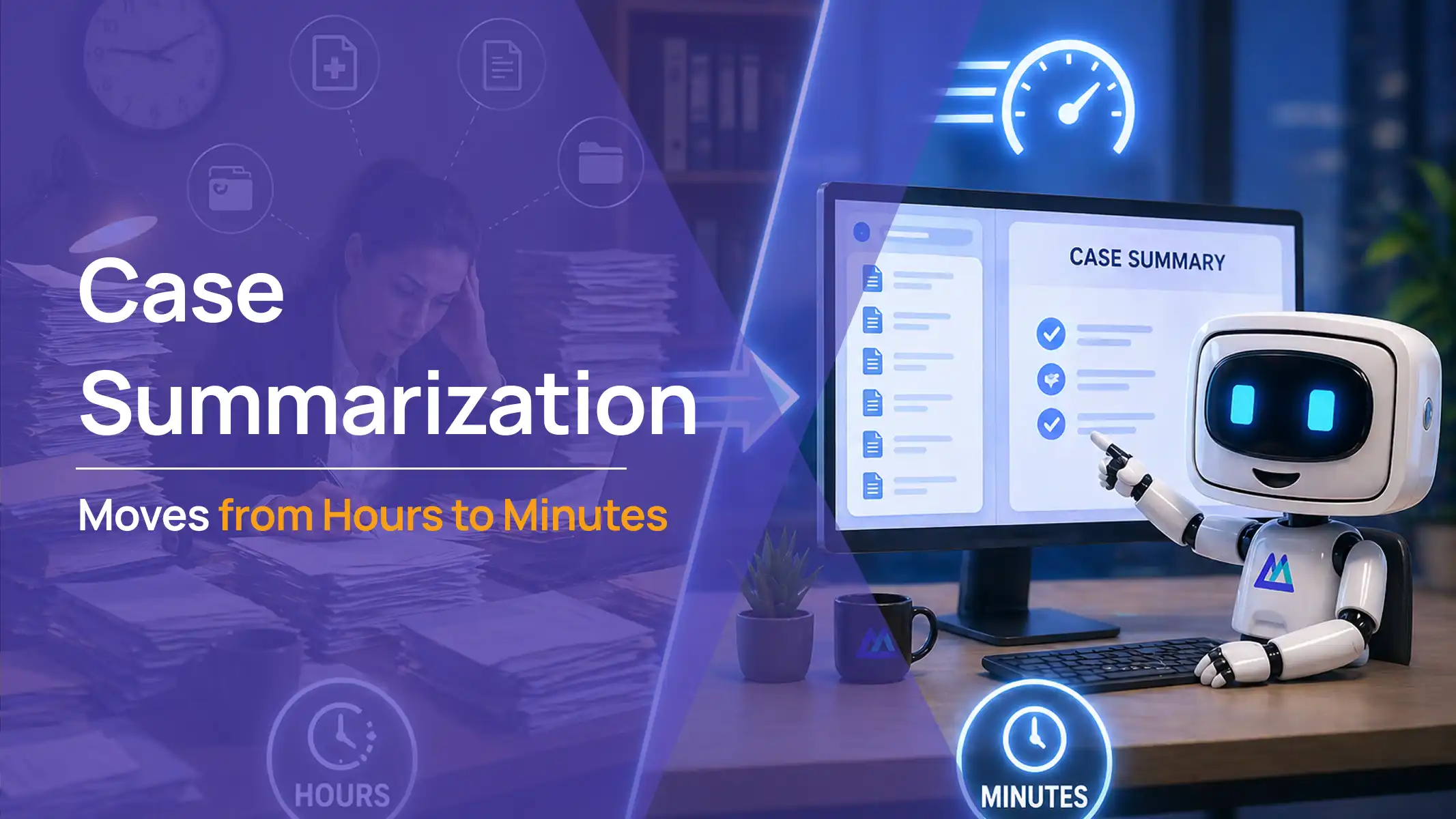
Workflow 3: Case Summarization Moves from Hours to Minutes
What It Looked Like Before
Reviewing a full case file, including hundreds of pages of medical records, to produce a structured case summary is one of the most time-intensive tasks in personal injury practice. A paralegal or attorney reads through the raw records, extracts the key clinical details, and organizes them into a format that can be used for the demand letter. On a complex case, this process can take several hours.
What Law Practice AI Software Does
The case summary module reads the verified case documentation and generates a structured AI case summary that pulls key facts, medical findings, ICD-coded diagnoses, liability indicators, and damage figures into a single organized document. The attorney reviews the summary for accuracy and completeness before it is used downstream.
What Changes
Case review time drops significantly. Attorneys receive a structured overview of the case rather than raw records to read through. The summary feeds directly into the demand letter drafting workflow so no information has to be re-entered between stages. Case files have a consistent structure regardless of which staff member handled the initial review.
Workflow 4: Demand Letter Drafting Becomes Faster and More Consistent
What It Looked Like Before
A complex personal injury demand letter requires a complete medical chronology, clinical language pulled from physician notes, itemized damage calculations, a liability narrative, and a settlement anchor tied to comparable verdicts. Building that from scratch on every case is time-consuming by design. Manual preparation averages three to five hours per letter.
What Law Practice AI Software Does
The demand letter module pulls from the verified case data assembled in the earlier workflow stages. It generates a structured first draft that includes the organized medical chronology, clinical language sourced from the actual physician notes, damage calculations from the documented figures, and a liability narrative built from the case documentation. The attorney reviews, edits where judgment is required, and approves the final letter before it is sent.
What Changes
Preparation time drops from an average of three hours to under 20 minutes per letter, based on Law Practice AI client performance data published in the National Law Review in March 2026. When every demand letter is built from verified case data with consistent clinical language, the output quality does not vary based on workload or available staff. Every adjuster receives a letter that reflects the same standard of documentation.
Workflow 5: Litigation Support Is Built In from Day One
What It Looked Like Before
For cases that proceed beyond the demand stage, building litigation-ready documentation is a separate, manual process. Chronologies, exhibit packets, and case arguments are assembled by hand, often under time pressure as trial dates approach.
What Law Practice AI Software Does
Litigation Support is included in every Law Practice AI plan at no additional cost. The module organizes documentation for court readiness from the moment a case opens, not when litigation becomes imminent. Chronologies, exhibits, and case arguments are structured and available throughout the case lifecycle.
What Changes
Attorneys are not scrambling to assemble litigation materials under deadline pressure. The documentation is organized and current from day one because it feeds from the same case data used across all other workflow stages.
Before and After: Law Practice AI Software Across All Five Workflows
Workflow
Before Law Practice AI
After Law Practice AI Software
Client intake
30 to 45 min per prospect, manual paralegal process
Automated requests, tracking, cloud sync, organized by case
Case summarization
Manual record review, several hours per complex case
AI-generated summary from verified records, attorney reviews
Demand letter drafting
3 to 5 hours per letter, manual assembly
Under 20 minutes per letter, attorney reviews AI draft
Litigation support
Built separately, often under deadline pressure
Included in every plan, organized from case open
What the Data Says
The National Law Review reported in March 2026 that firms using Law Practice AI's demand letter drafting handle an average of 40% more active cases per attorney compared to firms relying on manual workflows, with preparation time dropping from three hours to under 20 minutes per letter.
The 2025 Thomson Reuters Future of Professionals Report found that legal professionals using AI save an estimated five hours per week, representing approximately $19,000 in recovered billable capacity per attorney annually. For a five-attorney firm, that is $95,000 in recovered capacity per year without adding headcount.
The Insurance Research Council found that attorney-represented claimants receive settlements averaging 3.5 times higher than unrepresented claimants. That multiplier narrows when demand letter quality is inconsistent. Law Practice AI software addresses that inconsistency directly by standardizing the documentation process across every case.
Frequently Asked Questions: Law Practice AI Software
Q1: Does Law Practice AI software replace my case management system?
Q2: Is attorney review required at every stage?
Q3: What file types does the document collection module support?
Q4: Can the demand letter module handle different case types?
Q5: How does Law Practice AI software handle data security?
The Documentation Bottleneck Is the Growth Constraint
For most personal injury firms, the limit on how many cases an attorney can actively manage is not skill or strategy. It is a documentation capacity. Every hour spent on manual assembly is an hour not spent on negotiation, client relationships, or case strategy.
Law Practice AI software removes that bottleneck workflow by workflow, starting with the highest-friction tasks and connecting every stage into a single system that runs on verified case data.
Book a Consultation to see how it fits your firm's specific workflows at Law Practice AI. You can also explore how each module works at Law Practice AI Solutions.