Special Offer for CAALA Members: Demand Generation Benefit Package
AI Demand is an innovative tool that automates the creation of professional, accurate, and legally compliant personal injury demand letters in just minutes. With pre-built templates for cases like motor vehicle accidents, slip-and-fall incidents, and dog bites, lawyers can easily produce and customize demand letters to highlight the physical and emotional impact of injuries.
AI Demands™ by Practice AI™ is a cutting-edge tool designed to streamline the creation of personal injury demand letters. It automates the process, ensuring that lawyers can produce professional, accurate, and legally compliant demand packages in just minutes. This powerful AI legal document generator allows attorneys to focus on more strategic aspects of their practice.
AI Demand streamlines the process of creating professional, accurate, and legally compliant demand packages in just minutes. With pre-built templates for various personal injury cases, including motor vehicle accidents (global policy, regular time limit, and third policy cases), slip-and-fall incidents, and dog bites, personal injury lawyers can efficiently produce tailored documents.
Personal injury lawyers can also revise and customize the language to highlight the physical and emotional impact of injuries, ensuring the final personal injury demand letter is polished, persuasive, and perfectly suited to the case. By saving hours of drafting and revision, AI Demands™ enables lawyers to focus on other critical aspects of their practice.
Benefits of Using AI Demands:
Save Time on Demand Letters: Writing letters from scratch takes time. AI-powered demand letters quickly create detailed, professional letters, so you can focus on other priorities.
Ensure Accuracy and Quality:AI legal document automation tools provide precision, reducing errors and ensuring every demand meets legal standards.
Boost Efficiency: Handle more cases with ease, enhancing productivity and client service with AI for law firms.
Stress-free Security & Compliance: Built with the highest standards of data security in AI and privacy. Our platform runs on infrastructure that is compliant with GDPR, HITRUST (HIPAA), ISO 27001, SOC-2, and CCPA.
Reduce Team Burnout: Drafting letters can be repetitive and draining. AI Demands takes care of it, allowing your team to focus on meaningful work and stay motivated.
Do What Matters Most: Time spent drafting is time away from important tasks like negotiations or client care. AI Demands™ helps you focus on what truly matters by leveraging legal AI solutions to automate demand letters effectively.
Exclusive Advantages for CAALA Members:
As a proud partner ofLegal Soft, sponsoring recent CAALA events, we are now providing benefit packages for CAALA members. This offer allows you to experience the full benefits of AI Demands at no cost, maximizing efficiency and keeping your practice competitive with AI-powered legal writing.
Clients rely on personal injury attorneys and medical professionals to deliver fast, reliable results. Yet delays in accessing medical records and billing data can slow progress, frustrate clients, and impact patient outcomes.
Fortunately, advancements in AI technology and strategic partnerships are transforming this process. But how do these tools address the biggest challenges in medical record retrieval while staying compliant with privacy laws?
Table of Contents:
The Challenges of Medical Record Retrieval
The Role of Strategic Partnerships
AI in Medical Record Summarization
Why AI Doc Summary is a Game-Changer
The Challenges of Medical Record Retrieval
Accessing medical records is critical for both attorneys and medical professionals, but it’s often a complex and time-consuming process. Key challenges include:
Scattered Information: Records are rarely centralized, with patients visiting multiple providers who may not share medical data. This fragmentation creates gaps that can slow case preparation or complicate patient care.
Regulatory Compliance: Privacy laws like HIPAA strictly govern how medical records are accessed and shared. Non-compliance risks hefty fines and reputational harm for legal teams and healthcare providers or healthcare industry..
Data Security Risks: Medical documents or records are highly sensitive, making them a prime target for cyberattacks. Safeguarding this healthcare documentation and data requires robust systems to prevent breaches that could harm clients and patients alike.
Data Security Risks: Medical documents are highly sensitive, making them a prime target for cyberattacks. Safeguarding this healthcare documentation requires robust systems to prevent breaches that could harm clients and patients alike.
These challenges often lead to delays, increased costs, and compromised patient outcomes for attorneys building cases or doctors making decisions about care.
By leveraging each other's strengths, these platforms have set a new standard in simplifying the medical record retrieval process using secure AI systems that protect medical data and reduce operational friction.
AI in Medical Record Summarization
Artificial intelligence (AI) is revolutionizing how legal and medical teams manage medical records. Tools like EvenUp Medical Chronology use AI to compile and summarize records with zero hassle. AI also ensures:
Faster processing times, allowing teams to save precious time on redundant tasks and reviews or checks.
Enhanced accuracy by identifying gaps or inconsistencies in medical documents data, eliminating errors.
Better compliance with security and privacy regulations when it comes to sensitive and confidential medical documentation data.
Generative AI capabilities are also being explored to automate narrative generation for medical record summaries, enhancing usability and insights.
AI not only speeds up workflows, but also empowers professionals to focus on high-value tasks like case strategy or patient treatment planning.
The rise of specialized AI tools that assist with document retrieval or medical record review and retrieval has enabled legal and medical practices to effectively transition to a hassle-free process at a fraction of operational costs and yielding more effective results at the same time.
But what other tools can augment this process?
Why AI Doc Summary is a Game-Changer
For attorneys and medical professionals seeking to streamline medical record review, AI Doc Summary offers a cutting-edge solution.
Key Features:
AI-Driven Summaries: Quickly generate summaries of medical and legal documents, saving hours of manual work.
Multi-Document Processing: Handle multiple files simultaneously for comprehensive reviews.
Enhanced Security: Built with compliance in mind, including HIPAA, GDPR, and SOC-2 standards, ensuring sensitive medical data is handled safely.
User-Friendly Edits: Revise and customize summaries to fit specific needs.
Fast Turnaround: Get accurate AI medical record summaryin minutes, not days.
By combining automation with compliance and security, AI Doc Summary simplifies medical record retrieval for personal injury attorneys and healthcare providers alike.
Whether you're an attorney building a case or a medical professional seeking better insights, our solutions deliver speed, accuracy, and peace of mind.
Simplify document review with AI Doc Summary. Sign up with Practice AI now and explore AI Doc Summary.
You already know AI demand letters exist. You have probably seen the pitch: faster drafting, less manual work, stronger output. What most of those pitches skip is the part that actually matters to a personal injury attorney managing 60 to 100 active cases.
How accurate is the output when it counts? How does it hold up when an experienced insurance adjuster reads it? And what does it actually do to your settlement numbers when you use it across your full caseload?
Those are the questions this article answers.
Key Takeaways
Speed is the entry point for AI demand letters, but accuracy and documentation depth are what drive settlement impact at the negotiating table.
AI demand letters built on general-purpose language models produce clean, readable output that experienced adjusters can identify as template-driven, which weakens negotiating leverage.
Purpose-built PI platforms pull clinical language directly from medical records rather than paraphrasing them, a distinction that directly affects how adjusters evaluate claim value.
Firms fully integrated on purpose-built AI demand letter software report handling 40% more active cases per attorney, with preparation time dropping from 3 hours to under 20 minutes per letter.
The settlement multiplier for attorney-represented claimants is 3.5 times higher on average than unrepresented claimants, and that gap narrows when the demand letter is weak regardless of how it was produced.
Why Speed Is the Wrong Metric for Evaluating AI Demand Letters
Every AI demand letter platform will tell you it is faster. That part is true across the board. A tool that generates a first draft in minutes will always outpace a paralegal building one from scratch. Speed is not where the platforms differentiate.
The metric that actually determines whether an AI demand letter moves your settlement number is documentation precision. Insurance adjusters are trained to find gaps. A demand letter that is fast but imprecise gives them exactly what they need to justify a reduced payout. A demand letter that is fast and airtight removes that option entirely.
According to the Insurance Research Council, attorney-represented claimants receive settlements averaging 3.5 times higher than unrepresented claimants. That multiplier does not come from the speed at which the letter was produced. It comes from the quality of the documentation inside it. AI demand letters only improve settlement outcomes when the output quality is high enough to close the gaps adjusters look for.
The Real Difference Between AI Demand Letter Platforms
General AI Tools vs. Purpose-Built PI Platforms
Most AI demand letter tools on the market today are general-purpose language models with a legal prompt layered on top. They produce grammatically clean, professionally structured output. They also produce language that paraphrases medical records rather than pulling from them directly.
That distinction matters more than most attorneys realize. When a demand letter describes an injury in summarized language rather than mirroring the physician's own clinical documentation, an experienced adjuster sees the difference immediately. It signals that the letter was assembled from a summary rather than built from the source records. That gap creates negotiating room the adjuster will use.
Purpose-built PI demand letter platforms are trained specifically on personal injury document structures, medical terminology, and damage calculation frameworks. They integrate directly with case management systems like CASEpeer, Filevine, and SmartAdvocate to pull structured case data automatically, including treatment timelines, physician notes, billing records, and wage loss documentation. The clinical language in the output reflects the actual records, not a paraphrase of them.
Documentation Gap Detection Changes the Pre-Send Process
One capability that separates strong AI demand letter platforms from weak ones is what happens before the letter is finalized. Purpose-built platforms audit the draft against the case file and flag missing documentation before the letter reaches the adjuster.
Missing medical records, unverified wage loss figures, gaps in the treatment timeline, and unsupported liability claims are all identified at the drafting stage rather than discovered after the adjuster has already used them to discount the claim. That pre-send audit function has a direct and measurable impact on the quality of demand packages your firm sends consistently across every case.
Integration Depth Determines Real-World Time Savings
A platform that requires manual data re-entry to function is not delivering the time savings its marketing claims. The genuine time reduction in AI demand letter workflows comes from direct integration with the case management system your firm already uses. When case data flows automatically into the drafting environment, preparation time drops from 3 hours to under 20 minutes per letter. When it requires manual input, the savings shrink significantly.
What AI Demand Letters Actually Do to Settlement Outcomes
Metric
Manual Drafting
Purpose-Built AI Demand Letters
Average preparation time
3 to 5 hours per letter
15 to 20 minutes per letter
Clinical language source
Paralegal paraphrase of records
Pulled directly from medical documentation
Documentation gap detection
Found during review or missed entirely
Flagged before the letter is sent
Consistency across caseload
Varies by attorney and paralegal
Standardized structure on every case
Cases handled per attorney
Baseline
40% more active cases per attorney
Adjuster response to output
Variable based on draft quality
Consistently stronger demand packages
The 40% increase in cases per attorney is sourced from Law Practice AI client performance data published in the National Law Review in March 2026. That figure reflects firms using purpose-built AI demand letter software across their full caseload, not firms using AI selectively on individual cases.
The settlement impact compounds over time. When every demand letter your firm produces follows the same evidence-backed structure, adjusters learn to take your packages seriously. That reputation has a value that is difficult to quantify per case but visible across a full year of settlement outcomes.
Why Attorney Review Is Not Optional
The firms getting the strongest results from AI demand letters are not the ones using the most automated platforms. They are the ones that have built a clear review process around every AI-generated draft.
The Bloomberg Law AI Trends Report identified AI-assisted legal drafting as one of the fastest-growing technology categories in the legal sector, with high-volume practice areas like personal injury leading adoption. The firms cited for the strongest outcomes consistently shared one practice: structured attorney review at every stage of the drafting workflow.
AI handles the documentation assembly. The attorney evaluates liability strength, sets the final demand figure, adjusts tone for the specific insurer and adjuster, and takes professional responsibility for the letter. That division of labor is where the time savings and quality improvements coexist. Removing attorney oversight from the process does not improve efficiency. It introduces risk that shows up in the settlement room.
How Law Practice AI Is Built for This
Law Practice AI is purpose-built for plaintiff personal injury firms that need AI demand letters with the documentation depth that adjusters take seriously.
The platform pulls structured case data directly from CASEpeer, Filevine, and SmartAdvocate. It generates demand letter drafts with clinical language sourced from actual medical records, organized treatment chronologies, verified damage calculations, and liability narratives built from case documentation. Every draft is audited for documentation gaps before the attorney reviews it, and every letter requires attorney approval before it is sent.
Firms using Law Practice AI report handling 40% more active cases per attorney, with demand letter preparation time consistently under 20 minutes per letter across their full caseload.
Frequently Asked Questions: AI Demand Letter Platforms for Personal Injury Firms
Q1: What makes one AI demand letter platform better than another?
Q2: Do AI demand letters actually improve settlement amounts?
Q3: How do AI demand letters handle complex cases with multiple providers and injuries?
Q4: What happens if the AI misses something in the medical records?
Q5: Is AI demand letter software worth it for smaller PI firms?
The Firms Getting Results Are Not Just Using AI Faster: They Are Using It Better
The personal injury practices seeing the strongest settlement outcomes from AI demand letters are not the ones using the most automated workflow. They are the ones using purpose-built tools with documented clinical precision, structured attorney review, and full caseload integration.
AI demand letters have moved past the adoption question. The question now is which platform is built well enough to trust with your cases and your clients. That answer comes down to documentation depth, integration quality, and whether the tool treats your medical records as source material or as something to summarize.
Law Practice AI is built for the firms that want the former. See how it works across your full caseload.
The best AI for immigration lawyers is not one universal winner. It is whichever tool actually removes the retyping, drafting, or transcription that eats your staff's hours, once you have tested it on a real case instead of a demo.
This guide ranks the categories by what they automate, adds a same-day test you can run before signing anything, and closes with the ethics rules that govern how any firm can use these tools at all.
Top AI Tools for Immigration Law Firms
With that test ready to run, here is how six commonly recommended tools stack up, grouped by which stage of a case they actually automate, from full-lifecycle coverage down to a single task.
Tool
Category
Best For
Pricing Model
US Immigration AI
End-to-end immigration case automation
Firms that want to reduce repetitive work across multiple stages of a case
Per application or flat monthly plan
Docketwise
Immigration form automation
Firms that want questionnaire-driven intake tied directly to form completion
Per user, per month
CaseBlink
AI petition and RFE drafting
Firms whose biggest time drain is writing petition narratives and RFE responses
Not publicly listed; request a quote
Sonix
AI transcription and translation
Firms handling frequent non-English client interviews or recorded testimony
Per-minute pricing with volume plans available
ChatGPT, Claude, Gemini
General-purpose AI assistants
Early-stage brainstorming, not case-specific drafting or document handling
Free and paid plans; business pricing varies
Clio's Manage AI
Practice-management AI add-on
Firms already using Clio that want AI built into existing matter workflows
Paid add-on to a Clio subscription
1. US Immigration AI: Best for End-to-End Case Automation
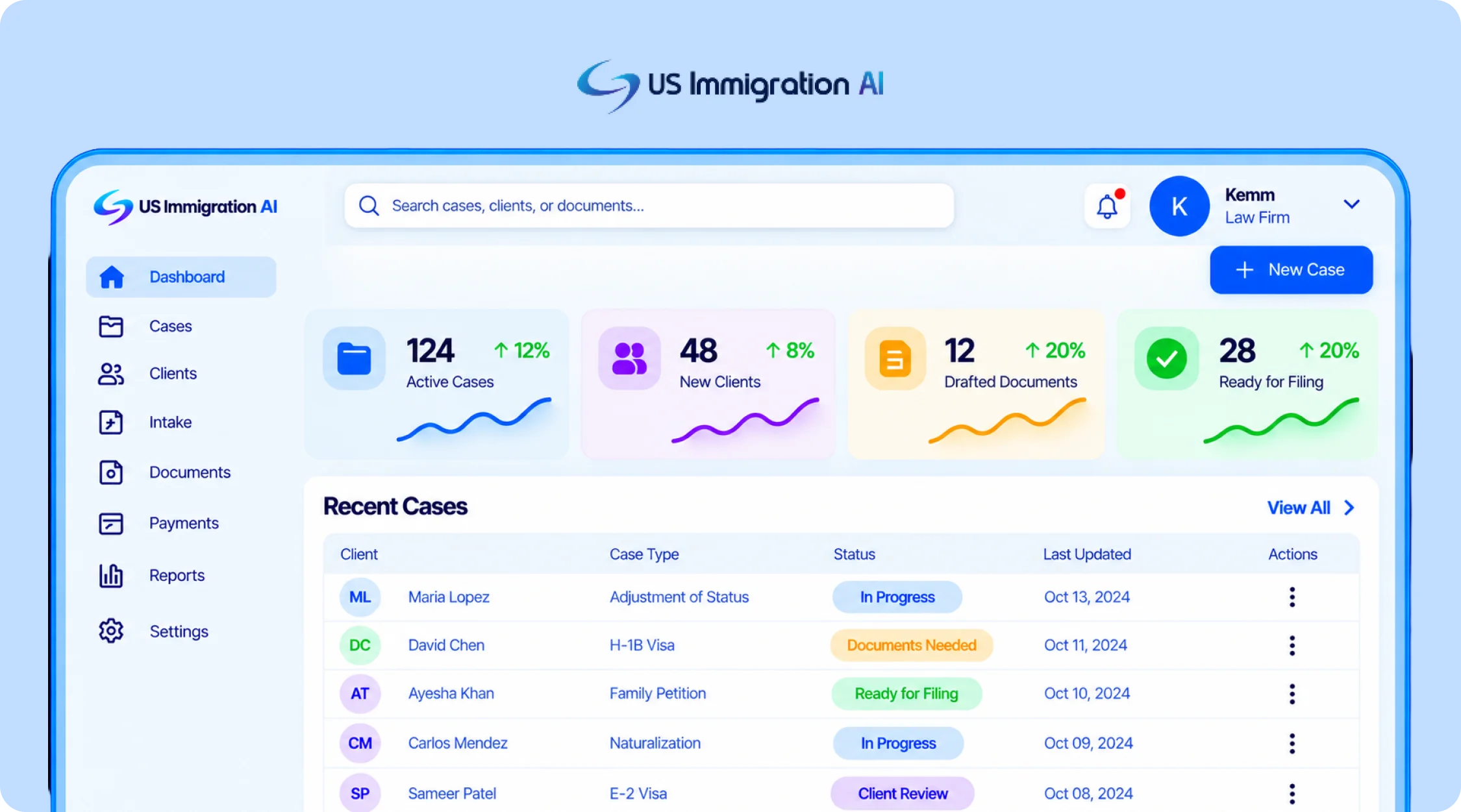
US Immigration AI is an AI-powered platform built specifically for immigration law firms. One of its co-founders, Michael Ashoori, is a U.S. immigration lawyer, and the platform is designed around the workflows immigration practices handle every day. It connects lead intake, retainers and payments, document collection, legal drafting, and final case assembly in one system.
Its immigration-specific workflow is the main difference from tools focused primarily on forms or drafting. Firms can use the platform across multiple stages of a matter while keeping attorney review and approval at the final decision and filing stages.
2. Docketwise: Best for Immigration-Specific Form Automation
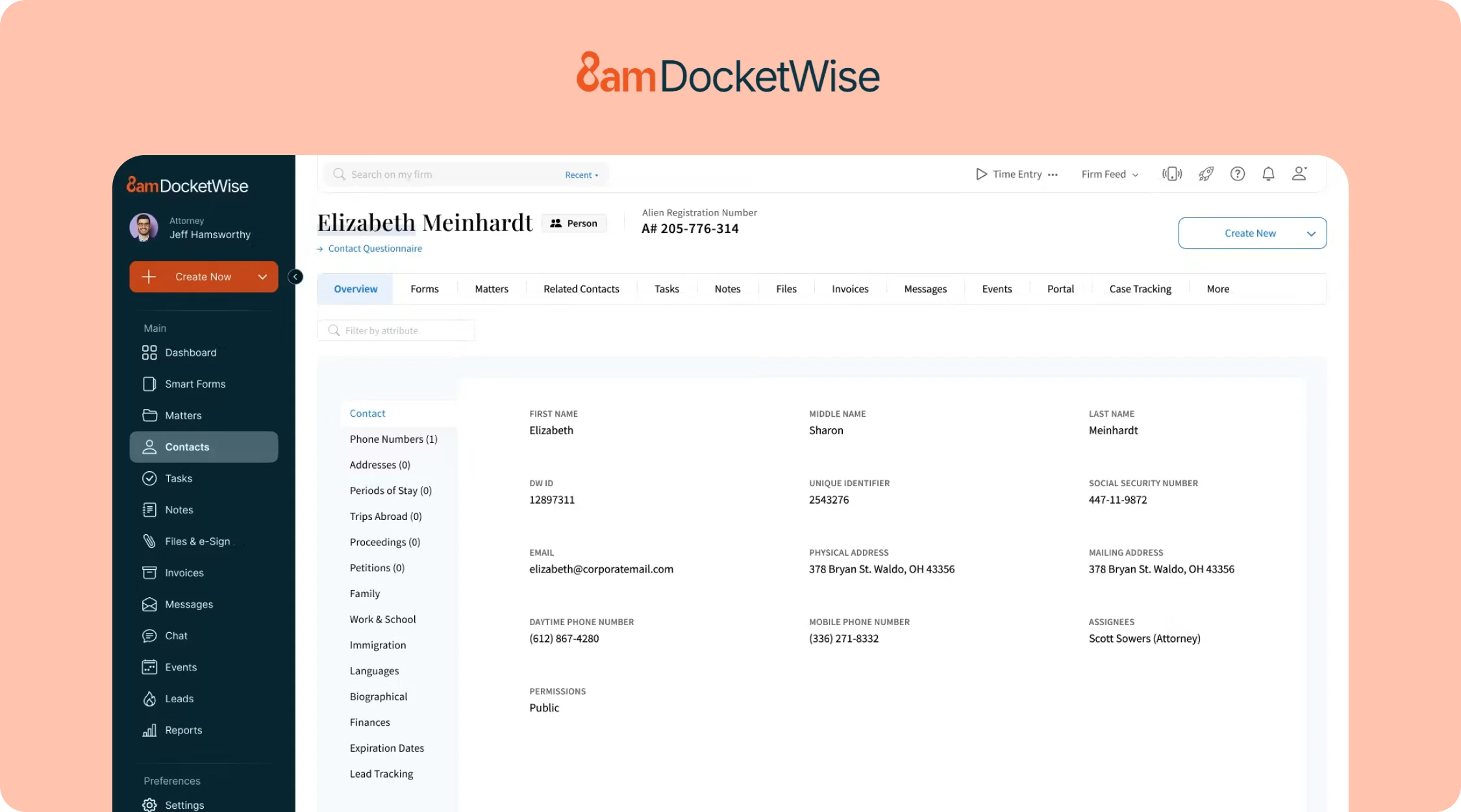
Docketwise is case management software built for immigration practices. Clients complete a smart questionnaire, and Docketwise auto-populates the matching form across a library of more than 150 USCIS, DOL, and DOS forms, from family petitions to PERM labor certifications.
Its AI writing layer, marketed as 8am IQ, adds drafting and data-capture assistance on top of the core form automation. Published pricing for it varies widely across review sites, so confirm the current rate directly rather than trusting any single listing.
3. CaseBlink: Best for AI-Drafted Petitions and RFE Responses
CaseBlink is a drafting tool built for immigration attorneys. It generates support letters, cover letters, RFE responses, and legal briefs for major visa and green card categories, citing directly to the case documents a firm uploads.
Pricing is not publicly listed at the time of writing, so request a quote directly rather than relying on a third-party estimate.
4. Sonix: Best for AI Transcription and Translation
Sonix transcribes and translates audio and video, with support for more than 49 languages. Immigration firms use it for client interviews, sworn statements, and hearing recordings that need an accurate written record in a second language.
Time a transcript of an actual client interview against step four of the test above before committing to a volume tier.
5. ChatGPT, Claude, and Gemini: Best for Research and Brainstorming
General-purpose AI chatbots like ChatGPT, Claude, and Gemini are useful for talking through a hard legal question, drafting a rough first outline of an RFE response before a specialized tool takes over, or summarizing a long article. They have no memory of a specific client's case and no built-in connection to a firm's intake or document data.
Client case details should stay out of the consumer tier. An enterprise tier with different data-handling terms is the safer choice if any client information is involved.
6. Clio's Manage AI: Best if Your Firm Already Runs on Clio
Clio's Manage AI, built into Clio Manage, extracts deadlines from uploaded court documents into calendar events, drafts client update messages, and summarizes long matter files. Extracted dates are shown side-by-side with the source document so staff can verify them before anything is confirmed.
It's a general practice-management layer, not one built specifically for immigration filings, and it's an add-on rather than a standalone product. Confirm both the AI-layer cost and the base subscription tier directly before budgeting.
How to Choose an AI for Your Immigration Practice
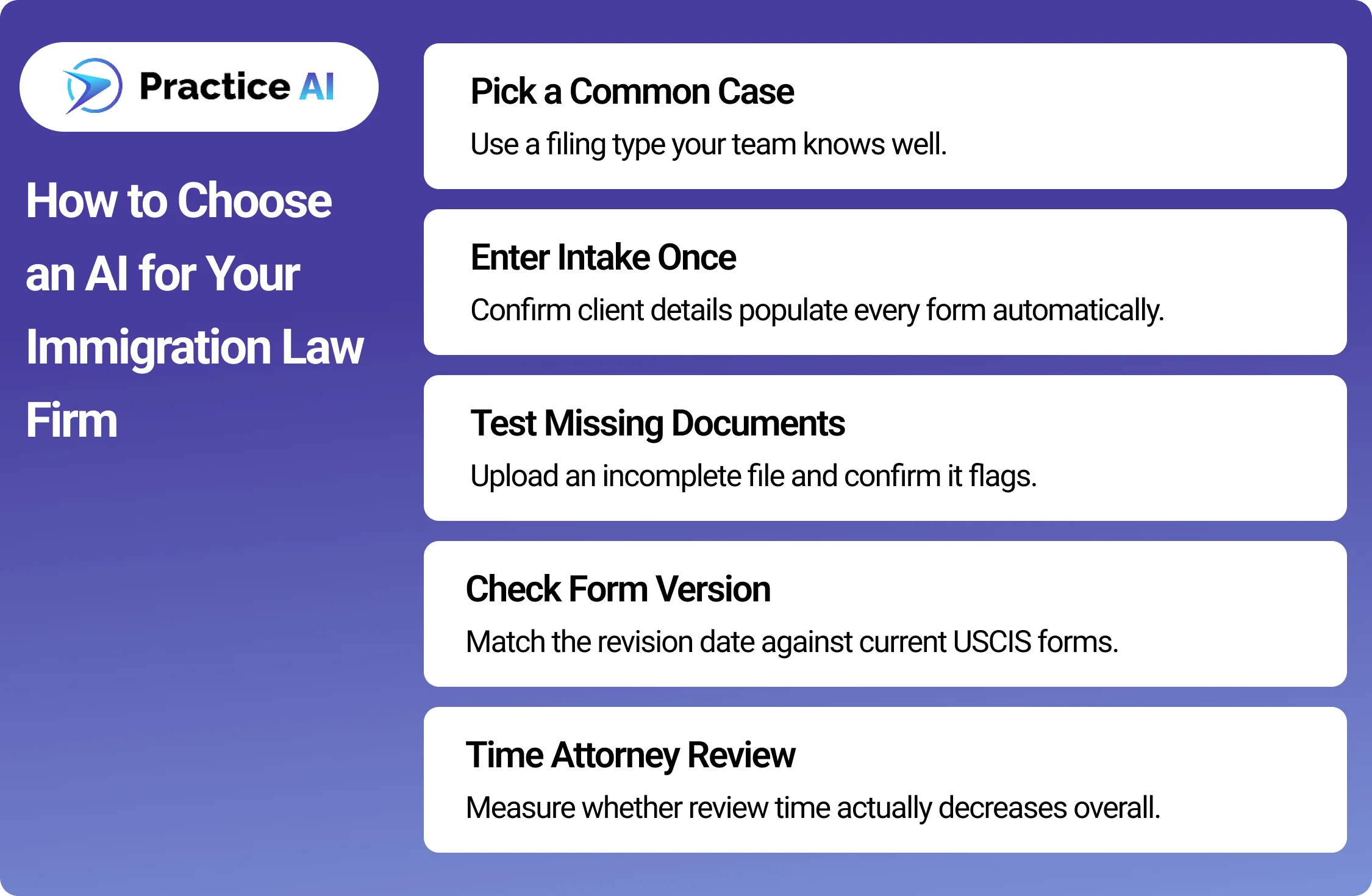
A demo shows you the tool at its best. A real case shows you how it behaves on your firm's actual work. Before signing, run one sample case through the tool and check these steps.
Pick one case type your firm files often. A family-based petition or a common nonimmigrant visa works well, since you already know how long it should take.
Enter the client's intake answers once. Check whether the same name, dates, and details carry into every downstream form without retyping.
Upload one file on purpose left incomplete. Confirm the tool actually flags the missing document instead of letting the gap pass silently.
Ask for the form's exact revision date. Compare it against the current edition on USCIS.gov to confirm the template is current, not stale.
Time your attorney's review of the sample output. A tool that saves drafting time but doubles review time has not saved your firm anything.
If the tool touches client payments, send one sample deposit. Confirm it lands in a trust account and that processing fees come out of the operating account instead, not the other way around.
Where Ethics Rules Actually Limit Your Options
None of the categories above operate outside your existing ethical duties. Three sources set the real limits on how any of them can be used.
ABA Formal Opinion 512
ABA Model Rule 1.1 requires competence, which the ABA's Standing Committee on Ethics and Professional Responsibility applied directly to generative AI in Formal Opinion 512, "Generative Artificial Intelligence Tools," issued July 29, 2024.
The opinion states that uncritical reliance on AI output carries real malpractice risk, and it ties AI use back to Model Rule 1.6 on confidentiality, since client data fed into a tool has to stay protected the same way a paper file would. A tool with no attorney-review checkpoint, or that cannot say where client data is stored, creates exactly the exposure the opinion warns about.
EOIR Policy Memorandum PM 25-40
Immigration practice carries one more layer. The Executive Office for Immigration Review's Policy Memorandum PM 25-40, "Use of Generative Artificial Intelligence in EOIR Proceedings," issued August 8, 2025, sets no blanket ban and no mandatory disclosure rule for AI use in immigration court and BIA proceedings.
It does warn that filing hallucinated AI-generated citations or arguments can trigger professional-conduct sanctions, and individual judges may still adopt their own standing orders on AI disclosure. Firms filing with EOIR should read the memo directly and check with the specific court or judge rather than assuming one uniform rule applies.
ABA Model Rule 1.15, If Payments Are Involved
A third rule applies to any tool that touches client money. ABA Model Rule 1.15 requires lawyers to keep client funds, like retainer deposits, separate from the firm's own operating funds in a dedicated trust account.
Commingling trust and operating funds is one of the most common sources of bar discipline, so a payment tool needs to show exactly where a deposit lands, not just confirm that it was "processed." This is the reasoning behind the payment check added to the test above.
Bring all three sources with you when you run the test. A tool that cannot show you an attorney-review flag, a clear data-handling answer, or exactly where a payment lands has already failed the more important test, regardless of how it performs on speed.
Final thoughts
The best AI for immigration lawyers is the one that survives contact with a real case, not the one that ranks highest in a search result. Run the test on your own files, ask each vendor exactly where client money and data go, and match the tool to the actual bottleneck slowing your firm down.
Category fit, a live test, and the three ethics sources covered here matter more than any single feature list a vendor publishes about itself.
Frequently Asked Questions
These are the questions immigration firms ask most when they're choosing between these tools.
What is the best AI for small immigration law firms?
US Immigration AI and Docketwise are strong options for small immigration firms because both can scale without a large upfront software investment. US Immigration AI is better suited to firms that want broader workflow automation, while Docketwise is stronger for forms management.
What is the best AI for solo immigration attorneys?
US Immigration AI can be a good fit for solo immigration attorneys because its per-application pricing lets firms pay based on actual case usage. This works well for solo attorneys with lower or more variable case volume.
How do I know if a vendor's claims about their AI tool are accurate?
Run the tool on one real case before signing anything. Enter intake data once, leave a document intentionally incomplete, and check whether the tool actually flags it. A live test on your own case type tells you more than any published feature list.
Is it safe to use general AI chatbots like ChatGPT for immigration cases?
General chatbots can help with brainstorming and rough drafts, but they were not built with legal confidentiality obligations in mind. ABA Model Rule 1.6 and ABA Formal Opinion 512 require firms to understand how a tool handles client data before putting case details into it.
Does an attorney still need to review AI-drafted immigration documents?
Yes. ABA Formal Opinion 512 states that uncritical reliance on AI output carries real malpractice risk under the competence duty in Model Rule 1.1. Every AI-drafted document should go through a licensed attorney's review before it reaches a client or the government.
Can AI be used in immigration court filings?
Yes. The Executive Office for Immigration Review's Policy Memorandum PM 25-40 neither bans generative AI in its proceedings nor requires firms to disclose using it. It does warn that filing hallucinated AI-generated citations can trigger professional-conduct sanctions, and an individual judge may still impose their own disclosure rule through a standing order. Confirm the specific court's practice before relying on any AI tool in a filing.
Does an AI payment tool create any special ethics risk?
Yes, if it touches client retainer money. ABA Model Rule 1.15 requires client funds to stay in a separate trust account from the firm's own operating funds. Before relying on any payment automation, confirm it actually keeps those two accounts separate rather than just processing a charge.
.jpg)